Generate content, correct spelling, suggest synonyms to enhance writing.
173M visits/mo+0.1%#1 Productivity & Office

Turns saved links into a private, connected knowledge vault with wiki links and backlinks
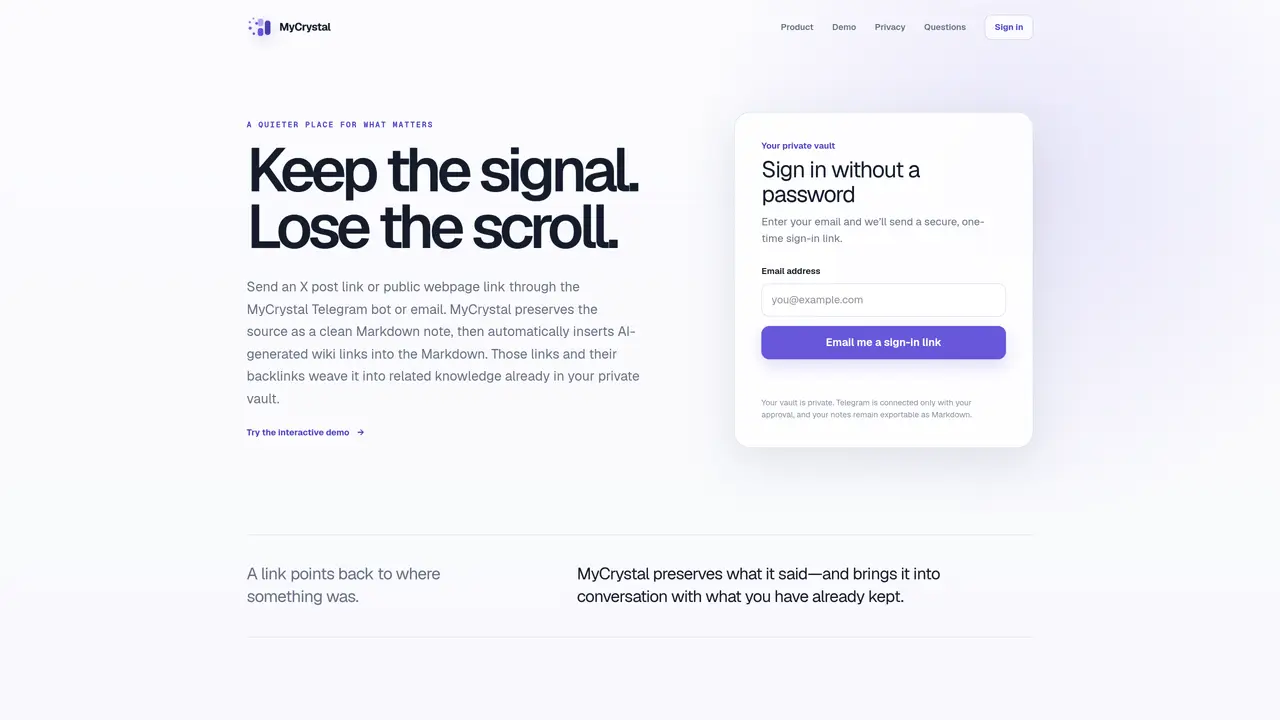
MyCrystal captures public links via Telegram bot or email and converts them into clean Markdown notes. The tool preserves the original source text and uses AI to insert wiki links that connect new notes to existing ones in a private vault. Backlinks show how notes relate to each other, creating a network of related concepts. Users can edit notes block by block, add questions or thoughts, and revisit material over time without pressure to finish. The vault is web-based and accessible from any device, with options to download individual notes or export the entire collection as portable Markdown. Wiki links remain readable in tools like Obsidian, supporting local workflows. The service is private by default, with no public exposure of saved notes or sources.
MyCrystal is a tool that captures public links via a Telegram bot or email and converts them into clean Markdown notes. It preserves the original source text and uses AI to insert wiki links that connect new notes to existing ones in a private vault.
MyCrystal is designed for individuals who engage in active reading and knowledge management, such as researchers, students, or professionals who want to build a private, connected library of curated online content.
MyCrystal is private by default. Saved notes and sources remain private to your account and are not exposed to public search engines. The tool uses privacy-conscious analytics that do not include your saved URLs, note text, or personal identifiers.
Yes, you can download individual notes as Markdown or export the entire vault as a ZIP file. The exported Markdown preserves wiki-link syntax, making it compatible with tools like Obsidian.
Not by default. MyCrystal preserves the readable source text and uses AI to identify useful concepts and add wiki links. Summarization is not the primary function.
The current release supports public X posts and public webpages. Restricted pages, paywalled material, or sources requiring private sign-ins may not be capturable.
We use essential cookies to run aitoolnavio™, and optional cookies to analyze traffic and measure our marketing. You choose what we use — optional cookies stay off unless you turn them on. See our Privacy Policy.
One short email a week: fresh tools worth trying, honest takes and the updates that actually matter. No spam, unsubscribe any time.
Generate content, correct spelling, suggest synonyms to enhance writing.
Markdown-based note-taking and personal knowledge management app that turns notes into a connected system of ideas.
Capture, organize, and share ideas, notes, and documents effortlessly.
Easily create and track training courses, design learning environments, and access from any device with an intuitive interface.
An AI-powered note-taking app for students and professionals to write, sketch, annotate PDFs, record audio, and generate summaries, quizzes, and flashcards.
Handwritten note-taking app with searchable ink, PDF annotation, synced audio, and AI-powered study tools.
AI-powered process documentation tool that captures workflows into visual step-by-step guides with screenshots, editing, and exports.
AI web app that transcribes audio, video, and YouTube links into text in 98 languages with summaries, mind maps, and export formats for students and teams.
A note-taking and spaced-repetition flashcard app for students and learners, with PDF annotation plus AI tools for generating cards, quizzes, and study summaries.
AI-powered research assistant for organizing, analyzing, and synthesizing information from notes and documents.
Capture thoughts, create documents, and access on any device for convenient organization and productivity.
AI-powered PDF editor with built-in agents for summarization, translation, and document analysis.
Matched on what this tool does — grouped by the job you would be replacing.
matches Captures public links via Telegram bot or email · AI-generated wiki links between related notes · Backlink visualization for note relationships
Markdown-based note-taking and personal knowledge management app that turns notes into a connected system of ideas.
A note-taking and personal knowledge management app that connects ideas as linked objects with AI assistance and offline access.
Capture ideas, link notes, create backlinks for seamless information organization and reference.
AI-powered knowledge base that captures, organizes and returns saved content with context
matches Converts sources to clean Markdown format · Block-level editing of notes · Web-based vault accessible from any device
A collaborative notecard-based note-taking app for students and teams with Markdown, LaTeX, images, sync, offline editing, and optional AI tools.
A shared workspace for storing and organizing AI-generated content as durable pages