Generate content, correct spelling, suggest synonyms to enhance writing.
173M visits/mo+0.1%#1 Productivity & Office

Mac ebook reader with on-device AI that answers questions about the text you are reading
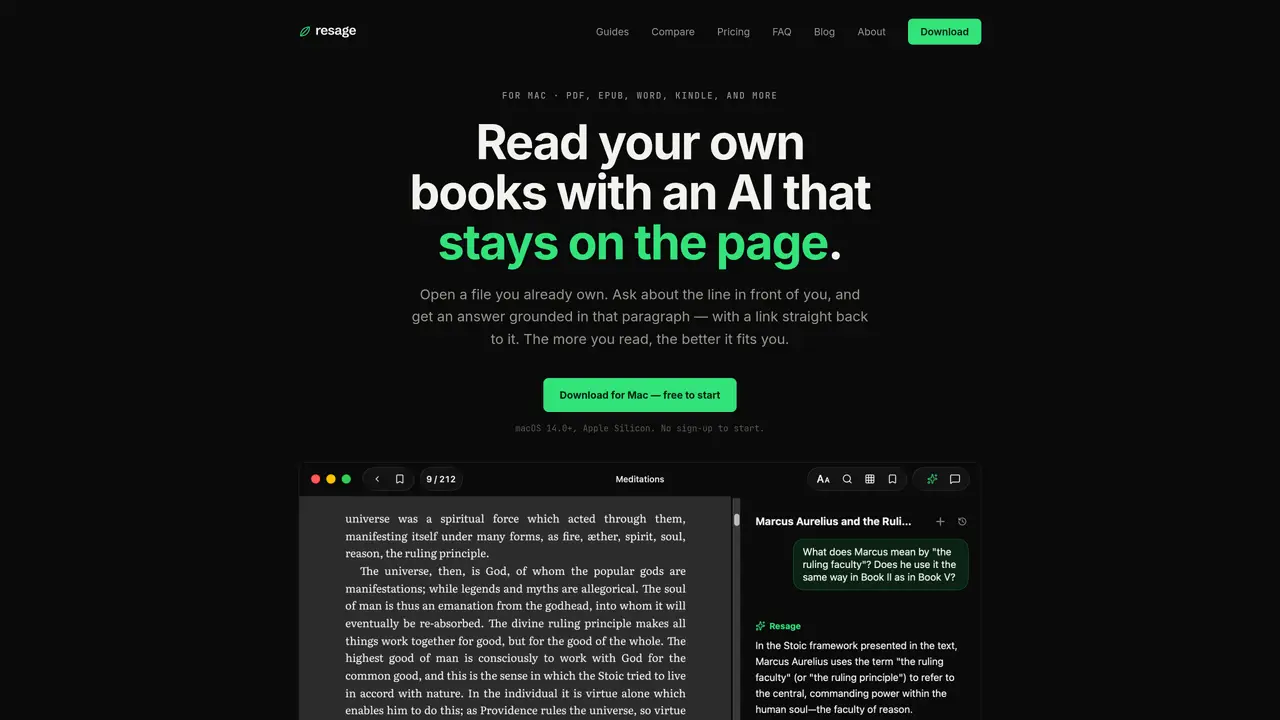
Resage is a Mac application for reading ebooks in PDF, EPUB, Word, Kindle and other formats. It includes an AI assistant that answers questions about the current page or passage, with responses grounded in the actual text. The assistant learns from the user’s reading habits over time, adjusting explanations to their level and prior knowledge. The application reads files locally without uploading them, using on-device OCR for scanned PDFs and vector indexing for fast searching. Users can discuss specific sentences or entire documents, with citations linking directly to the relevant passage. The reader preserves original page layouts and supports features like continuous scrolling, double-page view and appearance modes. All user data remains on the device and syncs through the user’s own iCloud account.
Resage supports PDF, EPUB, Word, Kindle, and other formats for reading ebooks on Mac.
No, Resage processes files entirely on your Mac and syncs through your own iCloud account without uploading files to external servers.
The AI assistant answers questions about the current page or passage, grounded in the actual text, and learns from your reading habits over time to adjust explanations to your level.
Yes, you can discuss specific sentences or entire documents, with citations linking directly to the relevant passages for easy reference.
Resage offers a free start with no sign-up required, and you can download it for macOS 14.0+ on Apple Silicon.
Resage uses on-device OCR (Apple Vision OCR) to recognize scanned pages automatically and vector-indexes the full text for discussions.
We use essential cookies to run aitoolnavio™, and optional cookies to analyze traffic and measure our marketing. You choose what we use — optional cookies stay off unless you turn them on. See our Privacy Policy.
One short email a week: fresh tools worth trying, honest takes and the updates that actually matter. No spam, unsubscribe any time.
Generate content, correct spelling, suggest synonyms to enhance writing.
Markdown-based note-taking and personal knowledge management app that turns notes into a connected system of ideas.
Capture, organize, and share ideas, notes, and documents effortlessly.
Easily create and track training courses, design learning environments, and access from any device with an intuitive interface.
An AI-powered note-taking app for students and professionals to write, sketch, annotate PDFs, record audio, and generate summaries, quizzes, and flashcards.
Handwritten note-taking app with searchable ink, PDF annotation, synced audio, and AI-powered study tools.
AI-powered process documentation tool that captures workflows into visual step-by-step guides with screenshots, editing, and exports.
AI web app that transcribes audio, video, and YouTube links into text in 98 languages with summaries, mind maps, and export formats for students and teams.
A note-taking and spaced-repetition flashcard app for students and learners, with PDF annotation plus AI tools for generating cards, quizzes, and study summaries.
AI-powered research assistant for organizing, analyzing, and synthesizing information from notes and documents.
Capture thoughts, create documents, and access on any device for convenient organization and productivity.
AI-powered PDF editor with built-in agents for summarization, translation, and document analysis.
Matched on what this tool does — grouped by the job you would be replacing.
matches Jump to cited pages directly from answers · Digest scans and indexes entire files locally · Search across text and past discussions
Read smarter with Free AI PDF Reader!
A local AI tool that lets users chat with documents, request summaries, and ask questions privately on Mac.
Private AI appliance for local document search and Q&A with source citations
AI-powered reading companion that lets users highlight text, ask questions, and save insights from books in PDF, EPUB, TXT, and DOC formats.