Generate content, correct spelling, suggest synonyms to enhance writing.
173M visits/mo+0.1%#1 Productivity & Office

Converts sermons or spoken content into structured notes with key elements extracted
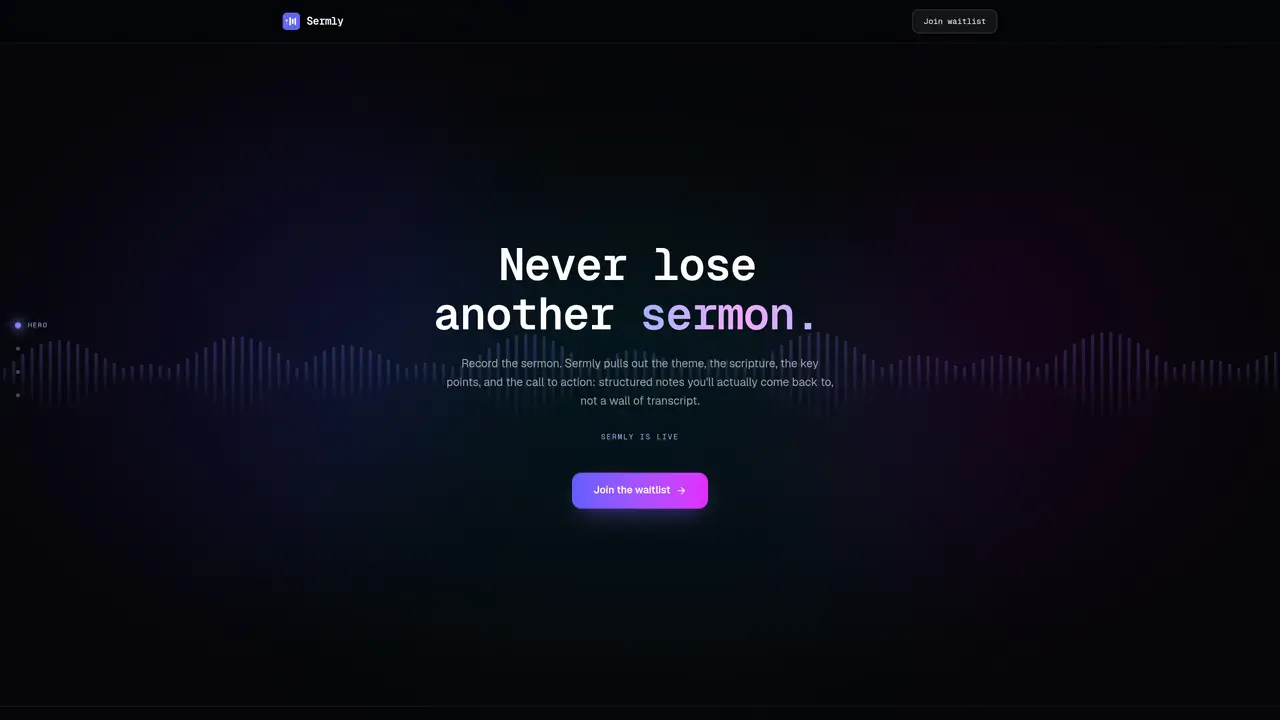
Sermly is designed to help users capture, organize, and derive lasting value from spoken content such as sermons, lectures, or meetings. The tool records full-length audio without time limits and automatically generates structured notes that extract the theme, scripture references, key points, illustrations, notable quotes, and application points. Unlike raw transcripts, these notes are concise and actionable, making it easier for users to revisit and apply the content later. The platform maintains a searchable library of all recordings, allowing users to locate specific moments, scriptures, or illustrations instantly. Sermly supports sharing through view-only links, PDF exports, or direct integration with apps like Apple Notes. It also includes features such as offline drafts to preserve progress if transcription fails, recurring reminders for habits like weekly sermons or daily devotionals, and a watchlist for saving content to revisit later. Users can track spiritual goals over time by connecting notes and recordings, ensuring a structured approach to personal or professional growth.
Sermly records sermons or spoken content and automatically generates structured notes by extracting the theme, scripture references, key points, illustrations, notable quotes, and application. It organizes recordings into a searchable library for instant retrieval.
Sermly is designed for pastors, note-takers, and individuals who want to capture, organize, and revisit spoken content such as sermons, meetings, or devotionals with structured summaries.
Yes, Sermly supports full-length recordings without time limits, ensuring nothing is cut short during capture.
Sermly allows sharing via view-only links, PDF export, or direct integration with apps like Apple Notes. Notes can also be saved locally as offline drafts if transcription fails.
Yes, Sermly includes features to set recurring reminders for habits like weekly sermons or daily devotionals, and users can track spiritual goals by connecting notes and recordings over time.
Users can join the waitlist on the Sermly website to receive early access and a free extended trial when it becomes available.
sermly.app · third-party estimates from Similarweb
Last 2 months · grows by one month every month
Share of visits by channel
No measurable traffic from Social, Paid Referrals, Mail or Search.
Share of visits · estimated visits
Traffic figures are third-party estimates, good for scale and trends; they can differ from a company's own numbers. Updated monthly.
We use essential cookies to run aitoolnavio™, and optional cookies to analyze traffic and measure our marketing. You choose what we use — optional cookies stay off unless you turn them on. See our Privacy Policy.
Generate content, correct spelling, suggest synonyms to enhance writing.
Markdown-based note-taking and personal knowledge management app that turns notes into a connected system of ideas.
Capture, organize, and share ideas, notes, and documents effortlessly.
Easily create and track training courses, design learning environments, and access from any device with an intuitive interface.
An AI-powered note-taking app for students and professionals to write, sketch, annotate PDFs, record audio, and generate summaries, quizzes, and flashcards.
Handwritten note-taking app with searchable ink, PDF annotation, synced audio, and AI-powered study tools.
AI-powered process documentation tool that captures workflows into visual step-by-step guides with screenshots, editing, and exports.
AI web app that transcribes audio, video, and YouTube links into text in 98 languages with summaries, mind maps, and export formats for students and teams.
A note-taking and spaced-repetition flashcard app for students and learners, with PDF annotation plus AI tools for generating cards, quizzes, and study summaries.
AI-powered research assistant for organizing, analyzing, and synthesizing information from notes and documents.
Capture thoughts, create documents, and access on any device for convenient organization and productivity.
AI-powered PDF editor with built-in agents for summarization, translation, and document analysis.
Matched on what this tool does — grouped by the job you would be replacing.
matches Full-length recording with no time limits · Structured notes generation (theme, scripture, key points, illustrations, quotes, application) · Searchable library for recordings and notes
Turn voice recordings into structured notes and summaries with AI-powered transcription and organization.
Turns voice recordings into searchable notes with AI-generated summaries and insights.
Converts sermons into structured study notes from YouTube links
One short email a week: fresh tools worth trying, honest takes and the updates that actually matter. No spam, unsubscribe any time.