Create stunning visuals, develop ideas with AI-powered tools, and instantly share content without coding or formatting.
21M visits/mo+6.5%#6 Writing & Content

Hand-drawn slides and diagrams with pens, brushes and AI-generated artwork
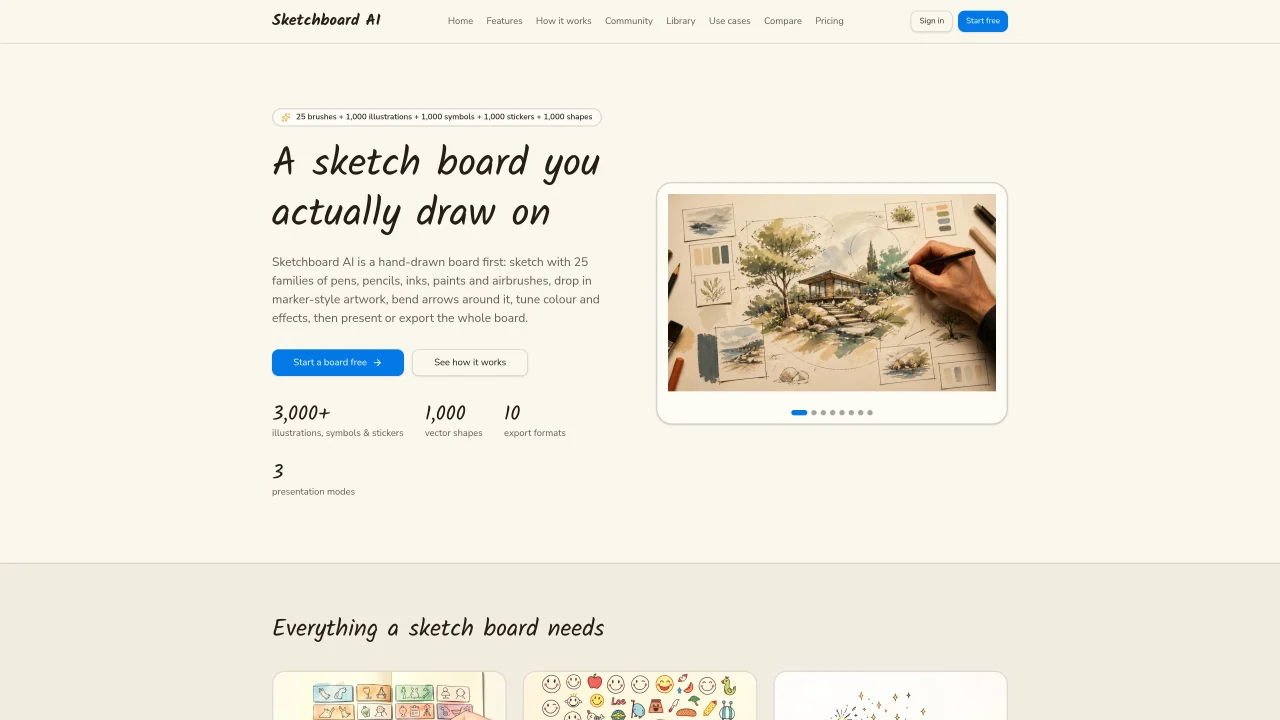
Sketchboard AI is a digital whiteboard designed for creating hand-drawn slides and diagrams. Users sketch directly on a board using 25 brush families that mimic real media, including pencils, inks, paints and airbrushes. The tool offers adjustable stroke properties like grain, taper and pressure response, along with a smudge tool and precision eraser. Built-in library assets include 3,000+ illustrations, symbols and stickers across multiple categories, plus 1,000 vector shapes and 1,000 line icons. AI features allow users to generate custom illustrations or symbols by describing them or uploading reference images, with options to control style, shape and transparency. Elements can be recolored, resized and rotated, and arrows dynamically attach to visible artwork rather than invisible bounding boxes. The interface supports 10 export formats and three presentation modes, with version history and non-destructive adjustments like blur, sharpening and gradient mapping. Panels can be docked or floated, and workspace settings are saved per board.
Sketchboard AI is a digital whiteboard that enables users to create hand-drawn slides and diagrams directly on a board. It supports 25 brush families mimicking real media, such as pencils, inks, paints, and airbrushes, along with adjustable stroke properties.
Sketchboard AI is designed for individuals and teams who need to create visual presentations, diagrams, or collaborative sketches in a flexible, hand-drawn style. It suits educators, designers, product managers, and anyone who prefers a more organic approach to visual communication.
Yes, Sketchboard AI includes AI features that allow users to generate custom illustrations or symbols by describing them or uploading reference images. Users can control style, shape, and transparency of the generated elements.
Sketchboard AI supports 10 export formats, enabling users to save their boards in various file types for sharing or further editing. The interface also includes three presentation modes for displaying content.
Sketchboard AI provides features like version history and non-destructive adjustments, which support collaborative workflows. However, specific collaboration tools or multi-user editing capabilities are not detailed in the provided information.
To get started, visit the Sketchboard AI website and sign up for an account. The tool offers a free plan, as well as Pro and Team plans, allowing users to explore its features and begin creating hand-drawn slides or diagrams.
We use essential cookies to run aitoolnavio™, and optional cookies to analyze traffic and measure our marketing. You choose what we use — optional cookies stay off unless you turn them on. See our Privacy Policy.
One short email a week: fresh tools worth trying, honest takes and the updates that actually matter. No spam, unsubscribe any time.
Create stunning visuals, develop ideas with AI-powered tools, and instantly share content without coding or formatting.
Create captivating, customizable presentations and easily share them across devices with a cloud-based platform.
Engage audience with interactive polls, quizzes, and surveys, and monitor responses with powerful analytics.
All-in-one AI workspace for creating presentations, essays, images, videos, podcasts, and AI-powered chat responses from a single platform.
Visual collaboration platform for creating diagrams, mind maps, wireframes, and workflows with real-time teamwork.
Skywork Super Agents: Workspace productivity suite with specialized AI for research-grade documents, slides & spreadsheets + multimedia tools.
AI-powered design tool that turns templates into professional presentations, infographics, and timelines with no graphic design skills required.
AI-powered platform for creating presentations, infographics, reports, and social media graphics from text prompts with built-in brand management and collaboration tools.
Visualize processes, design network diagrams, and collaborate in real-time with templates and easy-to-use interface.
AI-powered presentation tool that generates professional slides from text with a vast library of templates, images, and customization options.
AI-powered presentation maker that generates PowerPoint and Google Slides decks from prompts, documents, or URLs for professionals, educators, and students.
Generate presentations, create interactive slideshows, and customize with themes, fonts, and colors.
Matched on what this tool does — grouped by the job you would be replacing.
matches Hand-drawn slides and diagrams with pens, brushes and AI-generated artwork · 25 brush families with adjustable properties · 3,000+ illustrations, symbols and stickers
Converts plain-language prompts into publication-ready scientific illustrations and editable SVGs in seconds.
AI illustration generator that lets non-designers quickly create website-ready artwork from text prompts.
AI line-art generator and image-to-SVG converter producing editable vector strokes
AI vector illustration generator that creates custom SVG logos, icons, and illustrations from prompts or templates with concept previews.