
AI-powered web form builder for product teams and developers to create custom forms with conditional logic and workflow automation.

Deoochform
€12 /moStarting price
0Popularity
About Deoochform
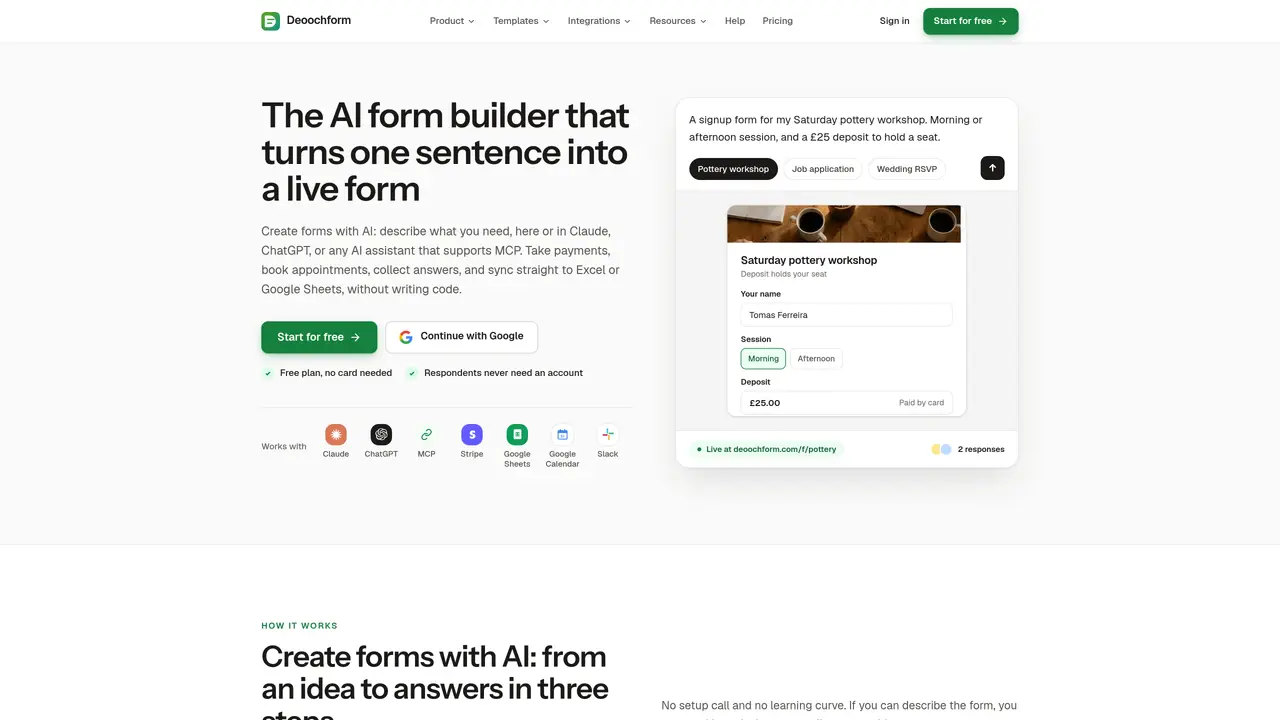
Deoochform is an online form builder that allows users to create forms using natural language descriptions or pre-built templates. It supports collecting payments, scheduling appointments, and sending invitations alongside standard form responses. Forms can be shared via link, QR code, or embedded on a website, and responses are automatically sent to Google Sheets, Excel, or Slack. The platform integrates with Stripe for payments, Google Calendar for scheduling, and supports AI assistants via MCP for form creation and management. It is designed for individuals and teams who need to collect structured data, payments, or bookings without writing code. Typical use cases include event registrations, job applications, volunteer signups, and customer surveys.
Key features
- AI form generation from text prompts
- Payments via Stripe integration
- Appointment scheduling with Google Calendar sync
- Conditional logic for dynamic forms
- E-signature collection
- File uploads for documents and images
- Hidden fields for tracking referrals
- PDF receipts and response exports
Use cases
- Collecting event registrations with ticket payments
- Managing job applications with resume uploads
- Organizing volunteer signups with shift scheduling
Pros
- AI-powered form creation from plain language descriptions
- Built-in payments, scheduling, and invitations without third-party integrations
- Direct sync to Google Sheets, Excel, or Slack for responses
- No-code drag-and-drop form editor with conditional logic and e-signatures
- MCP support for AI assistants like ChatGPT and Claude
Cons
- No custom form link on the free plan
- No email or priority support on lower-tier plans
- Limited to 5 forms on the free plan
- Requires MCP-compatible AI assistant for AI features
Frequently asked questions about Deoochform
What is Deoochform and how does it work?
Deoochform is an AI-powered form builder that lets users create forms by describing their needs in plain language or selecting pre-built templates. It supports payments, scheduling, and invitations, and responses are automatically sent to Google Sheets, Excel, or Slack.
Who should use Deoochform?
The tool is designed for individuals and teams who need to collect structured data, payments, or bookings without writing code. It suits use cases like event registrations, job applications, volunteer signups, and customer surveys.
Does Deoochform integrate with other tools?
Yes, it integrates with Stripe for payments, Google Calendar for scheduling, Google Sheets and Excel for responses, Slack for alerts, and supports AI assistants via MCP for form creation and management.
Can I use Deoochform for free?
Deoochform offers a free plan that does not require a credit card. The free plan includes basic features such as form creation, responses, and integrations with Google Sheets and Slack.
How do I get started with Deoochform?
Users can start for free by signing up with their Google account or email. Once logged in, they can describe the form they need or choose a template, customize it, and share it via link, QR code, or embed it on a website.
What types of forms can I create with Deoochform?
Users can create a variety of forms, including event registrations, job applications, volunteer signups, customer surveys, waivers, order forms, and invitations with RSVP functionality.