AI assistant for safe, reliable productivity with code, collaboration, and integrations.

OpenPortal
$19/moStarting price
0Popularity
About OpenPortal
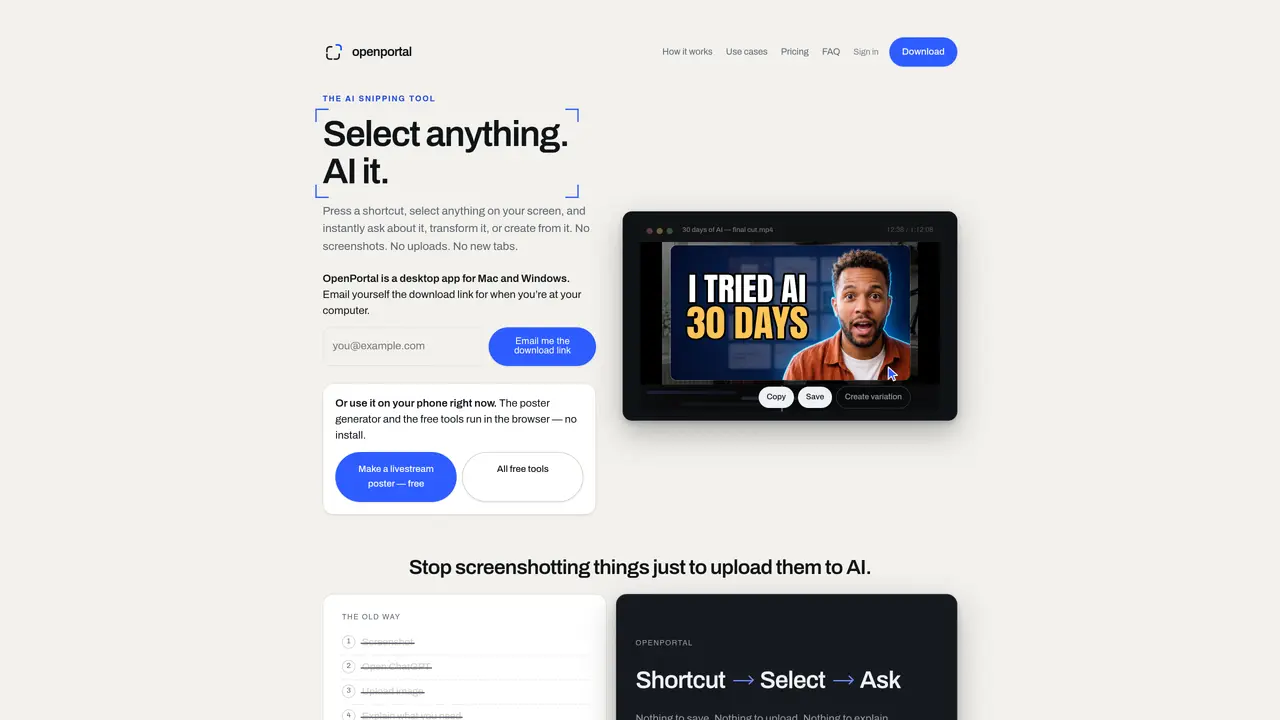
OpenPortal is a desktop application that allows users to select any visible content on their screen using a keyboard shortcut, then ask an AI to explain, transform, or create something from that selection. The tool works across any application or window without requiring screenshots, uploads, or new browser tabs. Users draw a box around the relevant area, type or speak a prompt, and receive an immediate response. The application supports tasks such as explaining error messages, generating thumbnails from video frames, creating social media graphics, designing ads from product photos, and summarizing text. It operates locally in memory, sending only the selected pixels to the AI backend, and does not store or retain user data. The tool is designed for quick, iterative interactions where the same selection can be reused for different outcomes.
Key features
- Select any on-screen content with a shortcut
- Ask AI to explain, fix, or summarize selected content
- Generate thumbnails, posters, ads, and social graphics
- Multi-selection for combining multiple screenshots in one query
- Follow-up conversations in the same session
- Preset prompts for common tasks
- High-resolution output for created visuals
- No configuration required for AI model or prompts
Use cases
- Explaining error messages or code snippets
- Creating YouTube thumbnails from video frames
- Designing social media graphics from text or images
Pros
- No screenshots or uploads required
- Works across any application or window
- Local operation with minimal data sent to AI backend
- Single shortcut for all interactions
- Supports both questions and content creation
Cons
- Free tier limited to 5 uses per day
- Premium features require subscription
- No API access or custom model selection
- Desktop-only application
Frequently asked questions about OpenPortal
What is OpenPortal?
OpenPortal is an AI snipping tool that allows users to select any visible content on their screen using a keyboard shortcut, then ask an AI to explain, transform, or create something from that selection. It works across any application or window without requiring screenshots, uploads, or new browser tabs.
Who is OpenPortal designed for?
OpenPortal is designed for users who need quick, iterative interactions with AI, such as explaining error messages, generating thumbnails, creating social media graphics, or summarizing text. It suits creators, developers, analysts, and professionals who work with visual or textual content.
How does OpenPortal handle privacy?
OpenPortal operates locally in memory and sends only the selected pixels to the AI backend. It does not store or retain user data, and users choose exactly what AI sees by drawing a box around the relevant area.
What are the pricing models for OpenPortal?
OpenPortal offers a free tier with limited daily uses, a Pro plan for higher limits and follow-ups, and a Premium plan for creators that includes making thumbnails, posters, ads, and graphics. Pricing details are available on the website.
Can OpenPortal integrate with other tools or platforms?
OpenPortal works across any application or window on the user's screen, so it does not require specific integrations. It supports tasks like generating thumbnails from video frames, creating social media graphics, and designing ads from product photos.
How do I get started with OpenPortal?
Download the application for Windows or Mac, install it, and use the keyboard shortcut (Ctrl + Shift + O) to freeze your screen, draw a box around the content you want to analyze, and type or speak a prompt to receive an immediate response.