AI assistant for safe, reliable productivity with code, collaboration, and integrations.

TypeDash
$50Starting price
0Popularity
About TypeDash
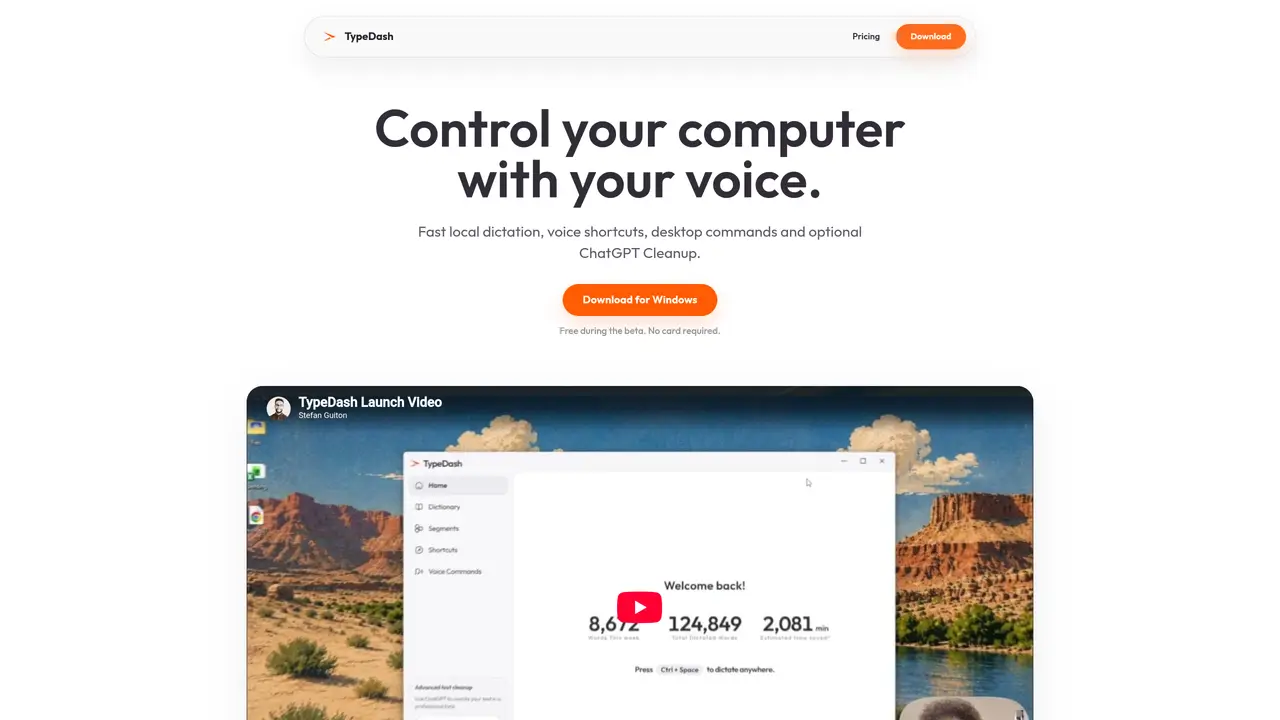
TypeDash enables voice-based control of a Windows computer through local speech recognition. It supports fast dictation across any application, allowing users to write emails, documents, or messages without typing. The tool includes voice shortcuts to open apps, websites, files, or folders directly. An optional ChatGPT Cleanup feature can automatically refine longer dictations using a connected ChatGPT account without requiring an API key. Custom actions can be created from links, files, folders, applications, or scripts. Speech recognition operates locally on the device, while ChatGPT Cleanup processes text remotely when enabled. The software is available for free during its beta period, with a one-time purchase planned for permanent ownership after the beta ends.
Key features
- Local speech recognition for dictation
- Voice shortcuts for apps and files
- ChatGPT Cleanup integration
- Cross-application compatibility
- Custom action creation
- Adjustable Cleanup word threshold
- No API key required for ChatGPT Cleanup
- Beta period with permanent ownership option
Use cases
- Hands-free document and email composition
- Quickly opening frequently used applications
- Automating repetitive desktop tasks
Pros
- Local speech recognition for fast dictation
- Voice shortcuts for opening apps and files
- Optional ChatGPT Cleanup for refining text
- Works across most major applications
- Free during beta with no payment required
Cons
- Windows-only platform support
- No Linux or macOS version mentioned
- Future major versions may require additional payment
- ChatGPT Cleanup requires a connected ChatGPT account
TypeDash videos
Frequently asked questions about TypeDash
What is TypeDash?
TypeDash is a Windows application that enables voice-based control of a computer through local speech recognition. It allows users to dictate text, open applications, websites, files, or folders, and refine longer dictations using an optional ChatGPT Cleanup feature.
Who is TypeDash for?
TypeDash is designed for users who prefer voice control for tasks such as writing emails, documents, or messages, as well as those who want to automate repetitive actions like opening apps or files using voice shortcuts.
How does TypeDash work?
TypeDash uses local speech recognition to transcribe spoken words into text across any application. It also supports voice shortcuts to open apps, websites, or files directly. The optional ChatGPT Cleanup feature refines longer dictations by sending the text to a connected ChatGPT account for processing.
Does TypeDash require an internet connection?
Speech recognition operates locally on the device, so an internet connection is not required for basic dictation. However, the ChatGPT Cleanup feature processes text remotely and requires an internet connection when enabled.
How do I get started with TypeDash?
Users can download TypeDash for Windows from the official website. The software is available for free during its beta period, with no payment card required. After downloading, users can install and start using voice dictation and shortcuts immediately.
What integrations does TypeDash support?
TypeDash works across a wide range of applications, including Notion, Slack, Gmail, Discord, Microsoft Office apps, and many others. It supports voice control in virtually any application installed on the user's Windows computer.