Creates licensed videos, images, music.
11M visits/mo+8.9%#2 Video & Animation

Generates 4–30 second videos from text prompts, images, video clips, and audio direction
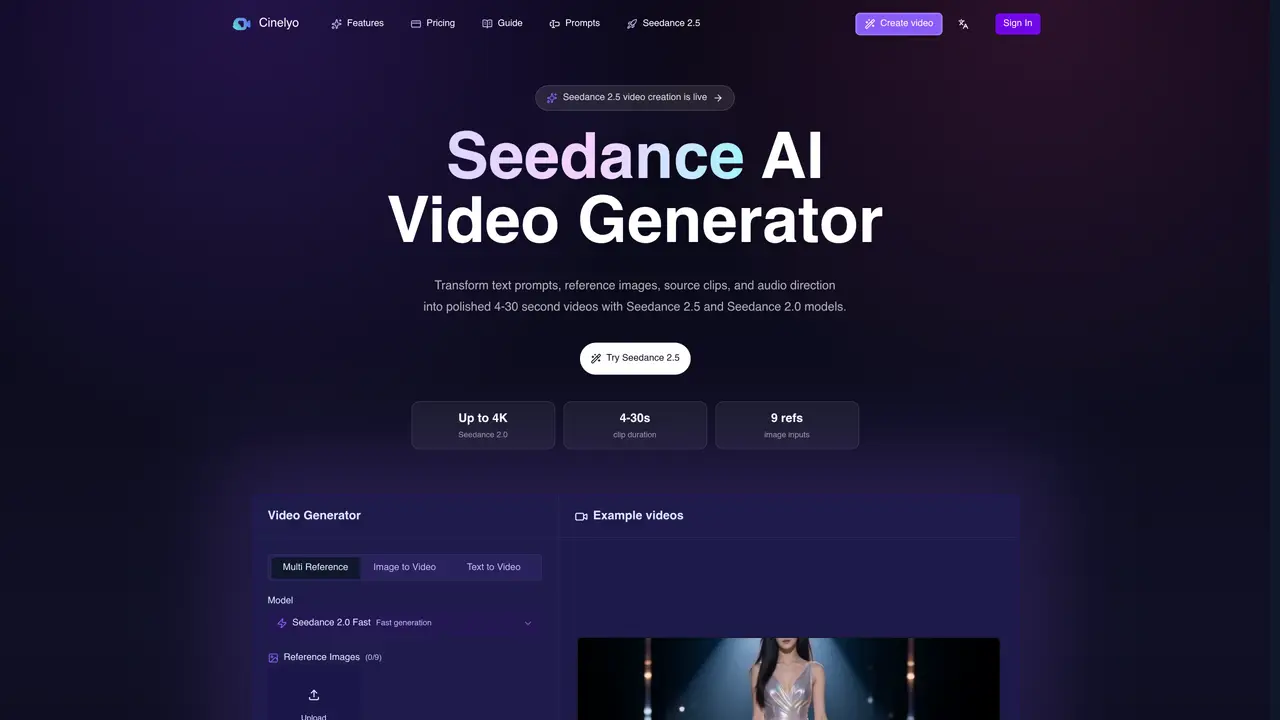
Cinelyo Seedance AI Video Generator converts text prompts, reference images, source video clips, and audio direction into polished 4–30 second videos using Seedance 2.5 and Seedance 2.0 models. It supports resolutions from 480p up to 4K and allows up to nine reference images, three video references, and three audio references per generation. Users can choose between text-to-video, image-to-video, or multi-reference workflows to control subject consistency, camera motion, and visual style. The platform offers four models—Seedance 2.5 for longer controlled video, Fast for rapid iteration, Standard for maximum resolution, and Mini for economical drafts—each with different credit costs and output options. Generation tasks continue in the background even if the user navigates away, and completed or failed jobs are tracked with credit refunds for failures. The interface includes a prompt library, example videos, and settings for resolution, duration, aspect ratio, and audio options.
Cinelyo Seedance AI Video Generator transforms text prompts, reference images, source video clips, and audio direction into polished 4–30 second videos using Seedance 2.5 and Seedance 2.0 models. It supports resolutions from 480p up to 4K and allows up to nine reference images, three video references, and three audio references per generation.
The tool is designed for creators, marketers, and video producers seeking to generate high-quality short-form videos efficiently. It suits those who need control over subject consistency, camera motion, and visual style through multimodal inputs.
Cinelyo operates on a credit-based system where users purchase credit packs to generate videos. Different models (Seedance 2.5, Fast, Standard, Mini) have varying credit costs based on resolution, duration, and reference inputs. Credit packs are available for testing, frequent use, or commercial projects.
The platform supports text-to-video, image-to-video, and multi-reference workflows. Users can combine reference images, video clips, and audio direction to refine outputs. It also includes a prompt library and example videos for inspiration and guidance.
The tool generates videos limited to 4–30 seconds in duration. Output quality and features depend on the chosen model and resolution, with higher resolutions and advanced features requiring more credits. Generation tasks may fail occasionally, though credits are refunded for failures.
Users can start by selecting a credit pack to access the generator. They then describe the shot, choose settings (model, resolution, duration, references), and generate the video. Completed tasks continue in the background, and users can track progress and refine outputs as needed.
We use essential cookies to run aitoolnavio™, and optional cookies to analyze traffic and measure our marketing. You choose what we use — optional cookies stay off unless you turn them on. See our Privacy Policy.
One short email a week: fresh tools worth trying, honest takes and the updates that actually matter. No spam, unsubscribe any time.
Creates licensed videos, images, music.
AI video generation platform that turns text prompts or images into short, high-quality 8-second videos with consistent characters.
AI-powered text-to-video generator that creates videos from text prompts.
AI-powered video generator that converts text, images, or video prompts into high-quality videos without technical skills.
Generates AI videos, images and audio from text prompts, photos or audio
Transform text and images into stunning videos.
Create stunning videos and images using artificial intelligence.
Generates high-quality videos and images from text or images with cinematic controls and native 4K output.
Create lifelike videos from text and images.
An all-in-one creative suite specializing in Image-to-Video animation.
Free online AI video editor for beginners to create videos with text, music, animations, and effects.
AI platform that converts text, images, or videos into dynamic video content with minimal technical skill required.
Cinelyo Seedance AI Video GeneratorSubscription C Dance AISubscriptionCinelyo Seedance AI Video GeneratorSubscription
 Seedance 3.0SubscriptionCinelyo Seedance AI Video GeneratorSubscription
 Seedance 2.5SubscriptionCinelyo Seedance AI Video GeneratorSubscription
 Seedance 2.5 Video GeneratorSubscription
Matched on what this tool does — grouped by the job you would be replacing.
matches Text-to-video generation · Image-to-video generation · Multi-reference input (up to 9 images, 3 videos, 3 audio)
C Dance AI is a Seedance 2.0 based multimodal AI video generator for text, image, audio, and video creation with cinematic motion and native audio-video sync.
AI video generator that combines images, video, audio and text to create cinematic videos with precise
Seedance 2.5 creates cinematic AI video from text prompts and reference images.
AI video generator combining text, images, video clips, and audio for cinematic outputs