Web-based novel writing software for authors, offering outlining, world-building, reviewing tools, and AI assistance for drafting and analysis.
492K visits/mo-10.9%#58 Writing & Content

Quickly create blog posts, collaborate in real-time, and format text with images effortlessly.
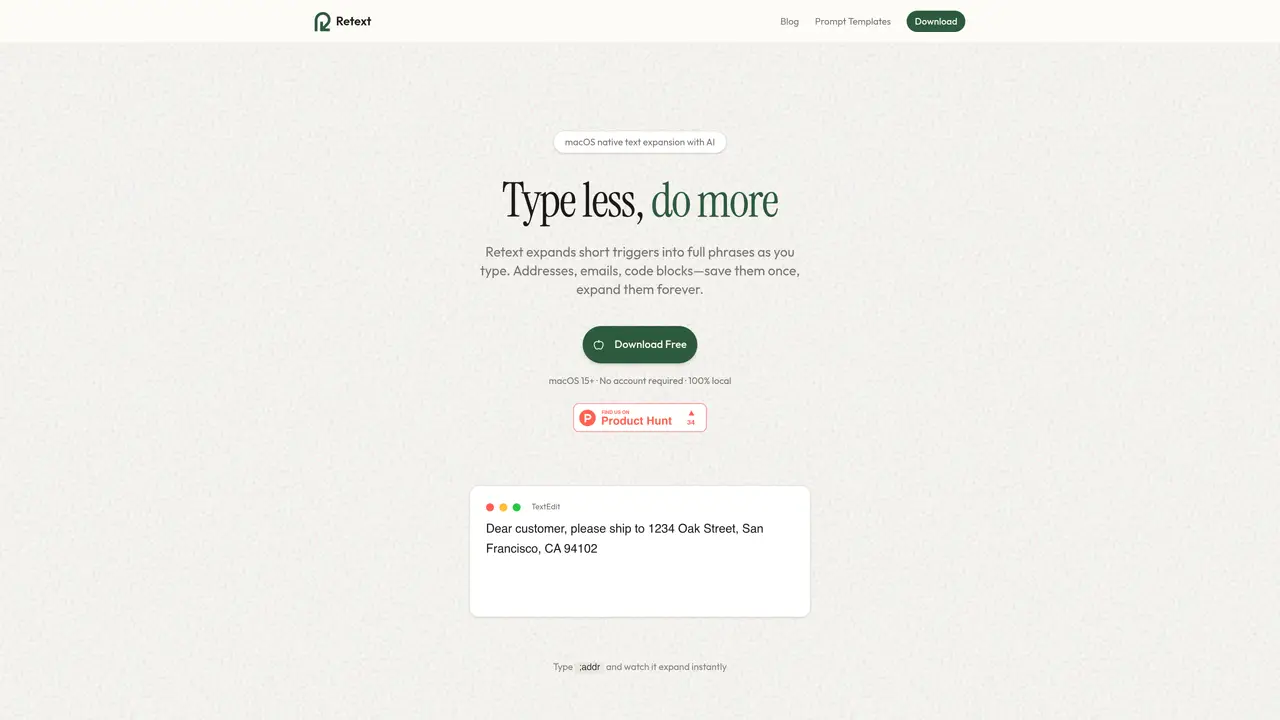
Retext is a powerful service that helps you create, edit, and share text quickly and easily. It allows you to write and collaborate on documents in real time, and make changes in seconds. With its intuitive interface, Retext makes it easy to format text, add images, and create tables and diagrams. You can also use Retext to collaborate with others, with options like live chat and revision history. Retext is perfect for freelancers, students, and professionals who need a reliable text editor that is both fast and easy to use. With Retext, you can create beautiful documents with ease – no design skills necessary. Whether you’re writing a blog post, essay, or presentation, Retext has you covered. Get started today and experience the power of Retext for yourself.
Retext is a macOS-native text expansion tool that replaces short triggers with full phrases as you type. It works system-wide in any app, allowing users to save and expand snippets like addresses, email signatures, or code blocks instantly.
Retext is ideal for professionals, freelancers, students, and developers who frequently type repetitive text. It suits anyone looking to save time by automating common phrases, responses, or code snippets across macOS applications.
Retext stores all snippets locally on the user's Mac, ensuring data remains private. The only exception is AI-generated content, which sends prompts to Anthropic's API for processing.
No account is required to use Retext, and it operates entirely offline except when using AI-powered snippet generation. The tool is designed to work locally for maximum privacy and speed.
Retext offers a free plan with basic features and limited AI generations. Paid plans include Pro and Lifetime options, with Pro providing unlimited snippets and AI generations, and Lifetime offering a one-time purchase with all future updates.
Retext includes AI-powered snippet generation, allowing users to create content from descriptions. It also supports smart fields like dates, clipboard contents, and fill-in prompts, enhancing its functionality within macOS apps.
retext.io · third-party estimates from Similarweb
Last 4 months · grows by one month every month
Share of visits · estimated visits
Writing & Content · Sep 2026
Traffic figures are third-party estimates, good for scale and trends; they can differ from a company's own numbers. Updated monthly.
We use essential cookies to run aitoolnavio™, and optional cookies to analyze traffic and measure our marketing. You choose what we use — optional cookies stay off unless you turn them on. See our Privacy Policy.
One short email a week: fresh tools worth trying, honest takes and the updates that actually matter. No spam, unsubscribe any time.
Web-based novel writing software for authors, offering outlining, world-building, reviewing tools, and AI assistance for drafting and analysis.
Create blog posts, generate tailored product descriptions, and automate content creation for websites and social media.
Generate article outlines in minutes, customize to your needs, no technical knowledge required.
Generate engaging articles quickly and cost-effectively that resonate with readers.
Generate SEO-friendly YouTube video scripts and descriptions for blog posts.
Generate SEO-optimized and catchy headlines to attract readers.
Generate blog posts, create social media content, and automatically generate poems in minutes.
Generate high-quality essays instantly with custom titles and word counts.
Generate blog post ideas, outlines, ad copy, and attention-grabbing social media posts effortlessly.
All-in-one content creation tool for bloggers, featuring over 70 AI-powered tools to inspire ideas, generate outlines and titles, and rewrite existing content.
Turn Notion pages into live, SEO-optimized blogs with one click.
Easily create blog content from YouTube videos.
Matched on what this tool does — grouped by the job you would be replacing.
matches Create blog posts quickly · Collaborate in real-time · Live chat and revision history
Generate content, correct spelling, suggest synonyms to enhance writing.
Generate templates, personalize tips, receive real-time feedback to speed up writing process and improve content.
Turn Notion pages into live, SEO-optimized blogs with one click.
matches Format text with images · No design skills necessary
Create custom illustrations, generate blog post images, and design anime-style art for any purpose.
Generate visuals, create YouTube thumbnails, and prototype fashion, architecture, and NFT ideas effortlessly.
Create unique comic strips, design e-book covers, and animate blog posts with custom illustrations.
Create cartoon characters, design unique packaging, and make website mockups effortlessly.