Automate research, make corrections, and integrate easily into text editors for convenient content generation and error detection.
36M visits/mo+12%#4 Writing & Content

Automatically check documents for errors, detect common mistakes, and customize the grammar checking with an intuitive interface.
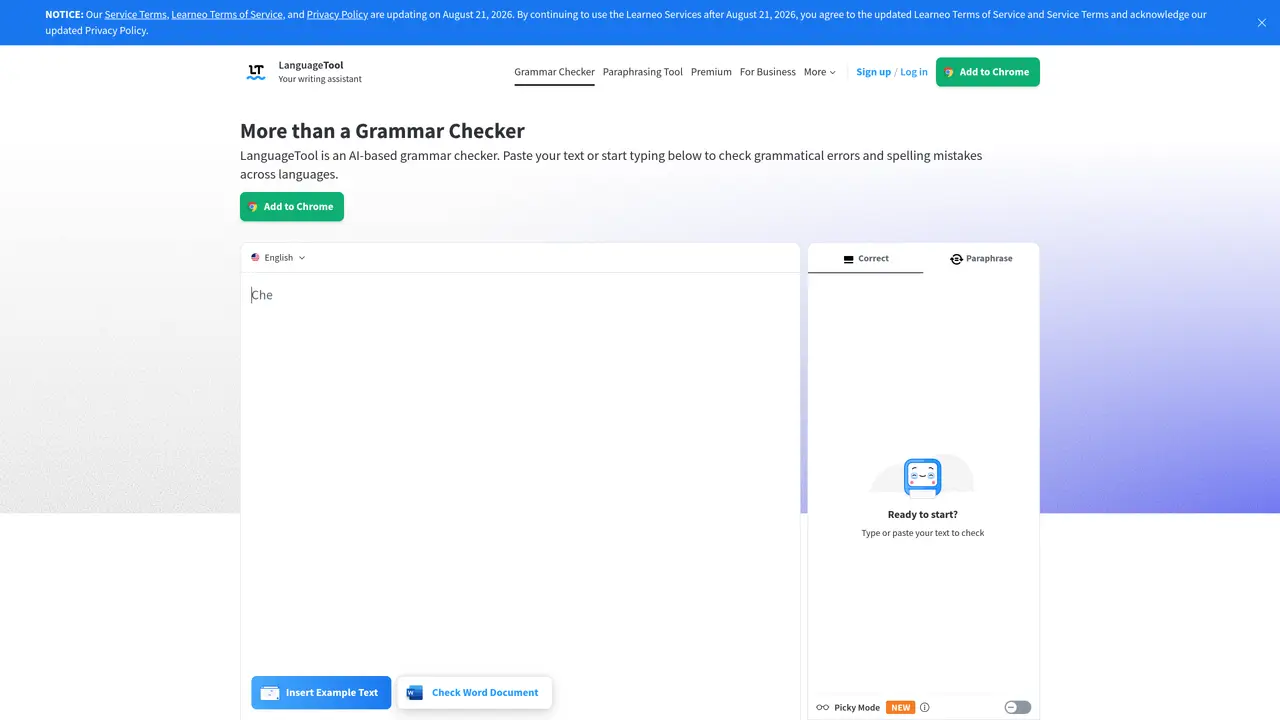
LanguageTool Plus is a comprehensive proofreading and grammar checking tool designed to help you write with confidence. It offers advanced AI-driven analysis, real-time error detection, and a range of easy-to-use features. Whether you’re a student, professional writer, or business owner, LanguageTool Plus can help you produce accurate, error-free documents. This powerful tool will instantly check your document for typos, spelling mistakes, and punctuation errors. It also offers advanced grammar checking, detecting and highlighting common mistakes such as subject-verb agreement, article usage, and verb forms. LanguageTool Plus also provides suggestions for improving your writing, from word choice to sentence structure. Unlike other grammar checkers, LanguageTool Plus is tailored to meet the needs of any user. Its intuitive user interface allows for easy customization, with features like the ability to add custom rules or ignore certain mistakes.
LanguageTool Plus is an AI-powered writing assistant that checks texts for grammar, spelling, punctuation, and style errors across multiple languages. It provides real-time suggestions to improve writing clarity, tone, and correctness.
LanguageTool Plus is suitable for students, professionals, writers, and businesses who need to produce error-free and polished documents. It caters to users of all writing levels and supports over 30 languages.
Users can paste text or type directly into the editor to receive instant feedback on grammar, spelling, and style issues. The tool detects errors such as subject-verb agreement, punctuation mistakes, and stylistic inconsistencies, offering corrections and suggestions.
Yes, LanguageTool Plus offers browser add-ons for Chrome, Firefox, Edge, Safari, and Opera, as well as plugins for Microsoft Word, Google Docs, LibreOffice, and email clients like Outlook and Gmail.
LanguageTool Plus supports over 30 languages and dialects, making it useful for non-native speakers and multilingual users. It automatically detects the language being used and provides relevant corrections.
Users can sign up for a free account to access basic features or upgrade to Premium for advanced suggestions. The tool can be used directly in the online editor or via browser add-ons and office plugins.
We use essential cookies to run aitoolnavio™, and optional cookies to analyze traffic and measure our marketing. You choose what we use — optional cookies stay off unless you turn them on. See our Privacy Policy.
One short email a week: fresh tools worth trying, honest takes and the updates that actually matter. No spam, unsubscribe any time.
Automate research, make corrections, and integrate easily into text editors for convenient content generation and error detection.
AI-powered writing assistant for grammar, style, and tone improvements across documents and emails.
AI-powered writing tool for paraphrasing, summarizing, and enhancing writing effortlessly.
AI-powered proofreading, editing, plagiarism checking, and citation generation for academic papers.
Detect errors, check language style, reword sentences for desired writing style.
Detect errors, suggest real-time corrections, and provide a variety of writing tools.
AI-powered grammar and writing assistant that corrects English text, rephrases sentences, suggests synonyms, and translates content.
Instantly corrects spelling, typos, and punctuation, suggests synonyms, and ensures error-free content for businesses.
Hemingway offers a seamless solution for enhancing writing clarity and conciseness with its AI-powered tool.
Professional proofreading and editing service for students, writers, and businesses with 24/7 support and free samples.
Fix errors, paraphrase text automatically, and generate new content for clearer ideas.
Enterprise AI platform that enforces consistent, inclusive writing across teams with style rules and integrations.
Matched on what this tool does — grouped by the job you would be replacing.
matches Automatically checks documents for typos, spelling and punctuation errors · Advanced grammar checking to detect common mistakes · Intuitive user interface for easy customization
Detect errors, check language style, reword sentences for desired writing style.
Instantly corrects spelling, typos, and punctuation, suggests synonyms, and ensures error-free content for businesses.
AI grammar checker and writing assistant that fixes errors, rephrases text, and speeds up writing across apps.
Automatically correct grammar, suggest sentence improvements, and provide thesaurus suggestions to enhance word choice.