

Generate full songs with vocals, lyrics, and instrumentals from text prompts in minutes.
75M visits/mo+3.8%#1 Audio & Voice
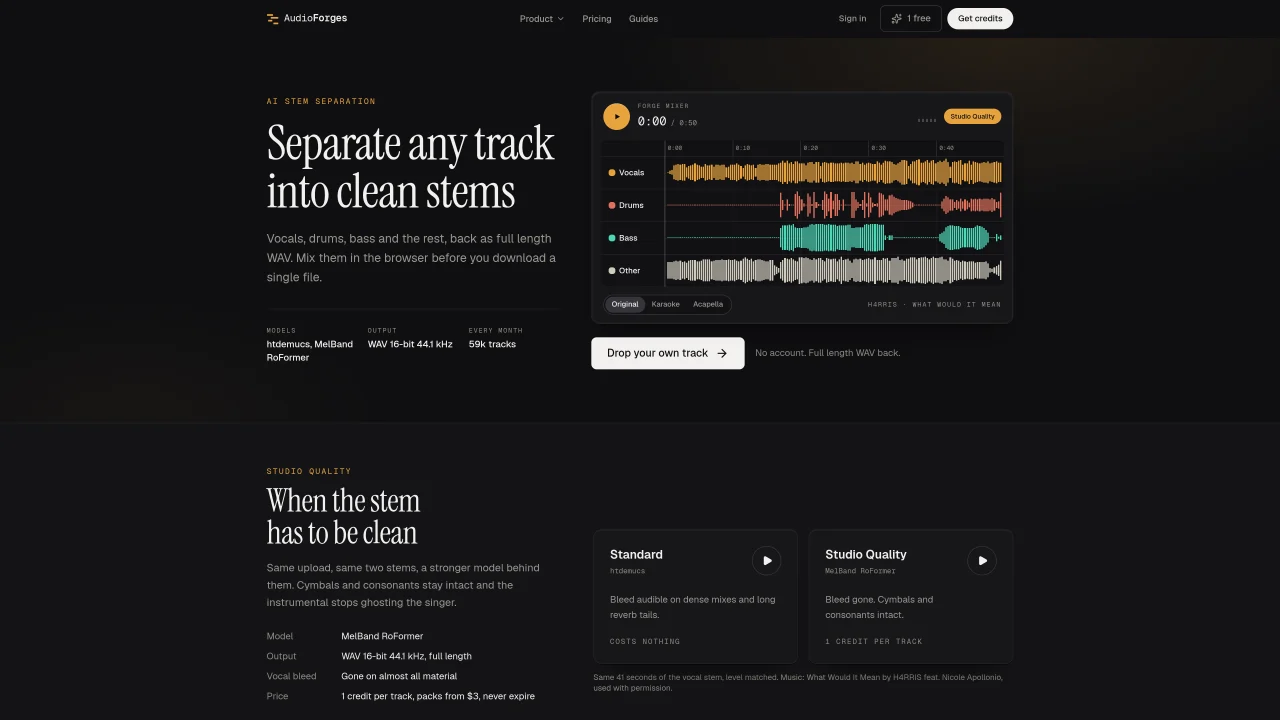
AudioForges provides AI-based stem separation and audio editing tools designed for producers, DJs, and musicians. The platform offers vocal removal, multi-stem splitting, audio-to-MIDI conversion, and sheet music generation. Users can separate tracks into vocals, drums, bass, and other stems, then mix or edit them in the browser before downloading. The service includes a free tier with standard models and a paid Studio Quality tier using heavier models for cleaner results. Additional tools include key and BPM detection, audio-to-MIDI transcription, and engraved sheet music output. All processing occurs in the browser without requiring an account, and results are available for immediate download or further editing.
Standard separation uses the htdemucs model and is free, while Studio Quality uses the MelBand RoFormer model for cleaner results with reduced vocal bleed and fewer artifacts on cymbals and breaths. Studio Quality costs one credit per track.
No account is required for standard separation or any of the converters and editors. Credits are tied to an email for cross-device access but do not require an account setup.
Yes, separation results open in Forge Mixer, MIDI in Forge Roll, and sheet music in Forge Score, allowing you to review and edit before downloading the final file.
Uploaded files are processed and not stored as personal files. Results are temporarily cached for repeat requests and then automatically removed.
The platform includes 36 tools such as audio-to-MIDI transcription, sheet music generation, key and BPM detection, and various converters and editors, each specifying the model used.
Each tool page names the model used, and accuracy is measured on public datasets like the 662-track GiantSteps set. Comparisons with competitors are conducted live and dated.
audioforges.com · third-party estimates from Similarweb
Last 2 months · grows by one month every month
Share of visits by channel
No measurable traffic from Social, Paid Referrals or Search.
Share of visits · estimated visits
How people reach this site from other AI tools
882 a month · 2.9% of all visits
Audio & Voice · Sep 2026
Traffic figures are third-party estimates, good for scale and trends; they can differ from a company's own numbers. Updated monthly.
We use essential cookies to run Aitoolnavio, and optional cookies to analyze traffic and measure our marketing. You choose what we use — optional cookies stay off unless you turn them on. See our Privacy Policy.
One short email a week: fresh tools worth trying, honest takes and the updates that actually matter. No spam, unsubscribe any time.
Generate full songs with vocals, lyrics, and instrumentals from text prompts in minutes.
Instantly recognize songs, access lyrics, artist info, music videos, and discover new hits.
Create instrumental versions, enhance clarity, and boost music quality effortlessly.
Convert audio and video into text, sync transcripts with media, and edit easily.
Generate original songs, lyrics, and studio-quality soundtracks from text prompts in minutes using AI.
Create funny videos with unique voices, modify pitch and speed for custom sound, and apply sound effects.
Create podcasts, audiobooks, and voiceovers, customize voice style, and generate natural speech from text.
Remove vocals, extract audio stems, and refine audio for optimal sound quality.
Generates AI videos, images and audio from text prompts, photos or audio
Create studio-ready vocals, choirs, and instruments from MIDI.
An AI music platform that generates royalty-free songs, instrumentals, and lyrics from text prompts, with stem splitting, vocal removal, and mastering tools.
Automate audio levels, remove noise, apply effects for professional sound.
Matched on what this tool does — grouped by the job you would be replacing.
matches AI stem separation into vocals, drums, bass, and other · YouTube link processing for vocal and stem extraction · Mixer interface for adjusting stem volumes and panning
AI vocal remover and stem splitter for separating vocals and instruments from songs.
Create vocal-free remixes, enhance tracks with audio editing tools, and remove vocals from audio files effortlessly.
Free AI-powered tool to separate vocals and instrument stems from songs
Separates vocals, drums, bass, guitar and piano from audio files online
matches Audio-to-MIDI transcription with editable notes · Sheet music generation with synced playback · Key and BPM detection with Camelot code
matches AI-powered vocal remover and stem splitter for producers and DJs · Mixer interface for adjusting stem volumes and panning
Convert audio files into accurate sheet music or guitar tabs with AI-powered transcription and drag-and-drop editing.
Converts audio files into editable chord charts and lead sheets using AI
Converts local audio files to editable MIDI without uploading
Generate full songs with vocals, lyrics, and instrumentals from text prompts in minutes.
AI-powered platform for generating, editing, and mastering music from text prompts or uploaded audio
Online AI music studio generating full songs with vocals, lyrics and beats from text prompts
An AI music generator that turns text prompts into original songs with vocals, lyrics, and instrumentals, plus remixing and mastering tools.