Generate captions, optimize content, and enhance with custom images for maximum engagement.
46M visits/mo-10%#3 Image & Design

Turns AI agent sessions into version-controlled Git repositories for developers and teams.
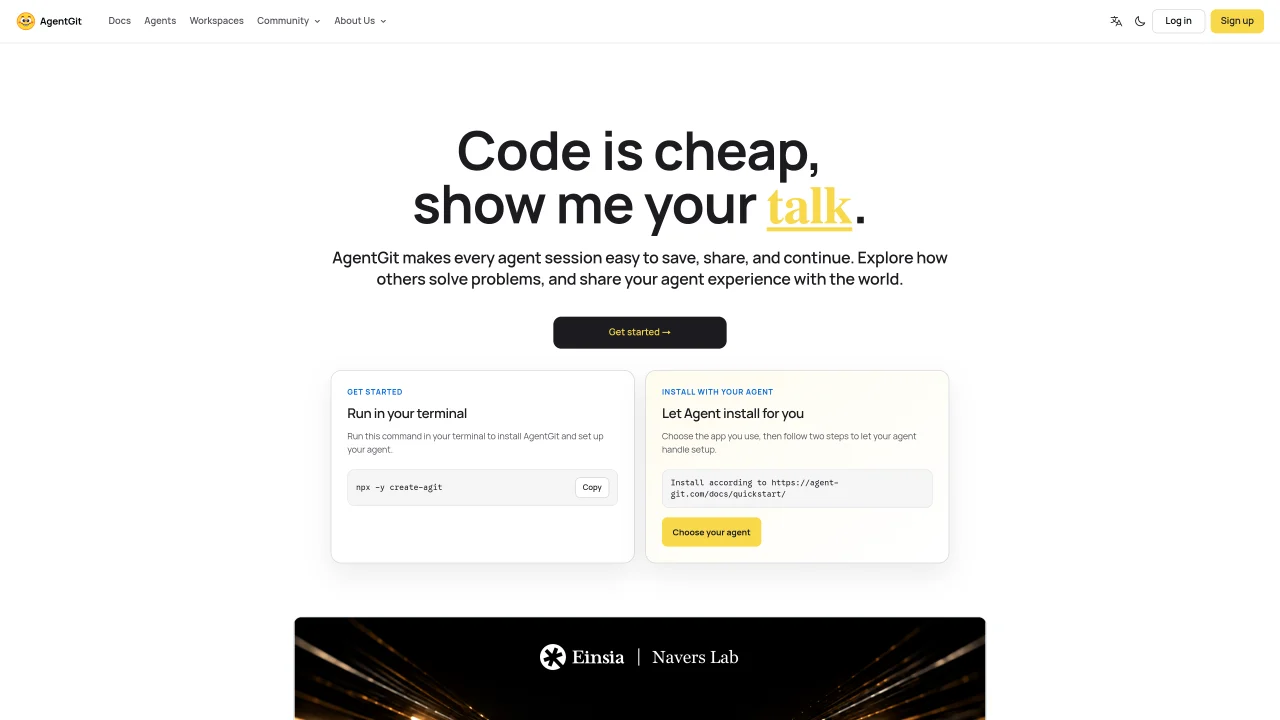
AgentGit is a Git-backed hub and command line tool that converts AI agent sessions into version-controlled histories for developers and teams using coding agents like Claude Code, Codex, Cursor, and OpenCode. Each prompt, tool call, and decision is committed to a dedicated repository, preserving context even when agent tabs close. This enables handing off work, resuming long-running sessions, and auditing how agents reached specific changes in the codebase. Sessions can be imported from supported runtimes and continued in compatible environments or shared as read-only histories. The tool also supports remote control workflows, allowing users to drive local agents from other devices and collaborate in real time. Published sessions appear on the hosted Hub with searchable links, enabling teams to review past decisions, milestones, and specific turns through CLI or MCP search tools. By treating agent conversations as primary Git artifacts, AgentGit integrates seamlessly with existing developer workflows while providing traceable, searchable records of AI-driven changes.
Secrets can appear in prompts, tool calls, and command output, so treat shared sessions like code review material. Before publishing or sharing a session, review it and remove anything sensitive. Read-only links do not grant write access.
Sessions live in Git repositories on the hub you push to—by default agent-git.com. Your machine keeps a local store under ~/.agit/. Visibility follows the agent settings you chose at first push.
No daemon watches your disk. Sessions enter version control when you import or push them; turns settle at the end of each user turn via hooks you install with 'agit setup'.
Claude Code, Codex, OpenCode, OpenClaw, Hermes, and WorkBuddy support native resume. Cursor sessions can be imported read-only. Cross-runtime handoff may be lossy—AgentGit states losses before converting.
Published history is append-only: no rebase or force-push. To undo, fork a new branch from an older turn and continue there.
Share a read-only web link to a published session. Anyone with the link can read the full transcript without an account; write access still requires authentication and grants.
We use essential cookies to run aitoolnavio™, and optional cookies to analyze traffic and measure our marketing. You choose what we use — optional cookies stay off unless you turn them on. See our Privacy Policy.
One short email a week: fresh tools worth trying, honest takes and the updates that actually matter. No spam, unsubscribe any time.
Generate captions, optimize content, and enhance with custom images for maximum engagement.
Build conversational forms, capture rich responses, and automate follow-ups with AI-powered surveys and workflows.
Automate code, research, and documents using agents.
AI-powered IDE for autonomous coding tasks and agentic development workflows
Source, match, and manage talent with predictive analytics for effortless recruiting.
Automate workflow, optimize operations, and detect potential issues with this efficient AI-driven solution.
Transforms thoughts into actions, enhancing productivity and efficiency.
AI Recruitment engine to hire top global talent
All-in-one team productivity platform combining chat, docs, video meetings, workflows, and AI tools in one place.
Personal assistant that coordinates tasks across apps and devices via text or call
AI automation and agent-building platform with 3,000+ app integrations
AI job search copilot that matches roles to skills, optimizes resumes for ATS, generates cover letters, and autofills applications with real-time insights.
Matched on what this tool does — grouped by the job you would be replacing.
matches Git-based session history with branches and commits · Dedicated repositories for each agent conversation · Local-first storage with optional cloud synchronization
Run and manage remote AI coding agents from any device with real-time sync and a clean UI.
A Git-backed workspace that lets multiple AI agents collaborate on files with version control and SaaS data sync.
matches CLI and MCP search tools for finding past decisions · Hosted Hub for sharing and searching session histories · Read-only sharing links for external reviewers
matches Cross-agent import and handoff for supported runtimes · Remote control workflows for multi-device collaboration · Multi-agent collaboration with scoped permissions
Local-first tool that turns AI coding sessions into inspectable, reusable workflows
Desktop library to search and resume coding agent sessions locally
Multi-agent orchestration platform for AI teams and workflows
Desktop app for multi-agent coding sessions with AI PR review and CI debugging