Generate full songs with vocals, lyrics, and instrumentals from text prompts in minutes.
75M visits/mo+3.8%#1 Audio & Voice

AI-powered podcast assistant that removes noise, echoes, and backgrounds in real time for live streams, calls, and recordings.
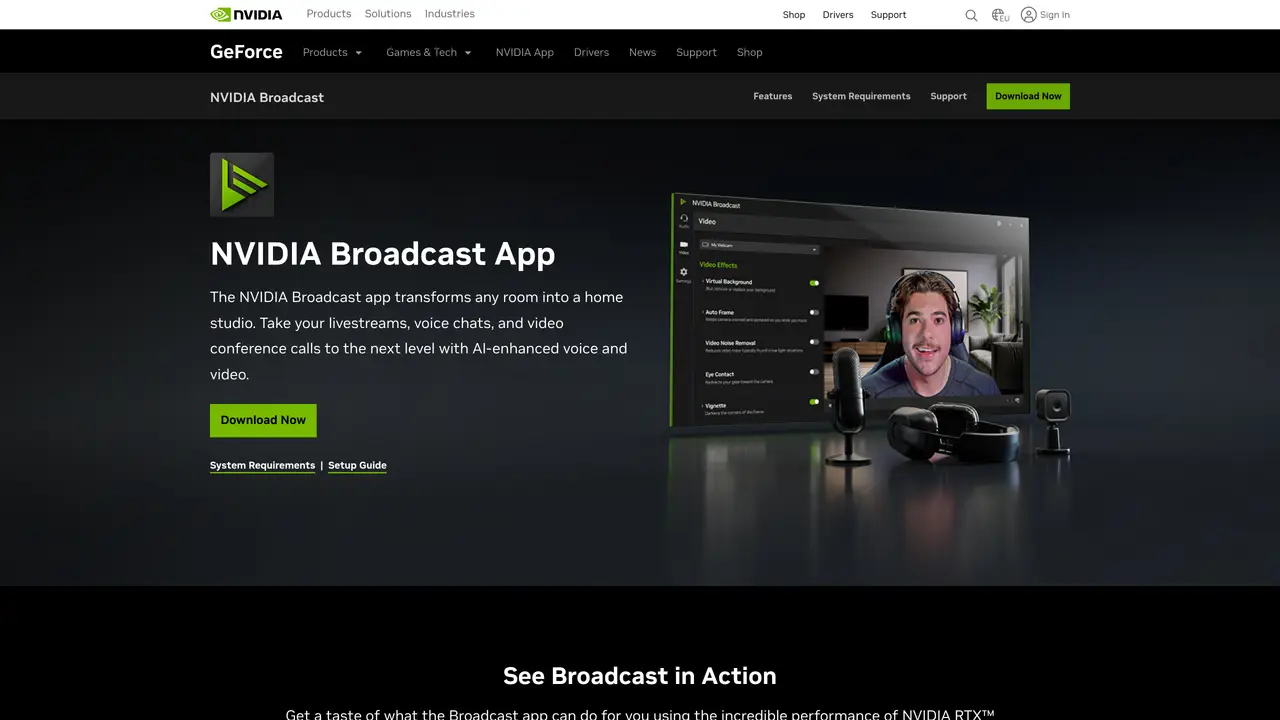
NVIDIA Broadcast transforms any room into a home studio with AI-enhanced voice and video processing. It specializes in noise and echo removal, background customization, and real-time audio/video enhancement for live streams, voice chats, and video conference calls. The tool uses AI to isolate voices, suppress unwanted sounds, and apply virtual backgrounds or greenscreen effects without physical hardware. It is designed for content creators, live streamers, and professionals who need studio-quality audio and video from standard setups. NVIDIA Broadcast integrates with popular streaming and conferencing software, though users report occasional software crashes and conflicts with other programs. Despite these issues, it delivers high performance when functioning properly, making it a practical choice for those seeking professional-grade audio and video enhancements without dedicated studio equipment.
Nvidia
Santa Clara, United States · Founded 1993
NVIDIA Broadcast is an AI-powered application designed to enhance voice and video quality for live streams, video calls, and recordings. It uses artificial intelligence to remove background noise, suppress echoes, isolate voices, and apply virtual backgrounds or greenscreen effects without requiring physical hardware.
The tool is primarily aimed at content creators, live streamers, podcasters, remote workers, and professionals who need high-quality audio and video from standard setups. It is suitable for anyone seeking studio-grade enhancements without investing in dedicated studio equipment.
NVIDIA Broadcast integrates with popular streaming and conferencing platforms such as OBS Studio, Zoom, Microsoft Teams, and Discord. It functions as a virtual webcam and audio input device, allowing users to apply its AI enhancements directly within these applications.
NVIDIA Broadcast requires a compatible NVIDIA GeForce RTX, NVIDIA RTX, or NVIDIA Quadro graphics card with updated drivers. It is optimized for Windows 10 or later and works best with a stable internet connection for real-time processing.
Yes, NVIDIA Broadcast provides AI-powered enhancements for both audio and video. It includes features like noise removal, echo cancellation, virtual background replacement, and automatic framing to improve the overall production quality.
Some users report occasional software crashes or conflicts with other programs, particularly when running alongside resource-intensive applications. Performance may vary depending on the system configuration and the complexity of the applied effects.
We use essential cookies to run aitoolnavio™, and optional cookies to analyze traffic and measure our marketing. You choose what we use — optional cookies stay off unless you turn them on. See our Privacy Policy.
One short email a week: fresh tools worth trying, honest takes and the updates that actually matter. No spam, unsubscribe any time.
Generate full songs with vocals, lyrics, and instrumentals from text prompts in minutes.
Create instrumental versions, enhance clarity, and boost music quality effortlessly.
Generate original songs, lyrics, and studio-quality soundtracks from text prompts in minutes using AI.
Create funny videos with unique voices, modify pitch and speed for custom sound, and apply sound effects.
Remove vocals, extract audio stems, and refine audio for optimal sound quality.
Convert audio and video into text, sync transcripts with media, and edit easily.
Generates AI videos, images and audio from text prompts, photos or audio
Create podcasts, audiobooks, and voiceovers, customize voice style, and generate natural speech from text.
Create studio-ready vocals, choirs, and instruments from MIDI.
An AI music platform that generates royalty-free songs, instrumentals, and lyrics from text prompts, with stem splitting, vocal removal, and mastering tools.
Use this online audio cleaner to remove background noise from recordings and enhance sound quality.
Enhance audio quality, remove background noises, create professional recordings with any format.
Matched on what this tool does — grouped by the job you would be replacing.
matches AI-powered noise and echo removal · Voice isolation and enhancement · Automatic audio leveling
Enhance audio quality, remove background noises, create professional recordings with any format.
Free online AI tool that removes background noise and enhances voice clarity for audio and video files instantly.
Voice Enhancer is an easy-to-use online AI tool that removes background noise, enhances speech clarity, and improves overall audio quality in seconds.
Clean up audio, remove noise and echo, and enhance microphone sound quality effortlessly.
matches Real-time background customization with greenscreen effects · Virtual background replacement · Live stream and video conference optimization
Create funny videos with unique voices, modify pitch and speed for custom sound, and apply sound effects.
Remove background noise, replace with virtual backgrounds, and enhance lighting for a polished appearance.
Transform your video calls and recordings with FineShare FineCam's advanced capabilities