Generate full songs with vocals, lyrics, and instrumentals from text prompts in minutes.
75M visits/mo+3.8%#1 Audio & Voice

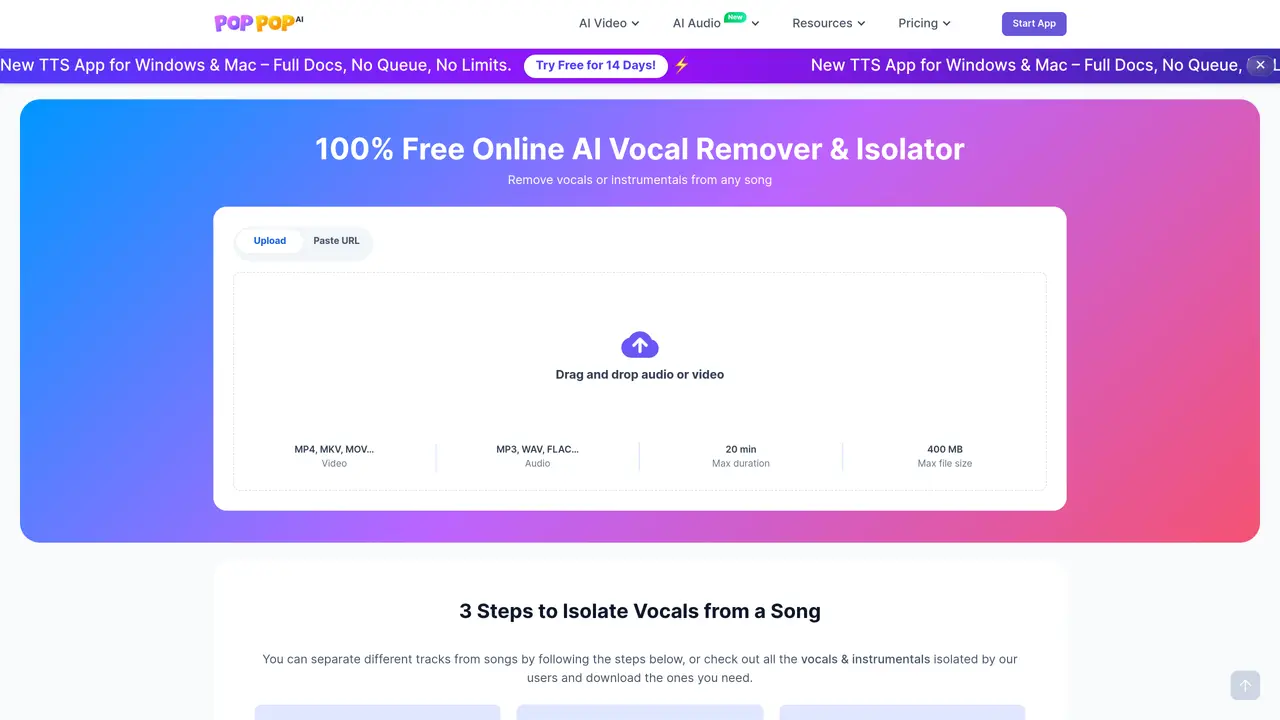
PopPop AI Vocal Remover is a free, web-based tool for isolating vocals from audio and video files.
PopPop AI is a powerful, free audio toolbox for creators, podcasters, storytellers, artists, and musicians. Leveraging advanced artificial intelligence, it allows users to generate speeches and sound effects from text, isolate vocal and instrumental tracks, cover songs with AI voices, and clone voices for speech and song covers. Whether you want to add AI voiceovers to videos, create podcasts, make karaoke tracks, remix songs, or replace vocals, PopPop AI offers a simple solution. Explore cutting-edge features to enhance your projects effortlessly: Text-to-Speech : Generate lifelike voices in 20+ languages with over 200 customizable styles for voiceovers, podcasts, or audiobooks. AI Song Covers : Transform tracks with unique vocal styles, from celebrity voices to playful characters. AI Sound Effect Generator : Create custom sound effects from text prompts—ideal for immersive storytelling or gaming, eliminating the need to search a vast library AI Vocal Remover : Seamlessly separate vocals and instrumentals for remixes or karaoke tracks. As a web-based tool, PopPop AI offers instant access to professional-grade audio creation on any PC or phone—no software installation or signup required. Its intuitive interface empowers creators to produce standout content effortlessly, whether for professional projects or creative experiments.
A Vocal Remover is a tool designed to isolate and remove vocals from music, leaving behind the instrumental track. It uses advanced machine learning algorithms trained on large datasets to analyze audio files and distinguish between vocal and instrumental components, though perfect separation is not always achievable.
The tool is suitable for creators, podcasters, storytellers, artists, musicians, and anyone needing to separate vocals from instrumentals for karaoke, remixing, sampling, or audio editing purposes.
Yes, the Vocal Remover is completely free of charge, allowing users to extract vocals and instrumentals without any cost or subscription requirements.
No sign-up or login is required, and there is no need to install any software. Users can access the tool instantly via a web browser on any device.
The tool supports uploading audio files in formats like MP3, WAV, and FLAC, as well as video files such as MP4, MKV, and MOV. It also allows direct input of online links from over 1,000 supported sites, including YouTube and TikTok.
The tool supports files up to 400 MB in size and a maximum duration of 20 minutes. For unsupported URLs, users can download the file using a separate tool and upload it directly.
poppop.ai · third-party estimates from Similarweb
Last 4 months · grows by one month every month
Share of visits · estimated visits
Other countries: 51.8%
Audio & Voice · Sep 2026
Traffic figures are third-party estimates, good for scale and trends; they can differ from a company's own numbers. Updated monthly.
We use essential cookies to run aitoolnavio™, and optional cookies to analyze traffic and measure our marketing. You choose what we use — optional cookies stay off unless you turn them on. See our Privacy Policy.
One short email a week: fresh tools worth trying, honest takes and the updates that actually matter. No spam, unsubscribe any time.
Generate full songs with vocals, lyrics, and instrumentals from text prompts in minutes.
Create instrumental versions, enhance clarity, and boost music quality effortlessly.
Generate original songs, lyrics, and studio-quality soundtracks from text prompts in minutes using AI.
Create funny videos with unique voices, modify pitch and speed for custom sound, and apply sound effects.
Remove vocals, extract audio stems, and refine audio for optimal sound quality.
Convert audio and video into text, sync transcripts with media, and edit easily.
Generates AI videos, images and audio from text prompts, photos or audio
Create podcasts, audiobooks, and voiceovers, customize voice style, and generate natural speech from text.
Create studio-ready vocals, choirs, and instruments from MIDI.
An AI music platform that generates royalty-free songs, instrumentals, and lyrics from text prompts, with stem splitting, vocal removal, and mastering tools.
Use this online audio cleaner to remove background noise from recordings and enhance sound quality.
Enhance audio quality, remove background noises, create professional recordings with any format.
Matched on what this tool does — grouped by the job you would be replacing.
matches AI Vocal Remover
Create instrumental versions, enhance clarity, and boost music quality effortlessly.
Separates vocals and instrumental tracks from audio or video files online
Vocal Remover Free is an AI-powered online tool that instantly separates vocals from instrumentals.
Browser-based AI vocal remover and stem splitter for karaoke, music production, and content creation.
matches Text-to-Speech · Generate lifelike voices in 20+ languages · Over 200 customizable styles for voiceovers, podcasts, or audiobooks
matches AI Song Covers
Create customizable, natural-sounding voiceovers for podcasts using AI-generated voices with real people's tones and inflections.
Generate natural-sounding voiceovers & audio files from text quickly.
Free online tool that converts written text into natural-sounding speech with customizable languages, voices, and rates for accessibility and audio content creation.
Create AI voice overs for videos, ads, e-learning, audiobooks, dubbing, website content, or any use case you need.
Generate full songs with vocals, lyrics, and instrumentals from text prompts in minutes.
AirMusic is an easy-to-use AI music generator that helps you create realistic, original music online.
MakeSong is an all-in-one AI music generator that offers 10+ features such as AI covers and song extensions.
AI song generator that creates lyrics and vocals for music creators.