Generate full songs with vocals, lyrics, and instrumentals from text prompts in minutes.
75M visits/mo+3.8%#1 Audio & Voice

AI podcast producer that turns recorded conversations into edited episodes and show notes
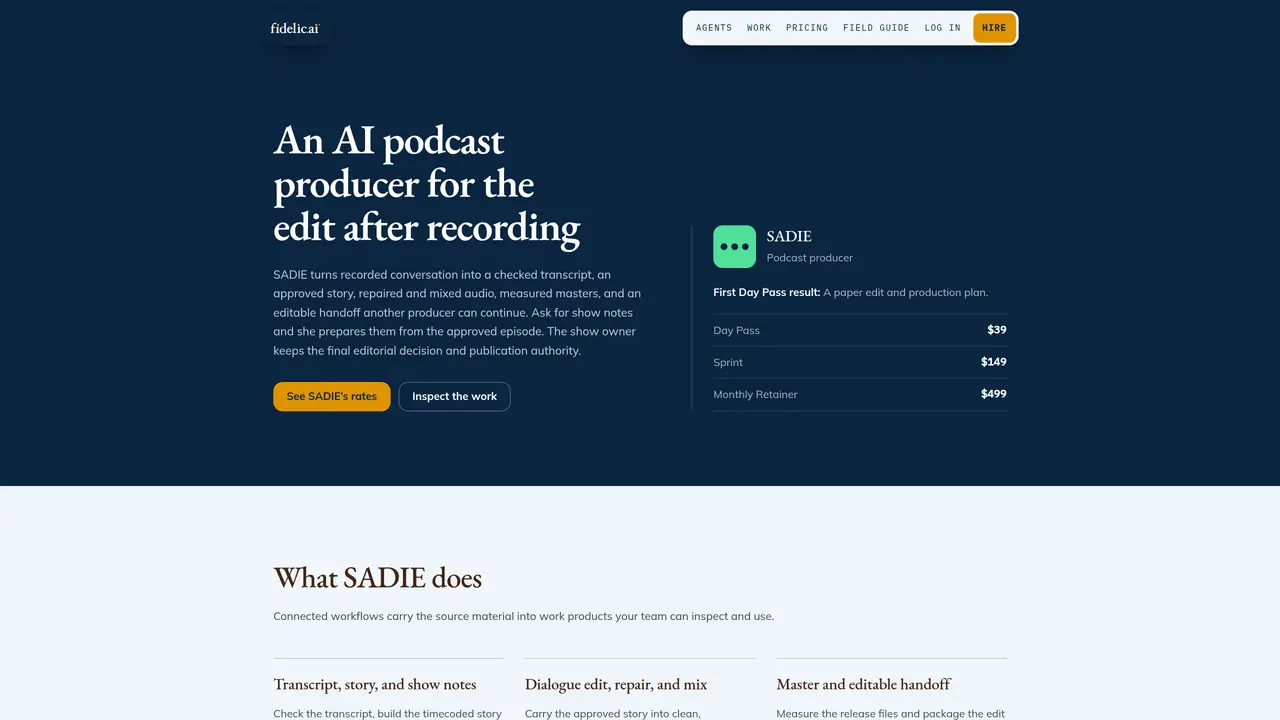
SADIE is an AI podcast producer designed to handle post-recording production tasks for small businesses. It converts recorded conversations into a checked transcript, an approved story, repaired and mixed audio, measured masters, and an editable handoff that another producer can continue. The tool prepares show notes from the approved episode upon request, while the show owner retains final editorial control and publication authority. SADIE operates within a connected workflow where source material is carried into work products that teams can inspect and use. It follows story and radio-production practices, including paper edits, one-listener clarity, pacing, structure, and editorial restraint. Dialogue editing and audio measurement standards are applied to ensure repair, intelligibility, loudness, true peak, and master checks. The process includes dialogue editing, repair logging, mixing, and delivering measured masters along with an editable handoff package.
SADIE converts recorded conversations into a checked transcript, an approved story, repaired and mixed audio, measured masters, and an editable handoff for another producer to continue. It can also prepare show notes from the approved episode upon request.
SADIE is designed for small businesses and podcast teams that need post-recording production support, including dialogue editing, audio repair, mixing, and handoffs for continued production.
The show owner retains final editorial control and publication authority, approving the story, sensitive cuts, and final master. SADIE follows story and radio-production practices, including paper edits and editorial restraint.
SADIE offers a Day Pass for one active day, a Sprint for a seven-day project, and a Monthly Retainer to maintain ongoing production. There are no usage credits or surprise overages.
SADIE works with Slack, WhatsApp, Microsoft Teams, Google Drive, Dropbox, Descript, Adobe Audition, Reaper, Pro Tools, and RSS hosts. Other systems can be supported with agreed access routes and verification steps.
SADIE does not record, publish, edit video, clone voices, invent quotes, or make final editorial decisions. The show owner must approve sensitive cuts, speaker rights, sponsor claims, and final publication.
We use essential cookies to run aitoolnavio™, and optional cookies to analyze traffic and measure our marketing. You choose what we use — optional cookies stay off unless you turn them on. See our Privacy Policy.
One short email a week: fresh tools worth trying, honest takes and the updates that actually matter. No spam, unsubscribe any time.
Generate full songs with vocals, lyrics, and instrumentals from text prompts in minutes.
Create instrumental versions, enhance clarity, and boost music quality effortlessly.
Generate original songs, lyrics, and studio-quality soundtracks from text prompts in minutes using AI.
Create funny videos with unique voices, modify pitch and speed for custom sound, and apply sound effects.
Remove vocals, extract audio stems, and refine audio for optimal sound quality.
Convert audio and video into text, sync transcripts with media, and edit easily.
Generates AI videos, images and audio from text prompts, photos or audio
Create podcasts, audiobooks, and voiceovers, customize voice style, and generate natural speech from text.
Create studio-ready vocals, choirs, and instruments from MIDI.
An AI music platform that generates royalty-free songs, instrumentals, and lyrics from text prompts, with stem splitting, vocal removal, and mastering tools.
Use this online audio cleaner to remove background noise from recordings and enhance sound quality.
Enhance audio quality, remove background noises, create professional recordings with any format.
Matched on what this tool does — grouped by the job you would be replacing.
matches Paper edit and production plan · Dialogue editing and repair · Audio mixing and mastering
Web-based studio for recording high-quality remote video podcasts with 4K video, uncompressed audio, and AI-powered editing tools.
AI-powered podcast production tool that automates editing, transcription, and show notes for podcasters and YouTubers.
Turns podcasts and videos into clips, transcripts, show notes, and social posts for creators and teams.
AI-powered tool that converts podcast episodes into transcripts, show notes, clips, and ready-to-publish content assets automatically.
matches Checked transcript generation · Show notes preparation
Generate podcast show notes, catchy titles, and engaging LinkedIn posts with a drag-and-drop interface and pre-made templates.
Free audio transcription, YouTube captions and subtitle conversion with AI summarization