Revolutionize transcription with unmatched accuracy, speed, and language support.
27M visits/mo+0.9%#4 Audio & Voice

Free audio transcription, YouTube captions and subtitle conversion with AI summarization
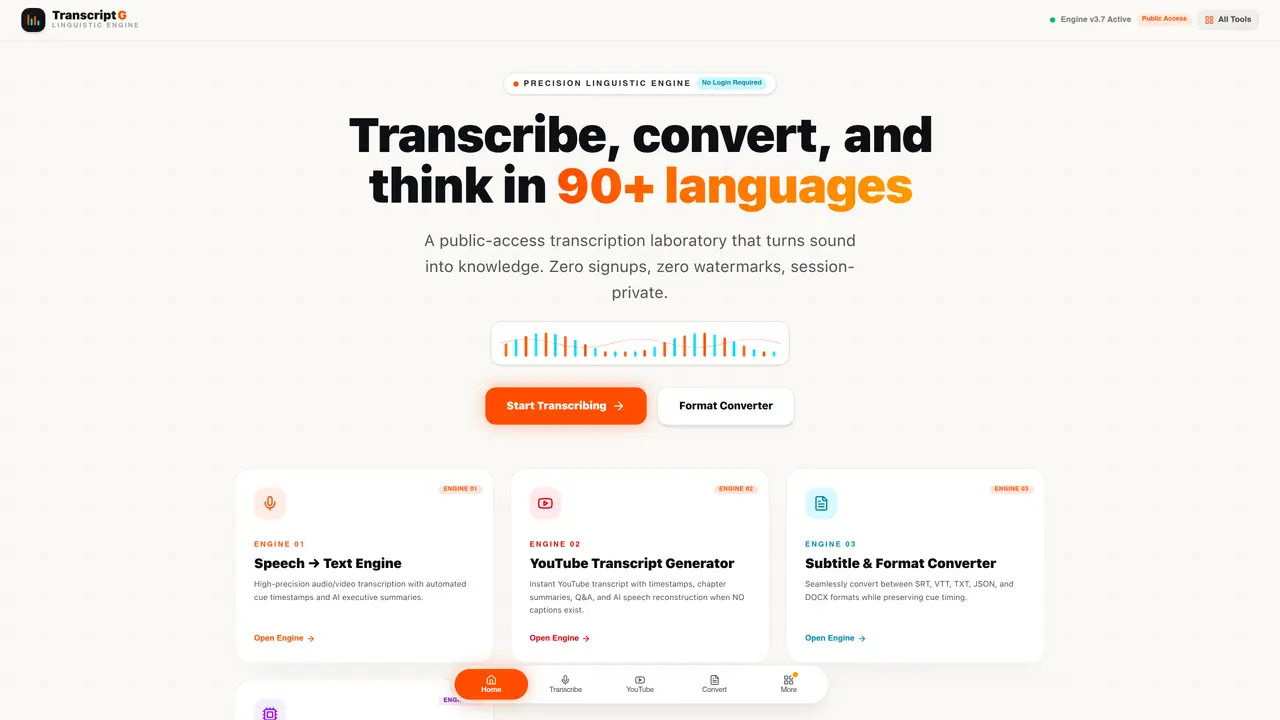
TranscriptG is a public-access speech-to-text platform that converts audio and video files into timestamped text across more than ninety languages. It supports common formats such as MP3, WAV, M4A and video files, producing transcripts with executive summaries. The service also generates study transcripts, chapter summaries and accessibility notes from educational YouTube videos. Users can convert between subtitle formats including SRT, VTT, JSON and plain text while maintaining cue synchronization. An integrated AI summarizer produces meeting summaries, action items and translations in the same language set. No login is required and the platform states it does not retain user data.
TranscriptG supports common audio formats such as MP3, WAV, and M4A, as well as video files. It can process these into timestamped text transcripts.
Yes, TranscriptG can generate timestamped study transcripts, chapter summaries, and accessibility notes from educational YouTube videos.
No, TranscriptG does not require users to log in or create an account to use its services.
TranscriptG supports conversion between subtitle formats including SRT, VTT, JSON, and plain text while maintaining cue synchronization.
No, TranscriptG states that it does not retain user data after processing files.
TranscriptG provides transcription and summarization services across more than ninety languages.
We use essential cookies to run aitoolnavio™, and optional cookies to analyze traffic and measure our marketing. You choose what we use — optional cookies stay off unless you turn them on. See our Privacy Policy.
Revolutionize transcription with unmatched accuracy, speed, and language support.
Hardware device that records conversations and converts them into searchable transcripts, summaries, and notes.
Automate transcription, generate summaries, identify speakers, and timestamps for video-conferencing conversations.
NoteGPT – Convert Speech to Text and Text to Speech with AI
Automatically record, transcribe, take notes, and create summaries with key insights during meetings.
Transforms audio/video to summarized text, instantly, across platforms.
Transcribe and summarize audio or video recordings with AI-powered speech recognition and summarization.
Automatically transcribe meetings, create summaries, and securely store audio files in a searchable format.
Convert audio and video into text, sync transcripts with media, and edit easily.
Streamline healthcare admin tasks, and enhance patient focus with Heidi AI.
Create transcripts of meetings, voice-overs for videos, and transcribe and review customer feedback efficiently.
Wearable AI device that captures conversations and meetings, then auto-generates transcripts, summaries, action items, mind maps, and searchable notes.
Matched on what this tool does — grouped by the job you would be replacing.
matches YouTube transcript generation for educational videos · Subtitle format conversion (SRT, VTT, JSON, TXT)
Web app that converts audio and video files into searchable text with timestamps and subtitles
AI-driven subtitle creation and editing for videos and audio files.
Extracts, summarizes, and translates YouTube video transcripts with timestamps
Converts YouTube videos to timestamped transcripts and AI summaries in multiple languages
matches Speech-to-text for MP3, WAV, M4A and video files · Timestamped transcript generation
matches AI executive summaries · Translation in 90+ languages
Instantly generate text transcripts from audio files with voice recognition and text-to-speech capabilities.
Offline desktop app that converts local audio and video files to text
Converts MP3, M4A or WAV audio files to editable text without an account
Browser-based transcription of audio and video files with local processing
Revolutionize transcription with unmatched accuracy, speed, and language support.
AI web app that transcribes audio, video, and YouTube links into text in 98 languages with summaries, mind maps, and export formats for students and teams.
Transcribe, subtitle, translate, and dub audio or video in 125+ languages from one workspace.
One short email a week: fresh tools worth trying, honest takes and the updates that actually matter. No spam, unsubscribe any time.