Generate full songs with vocals, lyrics, and instrumentals from text prompts in minutes.
75M visits/mo+3.8%#1 Audio & Voice

AI-powered tool to separate vocals and instrumentals from audio files
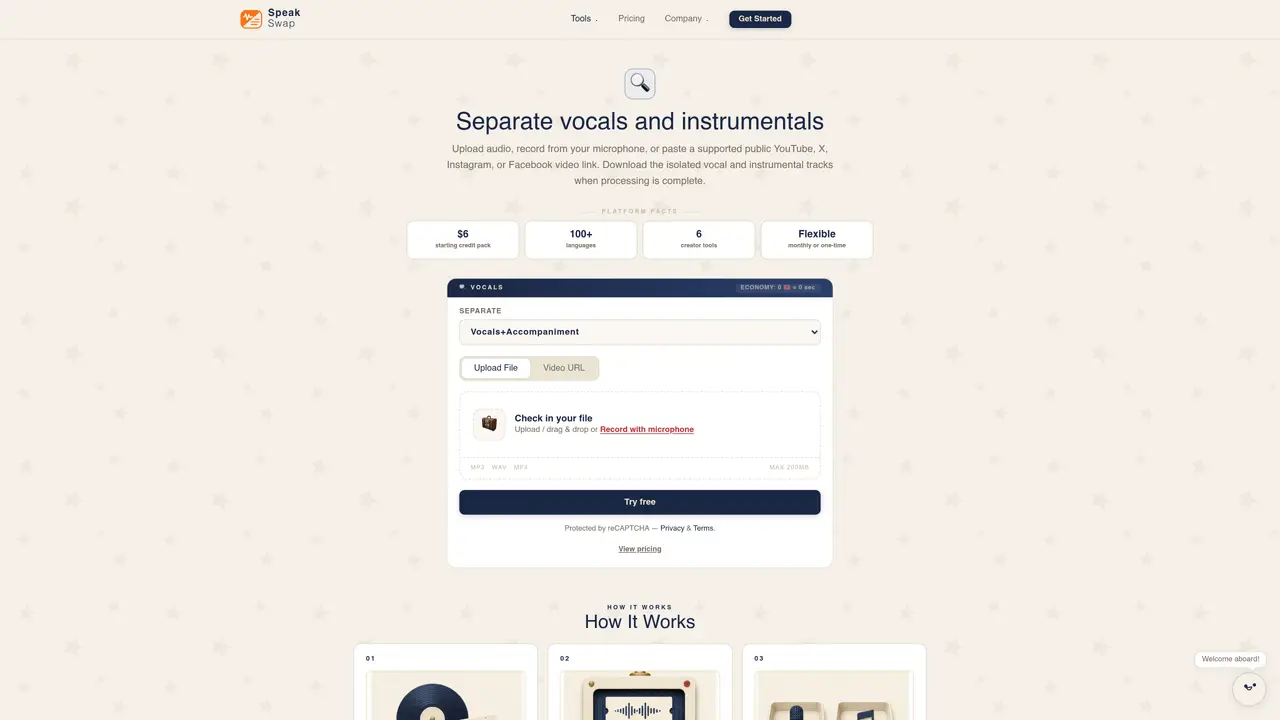
SpeakSwap Vocal Remover is an AI-based service that isolates vocals and instrumentals from audio tracks. Users can upload files in formats such as MP3, WAV, FLAC, or OGG, or paste links from supported public videos on platforms like YouTube, X, Instagram, or Facebook. The tool processes the audio and produces separate vocal and instrumental tracks, which can be downloaded upon completion. Separation quality depends on factors such as recording clarity, arrangement, and applied effects. The service is designed for tasks like creating karaoke tracks, remixing, or sampling. It supports multiple languages and operates on a credit-based system, with pricing tiers that include monthly subscriptions or one-time credit packs. The platform also offers additional tools such as AI dubbing, transcription, voice cloning, text-to-speech, and subtitle translation, all accessible through a shared balance.
The tool supports MP3, WAV, M4A, FLAC, OGG, and most common audio formats. Users can also paste a supported public YouTube, X, Instagram, or Facebook video link for processing.
Separation quality varies depending on the recording clarity, arrangement, and applied effects. The tool isolates vocals and instrumentals, though faint instruments or artifacts may remain where sounds overlap.
Yes, the tool is designed to create karaoke tracks by isolating vocals and producing clean instrumental tracks, which can be downloaded for use.
The tool operates on a credit-based system, with pricing tiers that include monthly subscriptions or one-time credit packs. Free processing is not available, but users can check the pricing options.
The credit system charges users based on the duration of the audio processed. For example, a 2.5-minute track may cost 20 credits, with pricing tiers available for monthly subscriptions or one-time credit packs.
The platform offers additional tools such as AI dubbing, transcription, voice cloning, text-to-speech, and subtitle translation, all accessible through a shared balance.
We use essential cookies to run aitoolnavio™, and optional cookies to analyze traffic and measure our marketing. You choose what we use — optional cookies stay off unless you turn them on. See our Privacy Policy.
One short email a week: fresh tools worth trying, honest takes and the updates that actually matter. No spam, unsubscribe any time.
Generate full songs with vocals, lyrics, and instrumentals from text prompts in minutes.
Create instrumental versions, enhance clarity, and boost music quality effortlessly.
Generate original songs, lyrics, and studio-quality soundtracks from text prompts in minutes using AI.
Create funny videos with unique voices, modify pitch and speed for custom sound, and apply sound effects.
Remove vocals, extract audio stems, and refine audio for optimal sound quality.
Convert audio and video into text, sync transcripts with media, and edit easily.
Generates AI videos, images and audio from text prompts, photos or audio
Create podcasts, audiobooks, and voiceovers, customize voice style, and generate natural speech from text.
Create studio-ready vocals, choirs, and instruments from MIDI.
An AI music platform that generates royalty-free songs, instrumentals, and lyrics from text prompts, with stem splitting, vocal removal, and mastering tools.
Use this online audio cleaner to remove background noise from recordings and enhance sound quality.
Enhance audio quality, remove background noises, create professional recordings with any format.
Matched on what this tool does — grouped by the job you would be replacing.
matches Separate vocals and instrumentals · Download isolated vocal and instrumental tracks · Supports MP3, WAV, FLAC, OGG, and more
AI vocal remover and stem splitter for separating vocals and instruments from songs.
Separates vocals and instrumental tracks from audio or video files online
Separates vocals, drums, bass, guitar and piano from audio files online
Browser-based AI vocal remover and stem splitter for karaoke, music production, and content creation.