
Generate audio content for podcasts, e-learning, or video production with natural-sounding voices on any device.
CastToAny
$5.99/mStarting price
0Popularity
About CastToAny
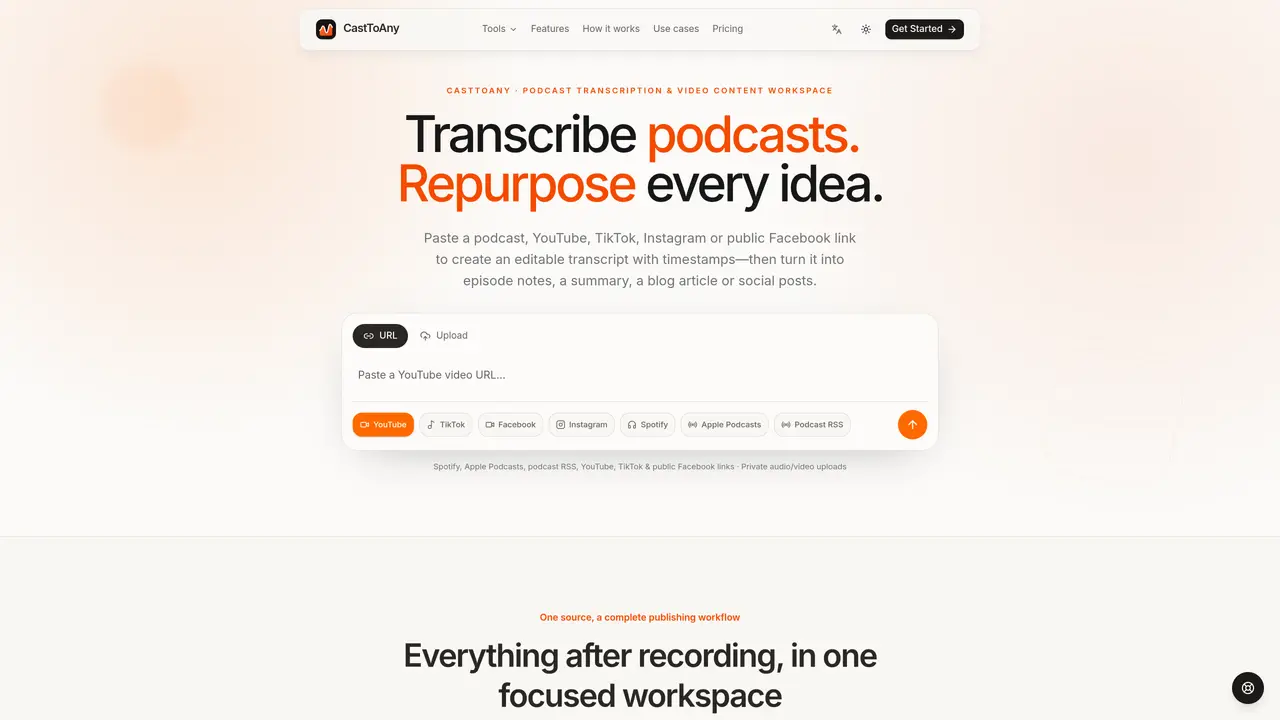
CastToAny converts podcasts, YouTube, TikTok, Facebook, Instagram and Spotify audio or video into searchable, timestamped transcripts. Users can paste public links or upload private files to generate editable text with speaker labels and clean paragraphs. The tool supports multiple output formats including TXT, SRT and VTT for captions and publishing. Transcripts can be transformed into summaries, show notes, blog drafts, social posts or structured episode notes. The workspace keeps all derived assets connected to the original recording, allowing teams to review, correct and repurpose spoken content efficiently. It is designed for creators, marketers, researchers and writers who need to extract and reuse ideas from long-form audio or video without switching tools.
Key features
- Timestamped and speaker-labeled transcripts
- Inline editing and correction of transcripts
- Structured summaries and chapter recaps
- Publish-ready blog drafts and social posts
- Searchable moments linked to recording
- Markdown, TXT, SRT and VTT exports
- Multilingual transcription
- Private audio/video file uploads
Use cases
- Repurposing podcast episodes into blog posts and newsletters
- Creating SEO-friendly articles from YouTube videos
- Generating social media content from expert interviews
Pros
- Supports multiple platforms (podcasts, YouTube, TikTok, Facebook, Instagram, Spotify)
- Editable transcripts with timestamps and speaker identification
- Exports in TXT, SRT and VTT formats
- Multilingual transcription capability
- Centralized workspace for transcript and content creation
Cons
- No free tier available
- Limited to 2–5 hour project durations depending on plan
- Upload size capped at 500 MB to 2 GB
- Podcast sources still being added
Frequently asked questions about CastToAny
What sources can I transcribe with CastToAny?
CastToAny supports public links from YouTube, TikTok, Facebook, Instagram, Spotify, Apple Podcasts, and podcast RSS feeds, as well as private audio or video file uploads in formats like MP3, M4A, WAV, or video files.
Do transcripts include timestamps and speaker labels?
Yes, transcripts are generated with timestamps and clean paragraphs, and speaker labels are included to distinguish between different voices in the recording.
What formats can I export transcripts in?
Transcripts can be exported in TXT, SRT, and VTT formats, which are useful for captions, publishing, and editing.
Can I edit or correct the transcript after it's generated?
Yes, transcripts are fully editable, allowing users to review, correct, and adjust the text inline before exporting or repurposing it.
Where are my uploaded recordings stored?
Uploaded recordings are stored privately within the CastToAny workspace, and all derived assets remain connected to the original source for easy access and review.
What can I create from a transcript besides the raw text?
From a transcript, users can generate summaries, show notes, blog drafts, social posts, structured episode notes, and other publish-ready content formats.