Revolutionize transcription with unmatched accuracy, speed, and language support.
27M visits/mo+0.9%#4 Audio & Voice

Transcribes Twitch VODs, podcasts, YouTube videos and audio files into timestamped, speaker-labeled text
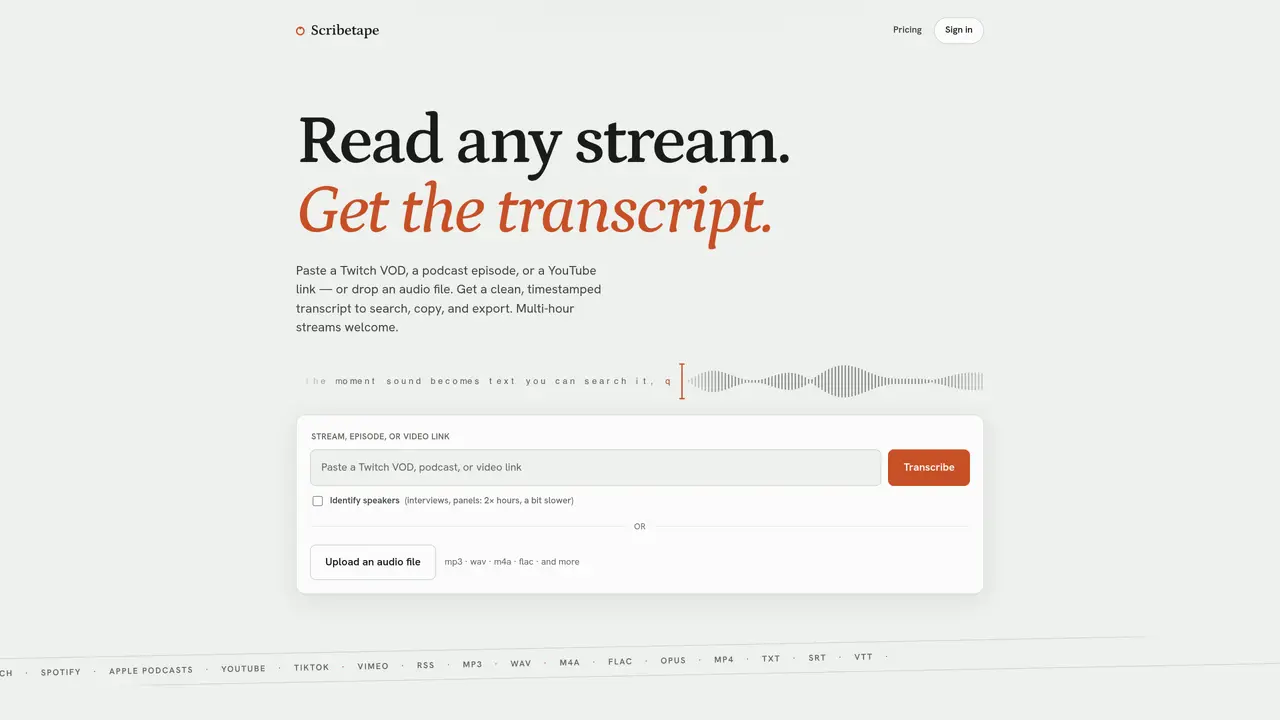
Scribetape converts audio from Twitch streams, podcasts, YouTube videos, TikTok, Vimeo, RSS feeds or uploaded audio files into searchable, timestamped transcripts. The service identifies speakers and preserves the original wording, allowing users to read, search, copy or export the text. Transcripts can be downloaded in TXT, SRT or VTT formats for further use. Multi-hour recordings are processed in sections and reassembled with continuous timestamps. The tool supports a range of audio formats including MP3, WAV, M4A and FLAC. Platform-exclusive episodes on Spotify or Apple Podcasts are transcribed only if they are available via public RSS feeds. Transcription speed varies by length, with longer episodes typically completing within a few minutes.
Paste the Twitch VOD or clip link (e.g., twitch.tv/videos/…) into Scribetape and press Transcribe. The tool fetches the audio, transcribes it with timestamps, and returns a searchable text version. Multi-hour VODs are processed in sections and reassembled with continuous timestamps.
Paste the Spotify episode link into Scribetape. The service matches the link to the show’s public RSS feed and transcribes the audio into a clean, timestamped text transcript. Platform-exclusive episodes cannot be transcribed if they lack a public RSS feed.
Yes. Paste any YouTube link into Scribetape, and it downloads the audio before transcribing it into a timestamped text transcript. The tool also supports Apple Podcasts links and direct audio file uploads in formats like MP3, WAV, M4A, and FLAC.
Scribetape supports exporting transcripts in plain text (TXT), SubRip subtitles (SRT), and WebVTT (VTT) formats. Each format can be downloaded with a single click after transcription is complete.
Scribetape offers free transcripts to start without requiring a credit card. Signing in with Google unlocks additional features, and paid plans provide higher monthly limits and support for longer episodes. Free transcripts are limited to 5 hours per month.
Scribetape uses a credit system where 1 credit equals 1 hour of audio. Credits reset monthly, and partial hours are rounded up. Speaker detection costs 2 credits per hour, while AI summaries and translations consume credits based on the episode length and language.
We use essential cookies to run aitoolnavio™, and optional cookies to analyze traffic and measure our marketing. You choose what we use — optional cookies stay off unless you turn them on. See our Privacy Policy.
One short email a week: fresh tools worth trying, honest takes and the updates that actually matter. No spam, unsubscribe any time.
Revolutionize transcription with unmatched accuracy, speed, and language support.
Hardware device that records conversations and converts them into searchable transcripts, summaries, and notes.
Automate transcription, generate summaries, identify speakers, and timestamps for video-conferencing conversations.
NoteGPT – Convert Speech to Text and Text to Speech with AI
Automatically record, transcribe, take notes, and create summaries with key insights during meetings.
Transforms audio/video to summarized text, instantly, across platforms.
Transcribe and summarize audio or video recordings with AI-powered speech recognition and summarization.
Automatically transcribe meetings, create summaries, and securely store audio files in a searchable format.
Convert audio and video into text, sync transcripts with media, and edit easily.
Streamline healthcare admin tasks, and enhance patient focus with Heidi AI.
Create transcripts of meetings, voice-overs for videos, and transcribe and review customer feedback efficiently.
Wearable AI device that captures conversations and meetings, then auto-generates transcripts, summaries, action items, mind maps, and searchable notes.
Matched on what this tool does — grouped by the job you would be replacing.
matches Transcribe Twitch VODs, clips and live streams · Process YouTube, TikTok and Vimeo videos · Support for podcasts via Spotify, Apple Podcasts and RSS feeds
Transcribes audio and video files to text in 90+ languages
Transcribes podcasts, audio, and video into searchable text with timestamps
Convert public TikTok, Reels, YouTube, and Facebook videos into editable transcripts with batch processing and multiple export formats.
Free online audio and video transcription with timestamps