
Generate speech with customizable voices in any language, and create captivating stories using natural-sounding voices.
34M visits/mo-7.6%#2 Audio & Voice

Convert articles to audio files with various voices and languages for projects like podcasts, music, and videos.
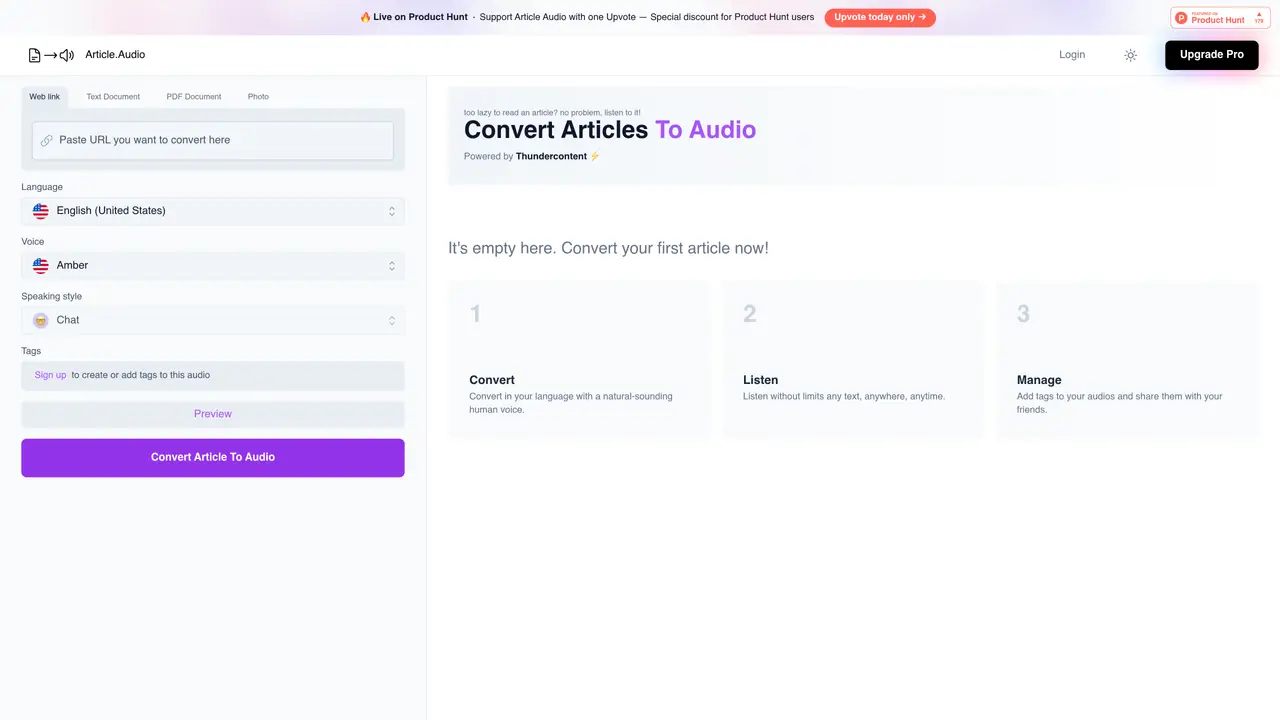
Article.Audio is the perfect solution to turn your articles into audio. With our easy-to-use platform, you can quickly and easily convert your text into an audio format. Our intuitive interface makes it easy to upload articles and customize the audio output to match your needs. We offer a range of voices and languages to choose from, allowing you to select the perfect voice for your project. Whether you need a professional and sophisticated tone or a casual and fun one, our library of audio options has it all. Article.Audio is a great way to save time and make your content more accessible. With our service, you can turn your articles into audio in just minutes, so you don’t have to worry about spending hours manually reading aloud. Plus, you can even use our audio files in other projects, such as podcasts, music, and videos. By using Article.Audio, you can make your content more engaging and accessible to a wider audience.
Article.Audio converts written articles into audio format, allowing users to listen to content instead of reading it. It supports multiple input types, including web links, text documents, PDFs, and photos.
The tool is designed for content creators, publishers, educators, and individuals who want to make their written content more accessible and engaging by transforming it into audio.
Article.Audio supports a wide range of languages, including English, Spanish, French, German, Arabic, and many others. It also offers a diverse library of voices to choose from for audio output.
Users can start by signing up with their email or Google account. After confirming their email, they can upload articles or provide a web link to convert the text into audio.
Yes, the audio files can be used in various projects such as podcasts, videos, or other multimedia content, making it versatile for different applications.
Yes, Article.Audio offers a Pro version that unlocks additional features. Users can upgrade to access more capabilities within the platform.
article.audio · third-party estimates from Similarweb
Last 3 months · grows by one month every month
Share of visits · estimated visits
Audio & Voice · Sep 2026
Traffic figures are third-party estimates, good for scale and trends; they can differ from a company's own numbers. Updated monthly.
We use essential cookies to run aitoolnavio™, and optional cookies to analyze traffic and measure our marketing. You choose what we use — optional cookies stay off unless you turn them on. See our Privacy Policy.
One short email a week: fresh tools worth trying, honest takes and the updates that actually matter. No spam, unsubscribe any time.
Generate speech with customizable voices in any language, and create captivating stories using natural-sounding voices.
Generate audio content for podcasts, e-learning, or video production with natural-sounding voices on any device.
Create audio versions of documents, listen to text in multiple languages, and customize voice, pitch, and volume.
Cloud communications platform that lets developers embed SMS, voice, WhatsApp, email, video, verification, and conversational AI via APIs.
Create podcasts, audiobooks, and voiceovers, customize voice style, and generate natural speech from text.
Create transcripts of meetings, voice-overs for videos, and transcribe and review customer feedback efficiently.
Create engaging educational, marketing, and training videos using pre-built assets and an AI-driven text-to-speech engine.
AI-powered translation tool that detects and converts text between 15+ languages instantly with a single click.
Cartesia delivers real-time AI voice and TTS models with low-latency streaming, voice cloning, and transcription for interactive applications.
Create natural audio for podcasts, automate customer service responses, and generate audio for online courses.
Web-based AI toolkit for creators to generate AI videos, images, and natural voiceovers with credit-based plans.
Generate professional voiceovers, enhance language learning, and add synthesized speech to applications effortlessly.
Matched on what this tool does — grouped by the job you would be replacing.
matches Convert articles into audio format quickly and easily · Choose from a range of voices and languages · Use audio files for other projects such as podcasts, music and videos
Create natural-sounding audio books, generate vocal audio for podcasts and radio shows, and use AI voices for e-learning courses.
Create customizable, natural-sounding voiceovers for podcasts using AI-generated voices with real people's tones and inflections.
Create podcasts, convert text to audio in multiple languages, and customize audio with pitch, speed, and background music.
Create audio books, video presentations, and podcast intros with a wide range of voices and languages.