Generate captions, optimize content, and enhance with custom images for maximum engagement.
46M visits/mo-10%#3 Image & Design

AI-powered customer support agent handling chat, WhatsApp, appointments, and sales 24/7
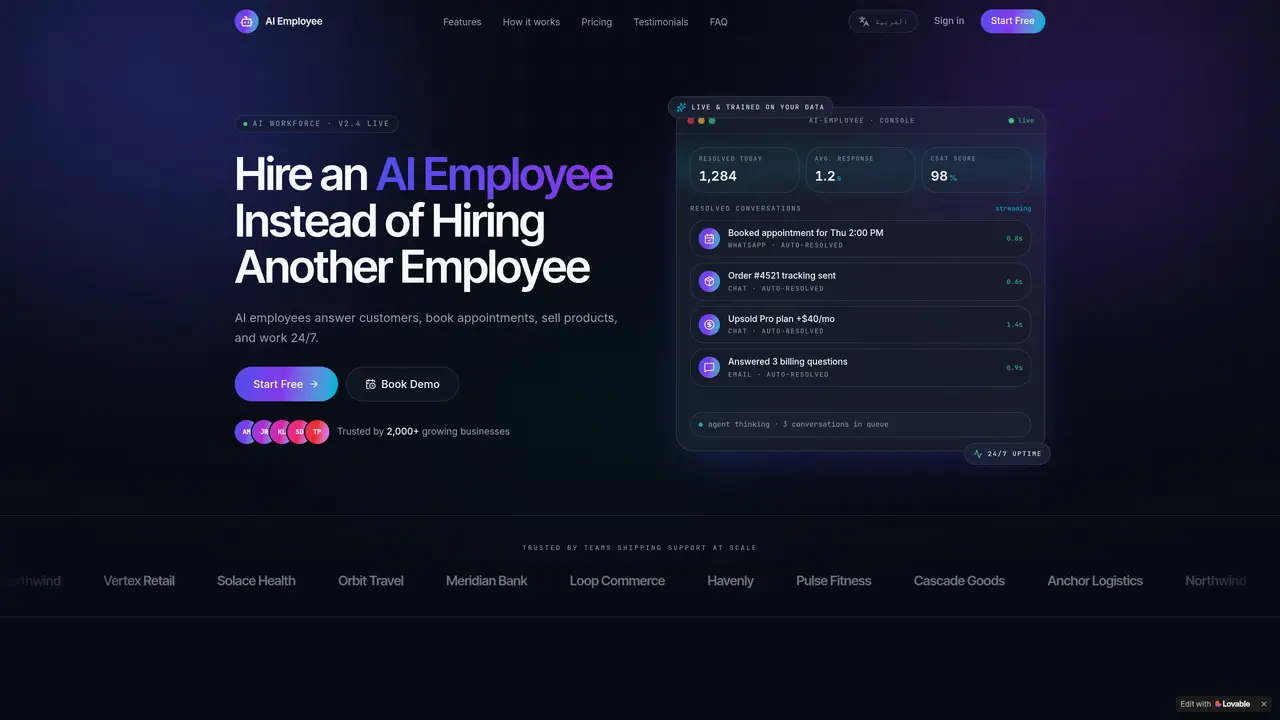
AI Employee provides a conversational AI agent that replaces or augments human support staff across multiple channels. The system is trained on a company’s own documentation, past support tickets, and product catalogs to answer customer questions in the brand’s voice. It operates continuously without breaks and can handle live chat on websites, WhatsApp messaging, appointment scheduling, and order processing. The AI can qualify leads, upsell products, and process payments directly within conversations. It also offers analytics to track resolution rates, customer sentiment, and revenue influenced by each AI agent. Workflow automation features trigger CRM updates, issue refunds, or escalate to human agents based on predefined rules. Deployment follows a four-step process—upload documents, train the AI, deploy with one click, and scale usage over time. The platform is designed for businesses that want to automate repetitive support tasks while maintaining control over tone, policies, and escalation paths.
AI Employee is trained on a company’s own documentation, past support tickets, and product catalogs to answer questions in the brand’s voice, rather than relying on predefined scripts. It handles live chat, WhatsApp, appointment scheduling, and order processing continuously without breaks.
Setup follows a four-step process—upload documents, train the AI, deploy with one click, and scale usage over time—typically going live within a day. No integration project or extended onboarding is required.
AI Employee supports live chat on websites, WhatsApp messaging, appointment scheduling, and order processing. It can also operate via voice and integrates with multiple channels for seamless customer interactions.
When the AI doesn’t know the answer, it can escalate to a human agent based on predefined rules, ensuring customers receive accurate support while maintaining workflow efficiency.
Yes, AI Employee can process payments directly within conversations and book, reschedule, or cancel appointments in real time, synced to the company’s calendar.
The platform emphasizes data security, offering features like custom integrations, SSO, and compliance options for organizations with specific security and regulatory needs.
We use essential cookies to run aitoolnavio™, and optional cookies to analyze traffic and measure our marketing. You choose what we use — optional cookies stay off unless you turn them on. See our Privacy Policy.
One short email a week: fresh tools worth trying, honest takes and the updates that actually matter. No spam, unsubscribe any time.
Generate captions, optimize content, and enhance with custom images for maximum engagement.
Build conversational forms, capture rich responses, and automate follow-ups with AI-powered surveys and workflows.
Automate code, research, and documents using agents.
AI-powered IDE for autonomous coding tasks and agentic development workflows
Source, match, and manage talent with predictive analytics for effortless recruiting.
Automate workflow, optimize operations, and detect potential issues with this efficient AI-driven solution.
Transforms thoughts into actions, enhancing productivity and efficiency.
AI Recruitment engine to hire top global talent
All-in-one team productivity platform combining chat, docs, video meetings, workflows, and AI tools in one place.
Personal assistant that coordinates tasks across apps and devices via text or call
AI automation and agent-building platform with 3,000+ app integrations
AI job search copilot that matches roles to skills, optimizes resumes for ATS, generates cover letters, and autofills applications with real-time insights.
Matched on what this tool does — grouped by the job you would be replacing.
matches Live chat on website · WhatsApp messaging support · Appointment booking and rescheduling
AI-powered platform that qualifies leads, books appointments, and handles customer support via human-like conversational agents and synthetic voices.
AI-powered call agent that answers calls, books appointments, and captures leads 24/7
AI voice sales platform that automates inbound/outbound calls, qualifies leads, books appointments, and handles 24/7 omnichannel follow-ups for B2B teams.
AI agents for customer support, sales and operations automation
matches Appointment booking and rescheduling · Lead qualification
Build and deploy AI agents for sales and support without coding, automating interactions across multiple channels.
Build and deploy no-code AI agents for sales, support, and marketing across web, WhatsApp, SMS, voice, Instagram, and Shopify.
AI sales agent that answers visitors, qualifies leads and books appointments 24/7
WordPress plugin that uses AI to chat with visitors, capture leads, and book appointments