

Generate captions, optimize content, and enhance with custom images for maximum engagement.
46M visits/mo-10%#3 Image & Design
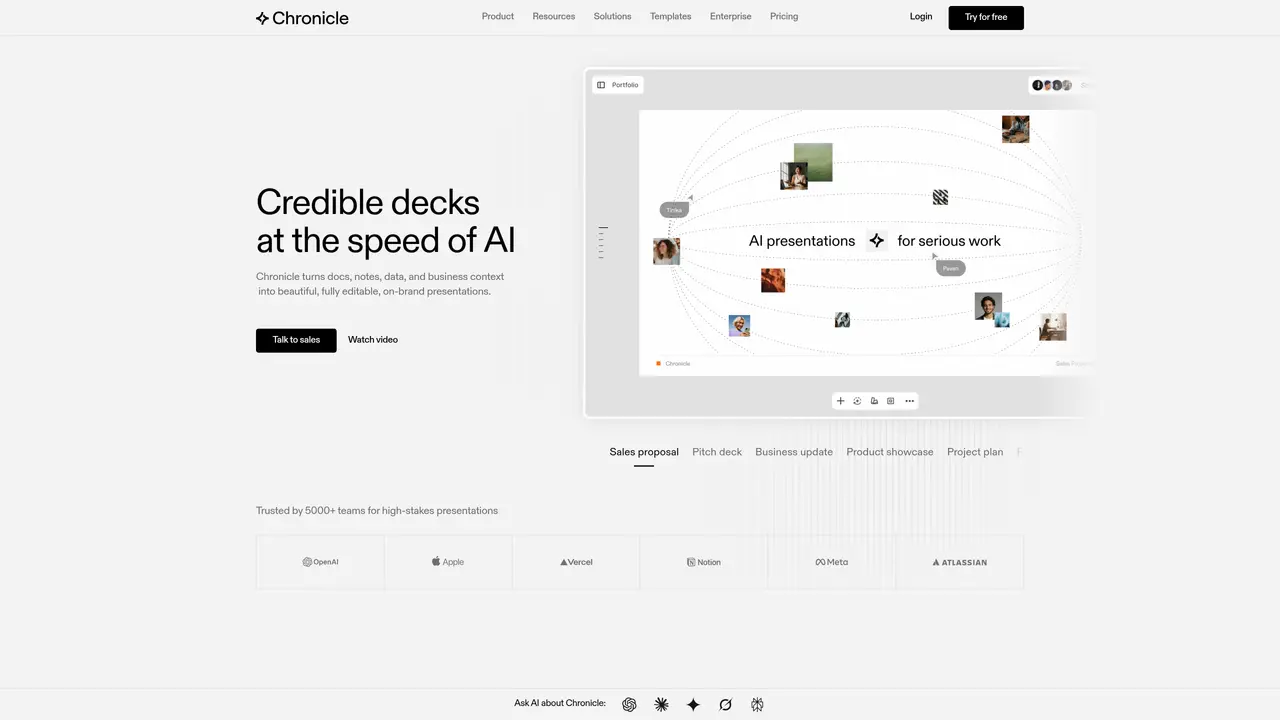
Chronicle is an innovative AI-powered tool designed to help you create amazing presentations. With a focus on storytelling, Chronicle offers a unique platform that allows users to craft visually stunning presentations without requiring any design expertise. The tool is perfectly suited for individuals and businesses aiming to transform complex information into engaging and impactful stories. Key Features: Widgets: Chronicle uses Widgets that provide pixel-perfect design, interactivity, and motion straight out of the box. This feature allows users to drag and drop elements on the canvas easily. Customization: The tool offers effortless customization options, ensuring that presentations maintain a professional look regardless of edits. Integration: Users can embed content from hundreds of tools, seamlessly integrating various outputs into their presentations. AI Assistance: Chronicle leverages AI to research, generate, and remix presentations, turning raw ideas into polished outputs in seconds. Pros User-Friendly Design: The intuitive interface makes it easy for anyone to create professional presentations. Real-Time Collaboration: Enables teams to work together on presentations with seamless real-time collaboration features. Time-Saving: The AI-driven tools and shortcuts significantly reduce the time needed to create presentations. Engaging Outputs: With interactive effects and emotes, presentations become more engaging and fun. Cons Learning Curve: Although user-friendly, some users might need time to explore all the features fully. Limited Mobile Features: While offering a mobile experience, some advanced features are best utilized on a desktop. Who is Using Chronicle? Corporate Teams: Utilizing Chronicle to create dynamic presentations for meetings and pitches. Educational Institutions: Employing the tool to enhance educational materials and lectures. Marketing Professionals: Leveraging the platform for creating captivating marketing strategies and product roadmaps. Freelancers: Using Chronicle for client presentations and creative storytelling. Uncommon Use Cases: Used by non-profit organizations for impactful storytelling; adopted by content creators to enhance video scripts and presentations.
Chronicle is an AI-powered presentation tool that transforms raw notes, documents, data, and business context into fully editable, on-brand presentations. It generates professional slides, visuals, and diagrams while allowing full customization and real-time collaboration.
Chronicle is designed for professional teams, including corporate teams, marketing professionals, consultants, agencies, startups, and educational institutions. It is particularly suited for creating high-stakes presentations like sales proposals, pitch decks, and business updates.
Chronicle allows users to embed content from hundreds of tools and supports integrations via its API and MCP. This enables seamless incorporation of outputs from other platforms into presentations.
Yes, Chronicle offers real-time collaboration features, allowing teams to work together on presentations, share templates, and manage permissions. It also supports enterprise-grade security for private content.
Chronicle allows users to export presentations in multiple formats, including PowerPoint (PPT), PDF, and as a shareable website. Presentations can also be published directly for audience engagement.
Users can start by pasting raw notes, outlines, meeting documents, or existing decks into Chronicle, which then generates a presentation. The tool also offers templates, tutorials, and a free trial to help users begin creating presentations quickly.
chroniclehq.com · third-party estimates from Similarweb
Last 4 months · grows by one month every month
Share of visits · estimated visits
Other countries: 27.9%
How people reach this site from other AI tools
677 a month · 0.6% of all visits
Automation & Agents · Sep 2026
Traffic figures are third-party estimates, good for scale and trends; they can differ from a company's own numbers. Updated monthly.
We use essential cookies to run aitoolnavio™, and optional cookies to analyze traffic and measure our marketing. You choose what we use — optional cookies stay off unless you turn them on. See our Privacy Policy.
One short email a week: fresh tools worth trying, honest takes and the updates that actually matter. No spam, unsubscribe any time.
Generate captions, optimize content, and enhance with custom images for maximum engagement.
Build conversational forms, capture rich responses, and automate follow-ups with AI-powered surveys and workflows.
Automate code, research, and documents using agents.
AI-powered IDE for autonomous coding tasks and agentic development workflows
Source, match, and manage talent with predictive analytics for effortless recruiting.
Automate workflow, optimize operations, and detect potential issues with this efficient AI-driven solution.
Transforms thoughts into actions, enhancing productivity and efficiency.
AI Recruitment engine to hire top global talent
All-in-one team productivity platform combining chat, docs, video meetings, workflows, and AI tools in one place.
Personal assistant that coordinates tasks across apps and devices via text or call
AI automation and agent-building platform with 3,000+ app integrations
AI job search copilot that matches roles to skills, optimizes resumes for ATS, generates cover letters, and autofills applications with real-time insights.
Matched on what this tool does — grouped by the job you would be replacing.
matches Widget-based presentation design · AI-driven research, generation, and remixing of presentations · Effortless customization options
Create stunning presentations with AI design.
Create executive level presentations with AI-generated slides.
Create stunning presentations with AI-driven design.
Create stunning presentations quickly with an intuitive UI, smart slides, AI-assisted design, and customizable templates.
matches AI-generated voiceovers for presentations · Text-to-presentation conversion · Recorded video embedding
Create incredible PowerPoint presentations from any content with AI-powered tools.
AI-powered presentation maker that combines slides with audio narration for professional, shareable presentations.