

Generate captions, optimize content, and enhance with custom images for maximum engagement.
46M visits/mo-10%#3 Image & Design
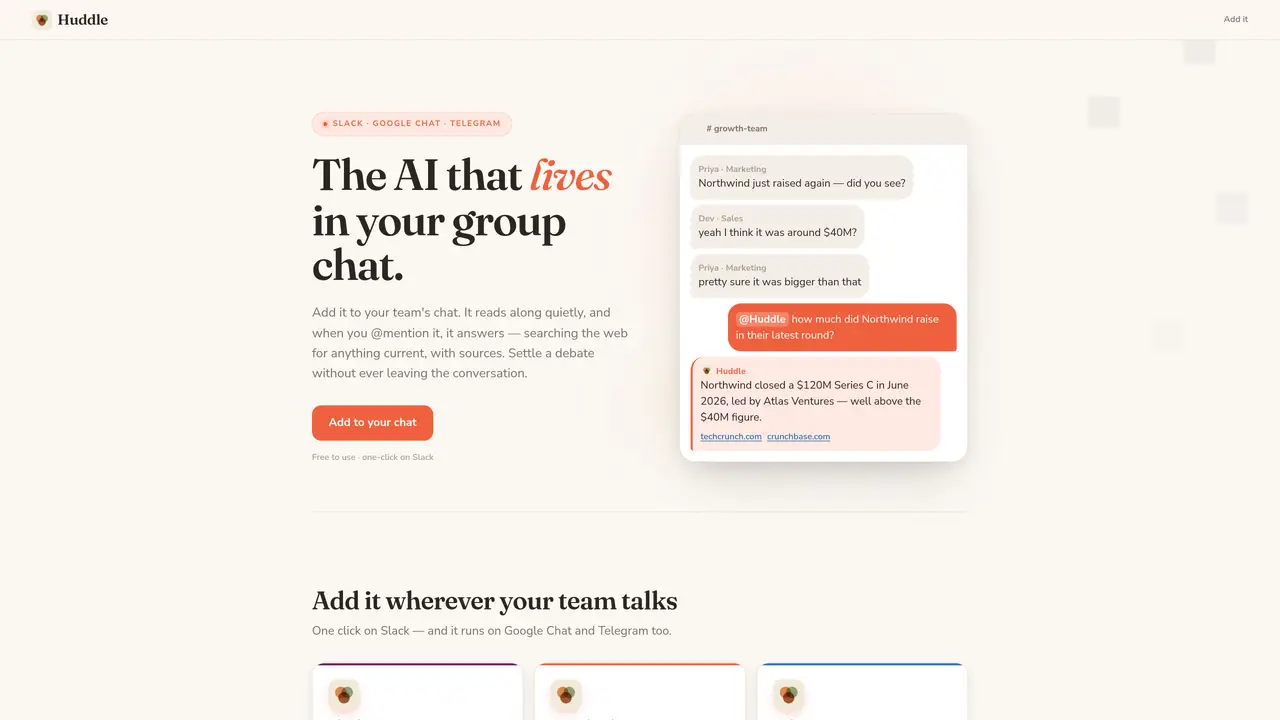
Huddle is an AI assistant designed to integrate directly into team communication platforms such as Slack, Google Chat, and Telegram. It operates silently in the background, reading ongoing conversations to understand context. When explicitly mentioned with an @ symbol, it searches the web for up-to-date information and provides concise answers with cited sources. The tool is intended to resolve disputes, verify facts, or summarize recent discussions without requiring users to leave the chat interface. It maintains a passive presence, only responding when prompted, and avoids unsolicited commentary. Huddle is accessible via one-click installation on supported platforms and requires no additional software or technical setup.
Huddle is an AI assistant that integrates into team communication platforms like Slack, Google Chat, and Telegram. It silently reads ongoing conversations and responds only when explicitly mentioned with an @ symbol, searching the web for up-to-date information and providing concise answers with cited sources.
Huddle is designed for teams and individuals who collaborate in group chats and need quick, reliable answers to questions without leaving the conversation. It is particularly useful for resolving disputes, verifying facts, or summarizing discussions.
Huddle can be added to Slack, Google Chat, or Telegram with a one-click installation process. Users invite it to a channel or space, and once approved, they can @mention it to ask questions or request summaries.
Yes, every answer provided by Huddle includes citations from web sources, allowing users to verify the information directly.
Yes, Huddle can recap recent conversations in a channel or space, highlighting key decisions and open points based on the messages it has read.
No, Huddle maintains a passive presence and only responds when explicitly addressed with an @mention or reply. It avoids unsolicited commentary.
We use essential cookies to run aitoolnavio™, and optional cookies to analyze traffic and measure our marketing. You choose what we use — optional cookies stay off unless you turn them on. See our Privacy Policy.
One short email a week: fresh tools worth trying, honest takes and the updates that actually matter. No spam, unsubscribe any time.
Generate captions, optimize content, and enhance with custom images for maximum engagement.
Build conversational forms, capture rich responses, and automate follow-ups with AI-powered surveys and workflows.
Automate code, research, and documents using agents.
AI-powered IDE for autonomous coding tasks and agentic development workflows
Source, match, and manage talent with predictive analytics for effortless recruiting.
Automate workflow, optimize operations, and detect potential issues with this efficient AI-driven solution.
Transforms thoughts into actions, enhancing productivity and efficiency.
AI Recruitment engine to hire top global talent
All-in-one team productivity platform combining chat, docs, video meetings, workflows, and AI tools in one place.
Personal assistant that coordinates tasks across apps and devices via text or call
AI automation and agent-building platform with 3,000+ app integrations
AI job search copilot that matches roles to skills, optimizes resumes for ATS, generates cover letters, and autofills applications with real-time insights.
Matched on what this tool does — grouped by the job you would be replacing.
matches Web search integration for real-time facts · Source citation for every answer · @mention-triggered responses
No-code AI assistant builder deployed across seven messaging platforms
A Telegram chatbot that answers questions, transcribes voice messages, analyzes images, and supports 100+ languages in private and group chats.
Free AI chat without sign-up that answers questions and cites web sources
API that generates AI answers grounded in real-time web data with inline citations and confidence scores for developers.