

Generate captions, optimize content, and enhance with custom images for maximum engagement.
46M visits/mo-10%#3 Image & Design
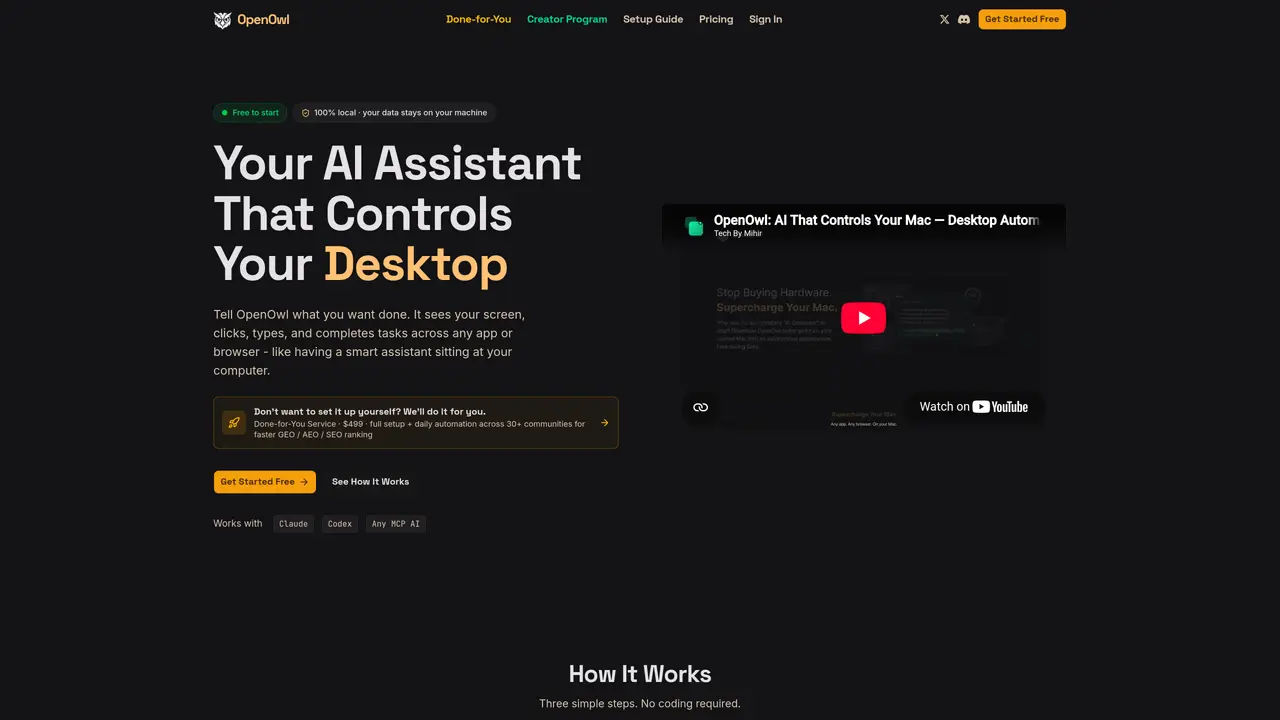
OpenOwl is a local desktop automation agent that plugs into MCP compatible AI assistants such as Claude, Codex, and Gemini. Instead of stopping at written instructions, the assistant can actually see the user’s macOS screen, move the cursor, click, type, and navigate between apps or browser tabs. Users describe goals in plain language, and OpenOwl executes multi step workflows like prospect research, Shopify admin edits, CRM updates, or spreadsheet work while keeping all screenshots and keystrokes on the machine. OpenOwl is a practical bridge from chat to actual execution on macOS for teams already comfortable with Claude, Codex, or similar tools. It suits marketers, founders, and analysts who want to reclaim hours of clicking while keeping their accounts and data under control. The tool accepts high level prompts like “find 50 LinkedIn leads and save them to a CSV” and breaks them into stepwise actions. OpenOwl moves data between websites, SaaS tools, and desktop apps, handling tasks such as UGC sourcing, investor research, and multi channel launches. It uses a locally compiled binary so screenshots, keystrokes, and file contents stay on device, with only a lightweight license check over the network. The tool offers dozens of fine grained tools that can be enabled, limited, or gated for higher risk actions. OpenOwl is available in three pricing plans: Free, Pro, and Max, each offering varying levels of tool calls per day, priority support, and optional top up packs. New signups can access a limited batch where the first month costs $3.99 per month before renewing at $19.00 per month.
OpenOwl is a local desktop automation agent that integrates with MCP-compatible AI assistants like Claude or Codex. Users describe tasks in plain language, and OpenOwl executes them by seeing the screen, moving the cursor, clicking, typing, and navigating between apps or browser tabs without requiring coding.
OpenOwl suits marketers, founders, analysts, sales teams, and developers who want to automate repetitive desktop tasks such as lead generation, CRM updates, competitive research, or multi-platform launches while keeping data private on their machine.
No. OpenOwl processes screenshots, keystrokes, and file contents entirely on the user’s local machine. The tool does not upload screen content to servers, ensuring all data remains private and secure.
Yes. OpenOwl works with any MCP-compatible AI assistant, including Claude, Codex, and Gemini. It connects via a simple installation command and operates as an extension of the user’s chosen AI.
OpenOwl can automate tasks like finding and saving LinkedIn leads to a CSV, updating Shopify prices, managing influencer outreach, scraping competitor data, or launching products across multiple online communities.
Users can start by installing OpenOwl via a single command, connecting it to their MCP-compatible AI assistant, and then describing the task they want automated in plain language. No coding or scripting is required.
openowl.dev · third-party estimates from Similarweb
Last 4 months · grows by one month every month
Share of visits · estimated visits
Automation & Agents · Sep 2026
Traffic figures are third-party estimates, good for scale and trends; they can differ from a company's own numbers. Updated monthly.
We use essential cookies to run aitoolnavio™, and optional cookies to analyze traffic and measure our marketing. You choose what we use — optional cookies stay off unless you turn them on. See our Privacy Policy.
One short email a week: fresh tools worth trying, honest takes and the updates that actually matter. No spam, unsubscribe any time.
Generate captions, optimize content, and enhance with custom images for maximum engagement.
Build conversational forms, capture rich responses, and automate follow-ups with AI-powered surveys and workflows.
Automate code, research, and documents using agents.
AI-powered IDE for autonomous coding tasks and agentic development workflows
Source, match, and manage talent with predictive analytics for effortless recruiting.
Automate workflow, optimize operations, and detect potential issues with this efficient AI-driven solution.
Transforms thoughts into actions, enhancing productivity and efficiency.
AI Recruitment engine to hire top global talent
All-in-one team productivity platform combining chat, docs, video meetings, workflows, and AI tools in one place.
Personal assistant that coordinates tasks across apps and devices via text or call
AI automation and agent-building platform with 3,000+ app integrations
AI job search copilot that matches roles to skills, optimizes resumes for ATS, generates cover letters, and autofills applications with real-time insights.
Matched on what this tool does — grouped by the job you would be replacing.
matches MCP-based desktop control · Natural language workflows · Cross app automation
Screen-aware local AI hardware that reads your desktop, proposes multi-step tasks, and executes only after hardware approval via HDMI capture and USB-HID control.
Control any Mac app with natural language commands, replacing clicks and shortcuts for faster workflows.
AI agent that turns plain text commands into automated computer tasks by installing a local app.
Mac desktop app that records screens into a searchable timeline and uses AI to detect patterns and generate automations from repetitive tasks.
matches Natural-language task automation · Cross-platform and cross-device execution · App integrations without coding
Runable lets users automate computer tasks by typing plain-language commands instead of writing code.
AI-powered automation that learns from your actions to eliminate repetitive computer tasks without coding.
Automate repetitive tasks, create custom scripts with natural language, and automate complex processes with ease.