Generate captions, optimize content, and enhance with custom images for maximum engagement.
46M visits/mo-10%#3 Image & Design

An agentic desktop browser that automates web tasks, chats with pages, and creates reports or apps using cloud compute.
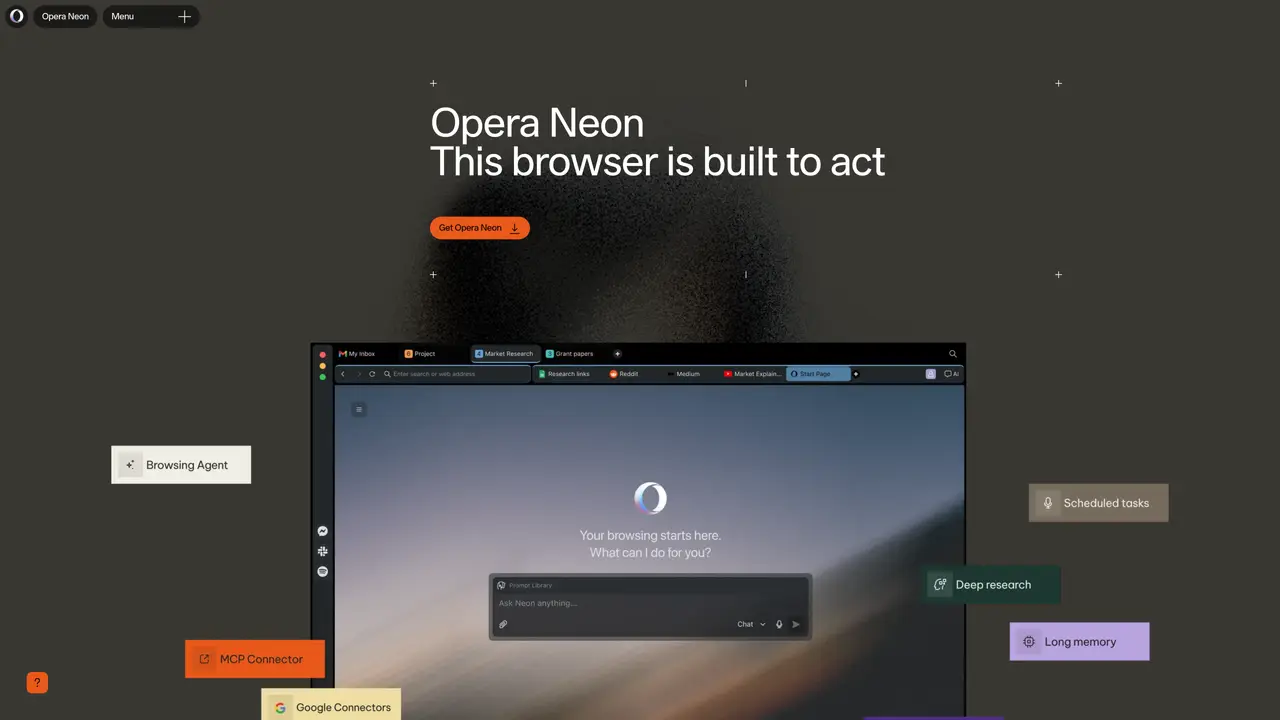
Opera Neon is an agentic desktop browser designed for AI power users and early adopters who want AI to handle browsing, research, and web-based tasks autonomously. It combines native AI chat for real-time web search and contextual answers with autonomous task automation for actions like form filling, shopping, booking trips, and email replies on supported sites. Users can also create reports, web apps, and other digital outputs in the cloud, with the ability to continue working on complex tasks even when offline. The tool features deep research capabilities through an ODRA research agent, including a 1-minute mode for synthesizing complex topics. Opera Neon emphasizes privacy by keeping browsing history, logins, and cookies local, and it includes built-in browser essentials such as a free VPN and ad blocker. Additionally, it offers access to multiple AI models via a model selector, catering to users who need flexibility in AI-driven workflows.
Opera Neon is an agentic desktop browser designed to act on user tasks by interpreting the web, managing tabs, and automating workflows. It integrates AI agents for research, document creation, and task completion while keeping browsing history and data local for privacy.
Opera Neon suits AI power users, early adopters, and professionals who need to automate web-based tasks such as research, form filling, shopping, or email replies. It is also designed for users who want to transform raw web content into structured outputs like reports or web apps.
Opera Neon combines native AI chat for real-time web search with autonomous agents that can read pages, carry context, compare inputs, and structure results. Users can assign tasks, and the browser executes them while maintaining workflow continuity, even offline.
Yes, Opera Neon supports connecting external agents through MCP or CLI paths, allowing users to integrate their own tools and workflows directly into the browser’s agentic environment.
Opera Neon is designed with privacy in mind, keeping browsing history, logins, and cookies local. It also includes built-in ad blocking and a VPN, continuing Opera’s long-standing approach to user privacy and control.
To get started, download and install Opera Neon, then log in to activate agentic functionalities. Users can also connect existing agents via MCP or CLI, and subscribe to unlock advanced AI capabilities and access to top world LLMs.
operaneon.com · third-party estimates from Similarweb
Last 4 months · grows by one month every month
Share of visits by channel
Share of visits · estimated visits
Other countries: 52.6%
How people reach this site from other AI tools
18 a month
Automation & Agents · Sep 2026
Traffic figures are third-party estimates, good for scale and trends; they can differ from a company's own numbers. Updated monthly.
We use essential cookies to run aitoolnavio™, and optional cookies to analyze traffic and measure our marketing. You choose what we use — optional cookies stay off unless you turn them on. See our Privacy Policy.
One short email a week: fresh tools worth trying, honest takes and the updates that actually matter. No spam, unsubscribe any time.
Generate captions, optimize content, and enhance with custom images for maximum engagement.
Build conversational forms, capture rich responses, and automate follow-ups with AI-powered surveys and workflows.
Automate code, research, and documents using agents.
AI-powered IDE for autonomous coding tasks and agentic development workflows
Source, match, and manage talent with predictive analytics for effortless recruiting.
Automate workflow, optimize operations, and detect potential issues with this efficient AI-driven solution.
Transforms thoughts into actions, enhancing productivity and efficiency.
AI Recruitment engine to hire top global talent
All-in-one team productivity platform combining chat, docs, video meetings, workflows, and AI tools in one place.
Personal assistant that coordinates tasks across apps and devices via text or call
AI automation and agent-building platform with 3,000+ app integrations
AI job search copilot that matches roles to skills, optimizes resumes for ATS, generates cover letters, and autofills applications with real-time insights.
Matched on what this tool does — grouped by the job you would be replacing.
matches Autonomous task automation (forms, shopping, bookings, emails) · Cloud-based creation of reports and web apps · Offline task continuation for complex workflows
AI agentic browser that automates complex workflows, deep research, and multi-step digital tasks across public and private platforms.
Automates browsing tasks while remembering context across tabs.
An AI-powered browser that summarizes pages, answers questions, and automates online tasks through natural language commands.
A privacy-focused browser that automates browsing, extracts content, and runs AI models locally without sending data to the cloud.
matches Native AI chat for web search and contextual answers · Deep research agent (ODRA) with 1-minute mode
matches Privacy-focused with local browsing history and cookies · Built-in free VPN and ad blocker
Efficiently answer research queries, translate natural language to SQL, and utilize OpenAI WebGPT and larger language models.
Ninja AI is a comprehensive AI assistant that integrates over 25 leading AI models for research, writing, and coding.
A private, offline-first AI chat and research workspace for developers, researchers, and teams with local and cloud model support.
Desktop cockpit combining terminal, browser, editor and voice AI for developers
Sigma AI Browser: Ultimate combo of AI tools, privacy and speed
Sigma Browser is an AI Agent & AI Browser that reimagines web browsing with a powerful suite of integrated AI tools.