


Diagnoses device issues, monitors health, and analyzes security with AI
1.5K visits/mo-18.2%#682 Productivity & Office

Diagnoses failures in workflows, AI agents, and operating systems using submitted evidence
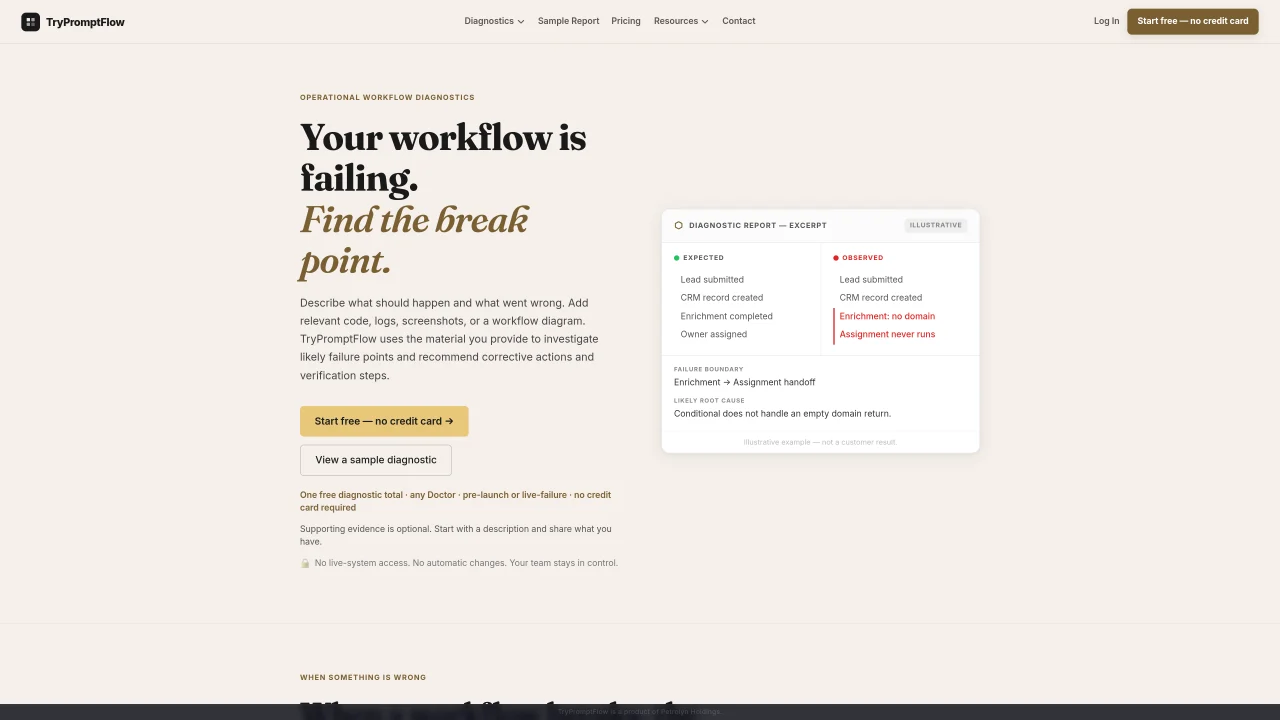
TryPromptFlow provides diagnostic services for workflows, AI agents, and operating systems by analyzing evidence such as code, logs, screenshots, or workflow diagrams. Users describe expected and actual outcomes, then submit relevant materials for analysis. The platform generates a failure map, suggested corrections, an ownership matrix, and a verification plan without requiring live-system access or making automatic changes. Findings are linked to supplied sources, and the report distinguishes supported observations from unverified hypotheses. Diagnostic results are saved for team review and future reference, but the tool does not continuously monitor systems or deploy fixes. It supports workflow assurance by guiding teams through correction, ownership assignment, and verification steps.
TryPromptFlow diagnoses broken workflows, AI agents, or operating systems by analyzing user-submitted evidence such as code, logs, screenshots, or workflow diagrams. It generates a failure map, suggested corrections, an ownership matrix, and a verification plan without requiring live-system access or making automatic changes.
The tool is designed for teams managing workflows, automations, AI agents, or cross-team coordination. It suits users who need structured diagnostics for failures in workflows, agentic systems, or operating systems.
No. TryPromptFlow works solely from the information and evidence you provide. It does not connect to live systems, modify configurations, or deploy changes. All recommendations are for your team to review and implement.
You can submit code excerpts, error messages, logs, screenshots, workflow diagrams, instructions, examples, or business rules. Relevant text or visuals help the diagnosis identify failure points and suggest corrections.
Yes. The evidence intake interface lets you preview selected text excerpts and processed image previews, and allows you to replace or remove items before submission.
Diagnostic reports are saved for team review and future reference. They include the failure map, suggested corrections, ownership matrix, and verification steps. The reports do not create linked implementations or outcome timelines.
We use essential cookies to run aitoolnavio™, and optional cookies to analyze traffic and measure our marketing. You choose what we use — optional cookies stay off unless you turn them on. See our Privacy Policy.
One short email a week: fresh tools worth trying, honest takes and the updates that actually matter. No spam, unsubscribe any time.
Matched on what this tool does — grouped by the job you would be replacing.
matches Failure mapping with supported or likely failure boundaries · Suggested instruction changes with verification steps · Structured repair plans with prioritized actions
Diagnoses device issues, monitors health, and analyzes security with AI
Open-source CLI for natural-language server administration with reviewable execution
AI-powered root cause analysis for production failures in codebases