
All-in-one marketing platform for email, SMS, WhatsApp and CRM automation
6.2M visits/mo+10%#17 Business & Marketing

Create professional tweets in minutes, customize templates, and design custom layouts with a drag-and-drop interface.
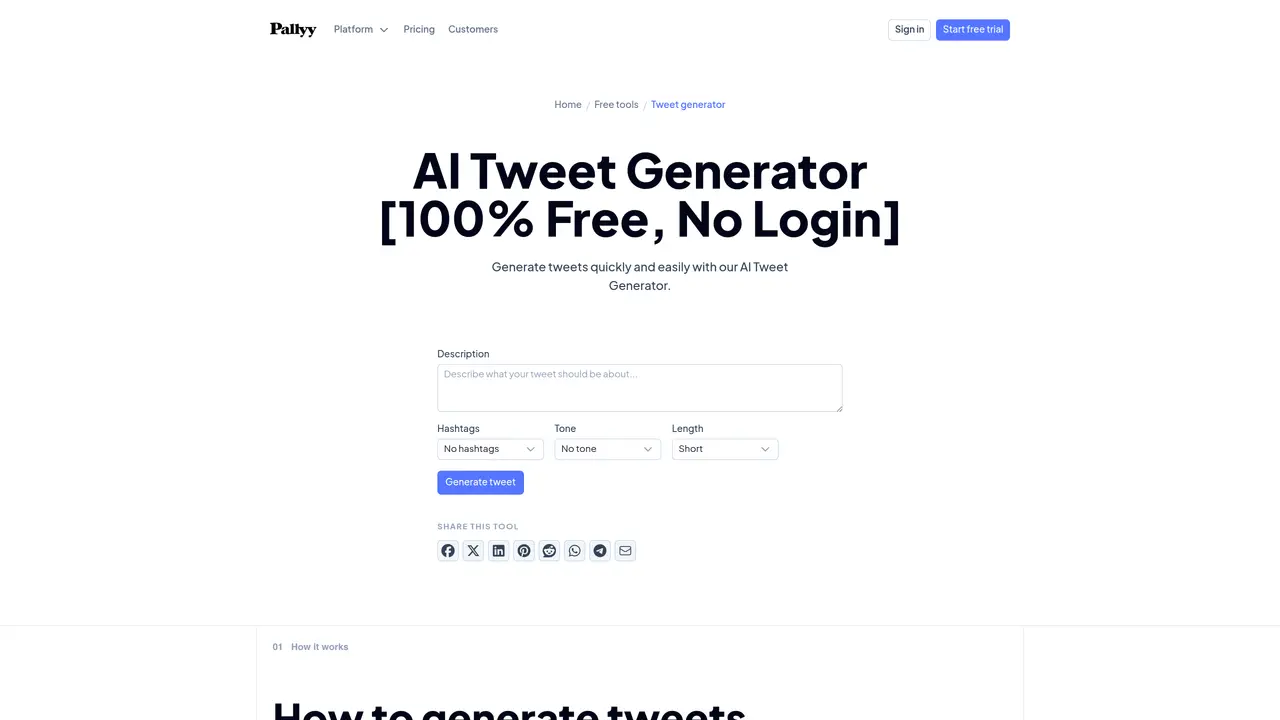
Pallyy’s Tweet Generator is an easy-to-use tool that lets you create stunning, high-quality tweets in a matter of minutes. Whether you’re a business owner, marketer, or influencer, this tool can help you expand your reach and increase engagement with your audience. It comes with a library of professionally designed templates that can be customized to fit your needs. You can also upload your own images and design custom layouts. With its intuitive drag-and-drop interface, you can quickly create eye-catching tweets that stand out in the timeline. And best of all, you can schedule your tweets in advance, so you can maximize the impact of your content. Pallyy’s Tweet Generator is the perfect tool for anyone looking to make an impact on social media.
Type in the topic or message you want to post about, choose a tone and length, then generate a set of drafts. Grab the one with the strongest opening and shape it into your own words.
Posts spread when they are worth passing on: a sharp opinion, a surprising stat, a useful list, or an observation people recognize from their own lives. Clarity in the first line does most of the work.
Yes. The tool runs directly on this page, so you can draft and copy as many posts as you like without signing up for anything.
Always. Treat the generated text as a starting point, then add your own perspective, tighten the wording, and cut anything that does not earn its place in the post.
Weekday mornings and lunchtime in your audience's timezone are reliable starting points, but your own analytics matter more. Test a few slots and double down on the ones that get replies.
That is the best way to use it. Generate several rounds on different topics, keep the strongest drafts, and spread them across the week instead of writing under pressure every day.
pallyy.com · third-party estimates from Similarweb
Last 4 months · grows by one month every month
Share of visits · estimated visits
Other countries: 62.2%
Business & Marketing · Sep 2026
Traffic figures are third-party estimates, good for scale and trends; they can differ from a company's own numbers. Updated monthly.
We use essential cookies to run aitoolnavio™, and optional cookies to analyze traffic and measure our marketing. You choose what we use — optional cookies stay off unless you turn them on. See our Privacy Policy.
One short email a week: fresh tools worth trying, honest takes and the updates that actually matter. No spam, unsubscribe any time.
All-in-one marketing platform for email, SMS, WhatsApp and CRM automation
Monitor brand performance, create content for social media, and gain insights with deep analytics.
Boost post reach and engagement with AI-generated hashtags
Connect, explore, and find compatible matches with an intuitive user interface.
Generate 30 relevant hashtags instantly, customize for topics or locations, and save lists for future use.
Monitor, schedule, and analyze customer conversations, user activity, and content performance for optimized strategies.
Create a personalized online profile with a custom URL, profile photo, and links to your other online profiles.
AI-powered tool to create, schedule, and automate social media posts across multiple platforms.
Create and schedule posts, automate processes, and track performance with detailed analytics and insights.
AI-powered YouTube analytics platform that helps creators optimize content with data-driven insights and viral video ideas.
AI-powered platform for scheduling, creating, and approving social media content across multiple platforms.
Create content, manage social media accounts, track analytics for optimizing campaigns and reaching goals.
Matched on what this tool does — grouped by the job you would be replacing.
matches Quickly create professional-looking tweets in minutes · Easily customize templates to fit your needs · Design custom layouts with drag-and-drop interface
Instantly generate and personalize eye-catching visuals for marketing campaigns using AI-powered templates.
Generate unique tweets, create full-length threads, and find inspiration from millions of categorized tweets.
Generate captivating, customizable content effortlessly with a user-friendly interface and a vast library of assets.
matches Easily customize templates to fit your needs · Design custom layouts with drag-and-drop interface · Library of professionally designed templates
Create stunning visuals, customize designs, and effortlessly share in multiple formats.
Generate custom visuals, create professional-looking designs, collaborate with others for stunning visuals.
Generate custom visuals, create stunning visuals effortlessly, and automatically generate visuals inspired by user input.
Create visuals for presentations, social media, and websites with impressive, professional-looking graphics.