

AI chatbot for conversation, work, research, coding, and content creation.
5.9B visits/mo+5%#1 Chatbots & Assistants
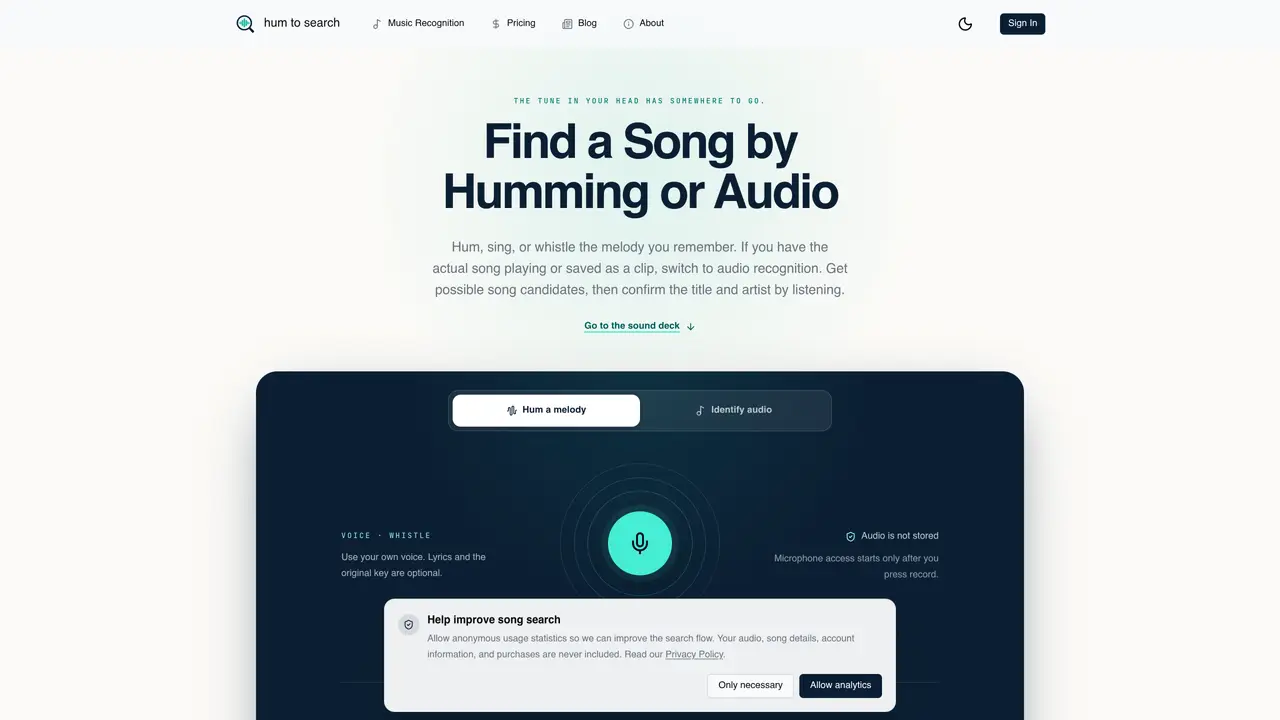
hum to search is a web-based tool that identifies songs from short audio samples. Users can either hum, sing, or whistle a melody they remember or upload an existing audio clip of the song. The service offers two distinct modes: one for self-performed melodies and another for recognizing audio from recordings or files. In the humming mode, the tool focuses on the shape and progression of the melody rather than pitch accuracy or lyrics. For audio recognition, users can record directly through the microphone or upload a file, ensuring the sample contains clear music without excessive background noise. The search process begins with a brief validation of the audio sample, followed by a single search attempt that returns a list of possible song candidates. Users then verify the results by listening to the suggested tracks and comparing them to their memory of the song. The tool emphasizes clarity in input, recommending 8–12 seconds of continuous melody for optimal results. Audio samples are not stored, and microphone access is only activated during active recording.
hum to search is a web-based tool that identifies songs by analyzing short audio samples. Users can hum, sing, whistle, or upload an audio clip to find matching songs. The service offers two modes: one for self-performed melodies and another for recognizing audio from recordings or files.
The tool is designed for anyone who remembers a melody but cannot recall the song title or artist. It suits users who want to identify music from humming, singing, whistling, or existing audio clips without needing lyrics or perfect pitch.
Choose between the 'Hum a melody' mode for self-performed tunes or 'Identify audio' for recorded clips. Record or upload a clear 8–12 second sample, then review the candidate matches to confirm the correct song.
No, audio samples are not stored. Microphone access is only activated during active recording, and the tool does not retain any uploaded or recorded audio after the search is complete.
A clear, continuous 8–12 second melody or phrase works best. Avoid background noise, disconnected fragments, or sections with silence. For recorded audio, ensure the music is louder than competing sounds.
No, the tool only works with pitched melodies or audio recordings. It does not analyze lyrics, spoken descriptions, or visual content like album covers.
We use essential cookies to run aitoolnavio™, and optional cookies to analyze traffic and measure our marketing. You choose what we use — optional cookies stay off unless you turn them on. See our Privacy Policy.
One short email a week: fresh tools worth trying, honest takes and the updates that actually matter. No spam, unsubscribe any time.
AI chatbot for conversation, work, research, coding, and content creation.
Efficiently answer research queries, translate natural language to SQL, and utilize OpenAI WebGPT and larger language models.
Search privately, customize interface, track search history, and stay in control of online activities.
Transforms queries into real-time, customized pages with expert insights.
Search scientific papers, discover relevant publications, and enhance understanding of academic literature.
Access research, sort data, and get insights with predictive analytics.
Access hundreds of millions of answers powered by AI technology.
Create research report with references
Search a large knowledge base for verified articles, facts, opinions, and multimedia to answer questions across any topic.
Chat with many top models for everyday tasks.
Centralized AI industry news aggregator with curated daily selections, model rankings, and trending topics.
A free AI platform that answers questions, searches across languages, and generates slides, mind maps, docs, images, and webpages.
Matched on what this tool does — grouped by the job you would be replacing.
matches Humming mode for self-performed melodies · Audio recognition mode for recordings or files · 8–12 second sample length recommendation
Find randomized, uncleared music samples from YouTube by style or BPM, with AI-powered search and filtering tools.
Free AI song and music generator – create complete songs from text, lyrics, or humming in any genre.
Easily analyze song chords, separate instruments, and recognize real-time chords from your microphone.
Identifies songs from Instagram Reel and video links using AI audio analysis