AI chatbot for conversation, work, research, coding, and content creation.
5.9B visits/mo+5%#1 Chatbots & Assistants

Chrome extension for YouTube that lets users chat with videos and test playback quality
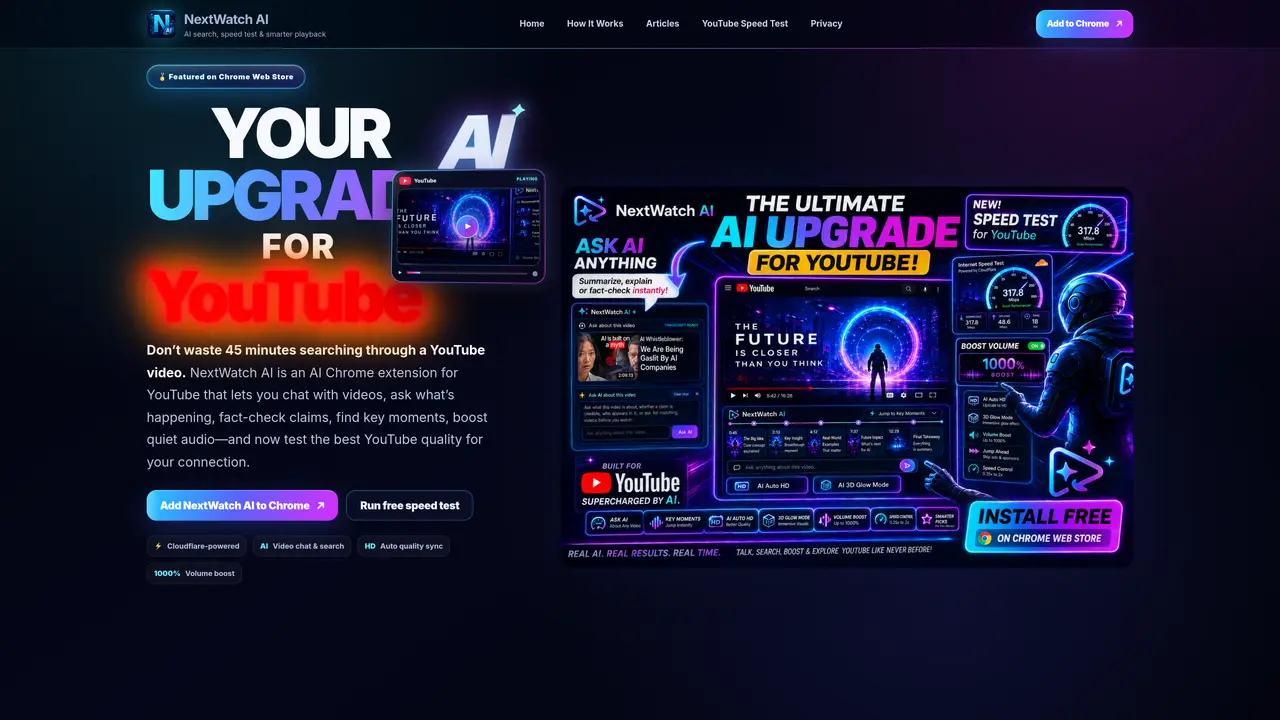
NextWatch AI is a Chrome extension designed to enhance YouTube playback and interaction through artificial intelligence. It allows users to engage in natural language conversations about video content, enabling them to ask questions about what is happening in a video, verify factual claims, and locate key moments without manually scrubbing through content. The tool also includes a speed test feature to evaluate the best YouTube video quality for a user’s internet connection, optimizing playback performance. Additional functionality includes automatic quality synchronization and a significant volume boost for quieter audio tracks. The extension operates independently of YouTube and Google, focusing on improving accessibility and efficiency for viewers.
NextWatch AI is a Chrome extension that enhances YouTube playback and interaction using artificial intelligence. It allows users to chat with videos, ask questions about content, fact-check claims, find key moments, and optimize playback quality and audio levels.
The tool is designed for YouTube viewers who want to save time by quickly understanding video content, verify information, or improve playback performance without manual scrubbing or adjusting settings.
NextWatch AI operates independently of YouTube and Google, integrating directly into the Chrome browser as an extension. It analyzes video content in real time to enable AI-powered interactions and optimizations.
Yes, NextWatch AI includes a speed test feature powered by Cloudflare to evaluate the best YouTube video quality for a user’s internet connection, ensuring optimal playback performance.
Yes, the extension includes a feature to significantly boost audio levels for quieter tracks, improving the listening experience during video playback.
Users can add NextWatch AI to their Chrome browser by visiting the Chrome Web Store and installing the extension. Once installed, it integrates directly into YouTube for immediate use.
nextwatchaitool.com · third-party estimates from Similarweb
Last 2 months · grows by one month every month
Share of visits by channel
No measurable traffic from Social, Paid Referrals or Search.
Share of visits · estimated visits
Chatbots & Assistants · Sep 2026
Traffic figures are third-party estimates, good for scale and trends; they can differ from a company's own numbers. Updated monthly.
We use essential cookies to run Aitoolnavio, and optional cookies to analyze traffic and measure our marketing. You choose what we use — optional cookies stay off unless you turn them on. See our Privacy Policy.
One short email a week: fresh tools worth trying, honest takes and the updates that actually matter. No spam, unsubscribe any time.
AI chatbot for conversation, work, research, coding, and content creation.
Efficiently answer research queries, translate natural language to SQL, and utilize OpenAI WebGPT and larger language models.
Search privately, customize interface, track search history, and stay in control of online activities.
Advanced AI chatbot that analyzes documents, summarizes content, and answers questions to help users process information efficiently.
Transforms queries into real-time, customized pages with expert insights.
Search scientific papers, discover relevant publications, and enhance understanding of academic literature.
Search and identify objects, translate text, and find explanations using images or your device's camera.
Access research, sort data, and get insights with predictive analytics.
Access hundreds of millions of answers powered by AI technology.
A free AI platform that answers questions, searches across languages, and generates slides, mind maps, docs, images, and webpages.
Search a large knowledge base for verified articles, facts, opinions, and multimedia to answer questions across any topic.
Chat with many top models for everyday tasks.
Matched on what this tool does — grouped by the job you would be replacing.
matches AI video chat and search · Real-time chat with YouTube videos for Q&A
An AI web app and Chrome extension that lets users chat with YouTube videos to get answers, summaries with timestamps, and translations.
Access video summaries instantly with a user-friendly interface using a free Chrome extension.
matches Fact-checking of video claims · Real-time fact-checking during playback
matches Key moment identification · AI video summarization
matches YouTube speed test · HD auto quality sync · Sponsor Skip
Browser extension that fact-checks YouTube videos in real time with sources
Fact-checks links, text, images and videos using multiple AI services
Turns YouTube videos and audio into structured study notes, transcripts, and recall aids with AI.
Browser extension that summarizes YouTube videos with AI
AI-powered browser extension that skips sponsors and filler on YouTube videos
Revolutionize video editing with AI-driven tools and multi-platform exports.