
Automate tasks on websites with Browser-Use's AI browser control.
855K visits/mo+134.2%#45 Automation & Agents

AI-powered browser extension that skips sponsors and filler on YouTube videos
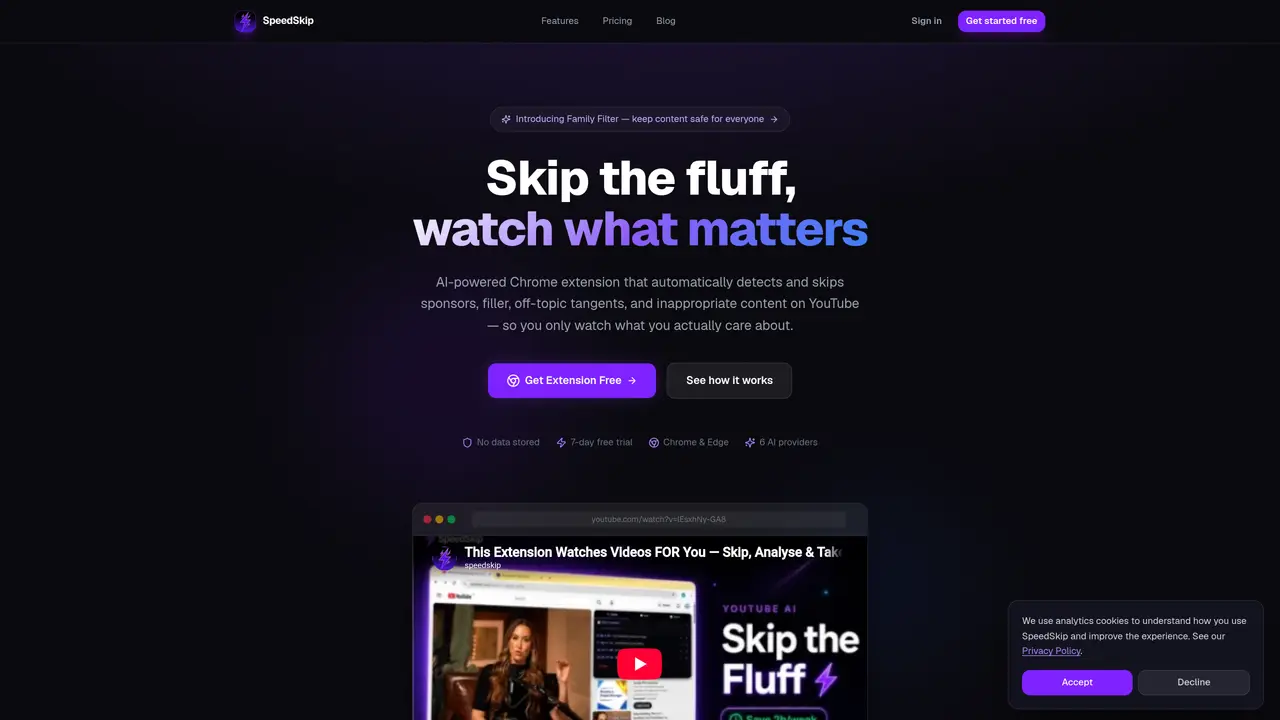
SpeedSkip is a Chrome and Edge extension that uses AI to analyze YouTube video transcripts and automatically skip segments such as sponsorships, filler content, off-topic tangents, and inappropriate material. It processes videos in about ten seconds and can apply multiple filters in a single pass without slowing playback. The tool generates structured notes after each analysis and offers an AI chat feature on paid plans that answers questions about skipped segments with clickable timestamps. It supports six AI providers including Groq and Gemini, many of which are free to use. Users can choose from filter modes like Sponsor Skip, Family Filter, Deep Focus Mode, Topic Filter, Funny Moments, and Highlight Reel depending on their needs. The extension integrates with YouTube and operates in real time as videos play.
SpeedSkip is an AI-powered Chrome and Edge extension that automatically detects and skips segments like sponsorships, filler content, off-topic tangents, and inappropriate material on YouTube videos. It processes transcripts in real time and allows users to watch only the relevant portions.
SpeedSkip suits YouTube viewers who want to save time, researchers, parents, content creators, and professionals who need focused, distraction-free video content. It is particularly useful for those who watch long videos or need to filter out specific types of content.
After installing the extension and creating an account, users paste a license key into the extension settings. When a YouTube video plays, SpeedSkip analyzes the transcript in real time, applying selected filters to skip unwanted segments automatically.
Yes, SpeedSkip provides a 7-day free trial with no credit card required, allowing users to test its features before upgrading. The trial includes two video analyses per day and access to all filter modes.
SpeedSkip supports six AI providers, including Groq, Gemini, OpenRouter, Cerebras, Mistral, and SambaNova. Many of these providers are free to use, offering users flexibility in choosing their preferred AI model.
Yes, on paid plans, SpeedSkip includes an AI chat feature that allows users to ask questions about skipped segments in natural language. The AI provides answers with clickable timestamps for easy reference.
We use essential cookies to run aitoolnavio™, and optional cookies to analyze traffic and measure our marketing. You choose what we use — optional cookies stay off unless you turn them on. See our Privacy Policy.
One short email a week: fresh tools worth trying, honest takes and the updates that actually matter. No spam, unsubscribe any time.
Automate tasks on websites with Browser-Use's AI browser control.
Sigma Browser is an AI Agent & AI Browser that reimagines web browsing with a powerful suite of integrated AI tools.
BrowserBase automates web workflows with secure, scalable browser instances for tasks like scraping and testing.
Cloud-hosted browser automation platform for engineers and teams building AI agents that navigate authenticated websites and run scalable workflows via API.
AI Chrome extension builder that turns plain English descriptions into working Manifest v3 extensions with one-click .zip export.
A no-code AI tool that lets users create custom Chrome extensions and browser automations by describing needs in plain language.
Browser extension that reads pages, extracts data and automates tasks using local or cloud LLMs
AI-powered browser autopilot that automates web tasks like form-filling, research, and job applications using plain English commands.
Nextbrowser is an AI-powered browser agent that automates web tasks like clicking, typing, and data extraction using plain-language instructions.
Browser extension that runs an AI agent inside Chrome to read pages, fill forms and work across tabs
Antidetect browser for managing multiple online accounts with AI-generated fingerprints
Agent-driven browser that performs web tasks while you watch and can be controlled mid-process
Matched on what this tool does — grouped by the job you would be replacing.
matches Sponsor Skip
An AI web app and Chrome extension that lets users chat with YouTube videos to get answers, summaries with timestamps, and translations.
Chrome extension for YouTube that lets users chat with videos and test playback quality
Browser extension that summarizes YouTube videos with AI
Summarize long videos in minutes, compile notes and key points, and enhance your viewing experience.
matches Auto-generated notes · AI Chat with clickable timestamps · Highlight Reel
Summarize YouTube videos, podcasts, and tutorials with Noiz.
Chrome extension that turns online videos into structured Markdown notes with code, formulas, and timestamped screenshots for developers and students.
Turns YouTube videos and audio into structured study notes, transcripts, and recall aids with AI.
Browser extension that converts YouTube videos into timestamped written reports