AI chatbot for conversation, work, research, coding, and content creation.
5.9B visits/mo+5%#1 Chatbots & Assistants

AI Chrome extension builder that turns plain English descriptions into working Manifest v3 extensions with one-click .zip export.
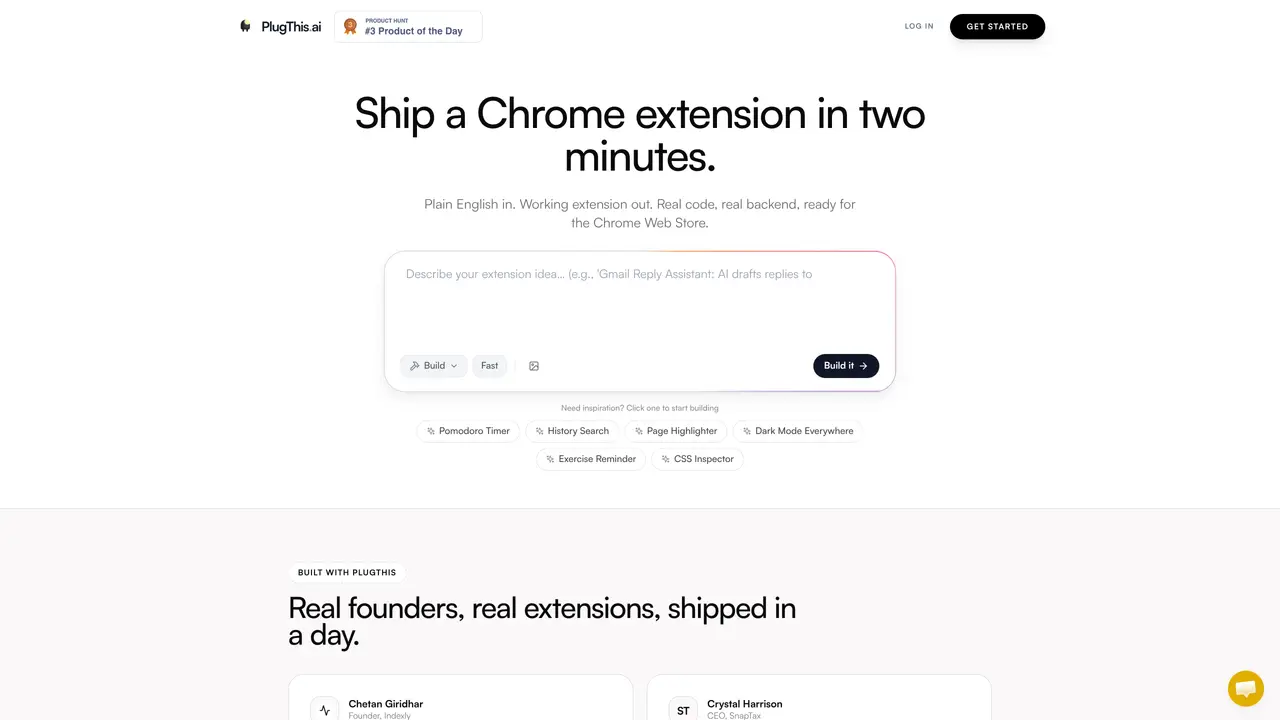
PlugThis is an AI-powered Chrome extension builder designed to convert natural language descriptions into fully functional Manifest v3 extensions. Users describe the desired extension in plain English, and the platform automatically generates the manifest, content scripts, background scripts, and popup UI. The tool ships with 14 ready-to-use templates, including CSS inspectors, privacy blur tools, sticky notes, and font previewers, which can be installed or modified via chat. PlugThis supports connecting custom OpenAI or Gemini API keys for streaming chat functionality within extensions. It handles the specific file structure, permissions, and content script injection patterns required for Chrome extensions, ensuring compatibility and reducing manual setup. The platform exports ready-to-install .zip files in one click, making it accessible to both non-technical founders and experienced developers. Unlike general-purpose AI code tools, PlugThis is purpose-built for Chrome extension development, streamlining the process from idea to deployment.
PlugThis is an AI-powered Chrome extension builder that converts natural language descriptions into fully functional Manifest v3 extensions. Users describe their desired extension in plain English, and PlugThis generates the manifest, content scripts, background scripts, popup UI, and even backend logic if needed.
PlugThis is designed for both non-technical founders and experienced developers. It eliminates the need for deep Chrome extension architecture knowledge, allowing users to build and deploy extensions quickly without manual setup.
PlugThis supports connecting custom OpenAI or Gemini API keys to power streaming chat functionality within extensions. Users can build extensions that write, summarize, translate, or reply using their preferred AI models.
Yes, PlugThis can generate full-stack extensions with backend logic. Users can connect their Supabase account, and PlugThis will write the backend code, including user login, database, and server logic.
The generated code is entirely yours. You can download the .zip file, publish it to the Chrome Web Store, sell it, or modify it. There is no vendor lock-in, and the code remains accessible without tracking.
Sign up for an account, describe your desired extension in plain English, and PlugThis will generate a working extension. You can then download the .zip file, load it into Chrome, and start using it immediately.
plugthis.ai · third-party estimates from Similarweb
Last 4 months · grows by one month every month
Share of visits · estimated visits
Other countries: 40.2%
How people reach this site from other AI tools
3 a month
Chatbots & Assistants · Sep 2026
Traffic figures are third-party estimates, good for scale and trends; they can differ from a company's own numbers. Updated monthly.
We use essential cookies to run aitoolnavio™, and optional cookies to analyze traffic and measure our marketing. You choose what we use — optional cookies stay off unless you turn them on. See our Privacy Policy.
One short email a week: fresh tools worth trying, honest takes and the updates that actually matter. No spam, unsubscribe any time.
AI chatbot for conversation, work, research, coding, and content creation.
Create and interact with AI companions and virtual characters using GPT-4o on Chub AI's platform.
Open-source Chinese AI chatbot for conversational AI, coding, and agentic workflows, built on the GLM-5 architecture.
Automate customer responses, personalize messages, and create an AI-powered chatbot for 24/7 customer service.
Chat with many top models for everyday tasks.
Overchat AI is an all-in-one platform that brings together the world’s leading AI models in a single application.
AI-powered platform for targeted online ad management, performance analysis, and strategy optimization with human oversight.
AI-powered tarot readings and personalized interpretations for self-reflection and guidance.
Turn hand-drawn sketches into editable 3D models and photorealistic images with AI.
Empower teams with AI-driven chat, data analysis, and workflow automation.
Get answers, writing help, and plans across devices with Nova AI App.
AI-powered app builder that turns data into functional web apps without coding.
Matched on what this tool does — grouped by the job you would be replacing.
Paid placement · similar tools from listings that support aitoolnavio™
Anonymous AI chat for 200+ models. No email or phone: a random account number, or chat as a guest.
matches Converts plain English descriptions into working Chrome extensions · Generates manifest, content scripts, background scripts, and UI automatically · One-click .zip export for immediate installation
Turns plain-English prompts into complete, production-ready browser extensions for Chrome, Firefox, Edge, and Safari.
AI-powered tool to build Chrome extensions by describing desired features in plain English