Automate job postings, track applicants, and streamline hiring with an intuitive HCM platform for talent acquisition.
32M visits/mo+3.9%#5 Business & Marketing

Agent-driven browser that performs web tasks while you watch and can be controlled mid-process
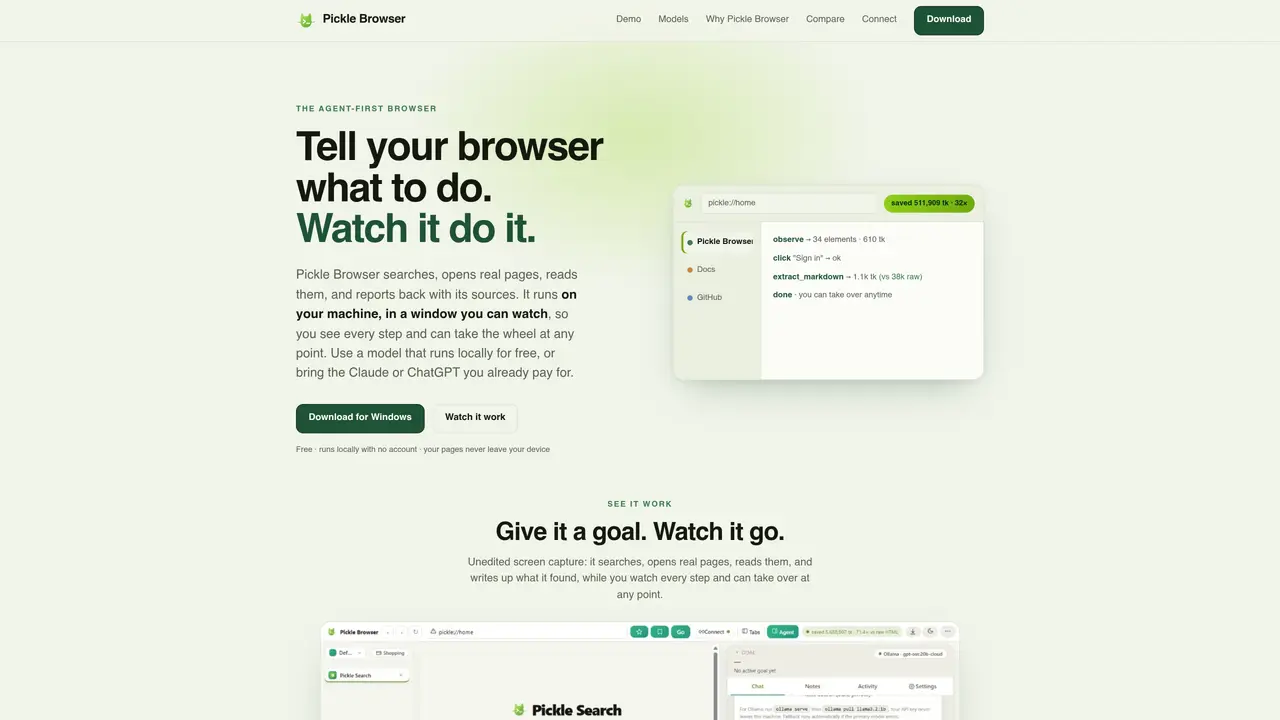
Pickle Browser is an agent-first browser that executes web-based tasks under user supervision. It can search, open real pages, read their content, and report back with sources, all within a visible window on the user’s machine. The tool supports multiple AI models: a local model via Ollama that runs offline, free hosted models through Ollama Cloud or NVIDIA Build, or existing subscriptions like Claude or ChatGPT. Users can switch between these options at any time. The browser provides structured summaries of page content to reduce token usage, with measured savings of up to 156 times fewer tokens compared to raw HTML. It integrates with the user’s existing browser logins and allows manual intervention at any step, including pausing or taking over control. The application is designed for research, data extraction, and multi-step tasks while maintaining privacy by keeping page content local.
Pickle Browser is an agent-first browser that performs web-based tasks under user supervision. It can search, open real web pages, read their content, and report back with sources, all within a visible window on the user’s machine. Users can provide goals, and the browser executes steps while allowing manual intervention at any point.
Pickle Browser is designed for individuals or teams who need to automate web research, data extraction, or multi-step tasks while maintaining visibility and control. It suits users who prefer privacy, flexibility in model choice, or the ability to pause and take over tasks manually.
Pickle Browser supports multiple AI models, including a local model via Ollama that works offline, free hosted models through Ollama Cloud or NVIDIA Build, or existing subscriptions like Claude or ChatGPT. The local model incurs no per-use or subscription fees, while hosted models may require a free sign-up or API key.
Yes, Pickle Browser integrates with the user’s existing browser logins and can connect to any MCP-compatible agent or tool. It also allows users to switch between models or take manual control at any step, including before performing actions like purchases.
Pickle Browser prioritizes privacy by running on the user’s local machine, ensuring page content never leaves the device when using the bundled local model. Even when using hosted models, user history, notes, and logins remain local, and the app warns if content must be sent to a server.
Pickle Browser sends a structured summary of page content (headings, links, and interactive elements) instead of raw HTML, resulting in significantly fewer tokens. The app logs exact token savings per step, with measured reductions up to 156 times fewer tokens compared to raw HTML.
We use essential cookies to run aitoolnavio™, and optional cookies to analyze traffic and measure our marketing. You choose what we use — optional cookies stay off unless you turn them on. See our Privacy Policy.
One short email a week: fresh tools worth trying, honest takes and the updates that actually matter. No spam, unsubscribe any time.
Automate job postings, track applicants, and streamline hiring with an intuitive HCM platform for talent acquisition.
Automate workflow, optimize operations, and detect potential issues with this efficient AI-driven solution.
AI automation and agent-building platform with 3,000+ app integrations
Automate email sending, save leads to CRMs, and create complex workflows for customer support tickets.
Open-source workflow automation platform to build, run, and monitor agentic and traditional workflows with 500+ integrations and AI governance.
AI-powered platform streamlining workflows with no-code automation.
With Accio, manufactures/ products/ suppliers/ inspirations will come to you, any time, any where.
Create & deploy AI apps, access real-time insights, and easily build models with an intuitive user interface.
Automate outreach campaigns, create personalized emails with AI, and monitor results with detailed analytics.
AI-powered fleet management platform for trucking, delivery, and field service teams, combining GPS tracking, ELD compliance, dash cams, maintenance, and spend management.
Automate tasks, streamline workflows, and create powerful automation flows effortlessly.
Control your computer and apps from any chat.
Matched on what this tool does — grouped by the job you would be replacing.
Paid placement · similar tools from listings that support aitoolnavio™
Instant lead response for home-service pros: your phone rings on every new lead, plus 14 days of follow-up
matches Agent-driven browser that performs web tasks while you watch and can be controlled mid-process · Manual control and intervention during tasks · Real-time observation of agent actions in a visible window
matches Local AI model via Ollama with offline capability · Free hosted models through Ollama Cloud or NVIDIA Build
AI agentic browser that automates complex workflows, deep research, and multi-step digital tasks across public and private platforms.
A local browser for running AI agents with real user logins and session replay
A privacy-focused browser that automates browsing, extracts content, and runs AI models locally without sending data to the cloud.
Open-source AI browser that assists with browsing tasks using local or cloud models
Chat, build, and explore with open AI models.
Self-host and manage AI language models entirely offline with full control over data and models.
Local-first desktop workspace for managing multiple AI agents with policy controls
Desktop app for multi-agent coding sessions with AI PR review and CI debugging