
Automate tasks on websites with Browser-Use's AI browser control.
855K visits/mo+134.2%#45 Automation & Agents

Browser extension that runs an AI agent inside Chrome to read pages, fill forms and work across tabs
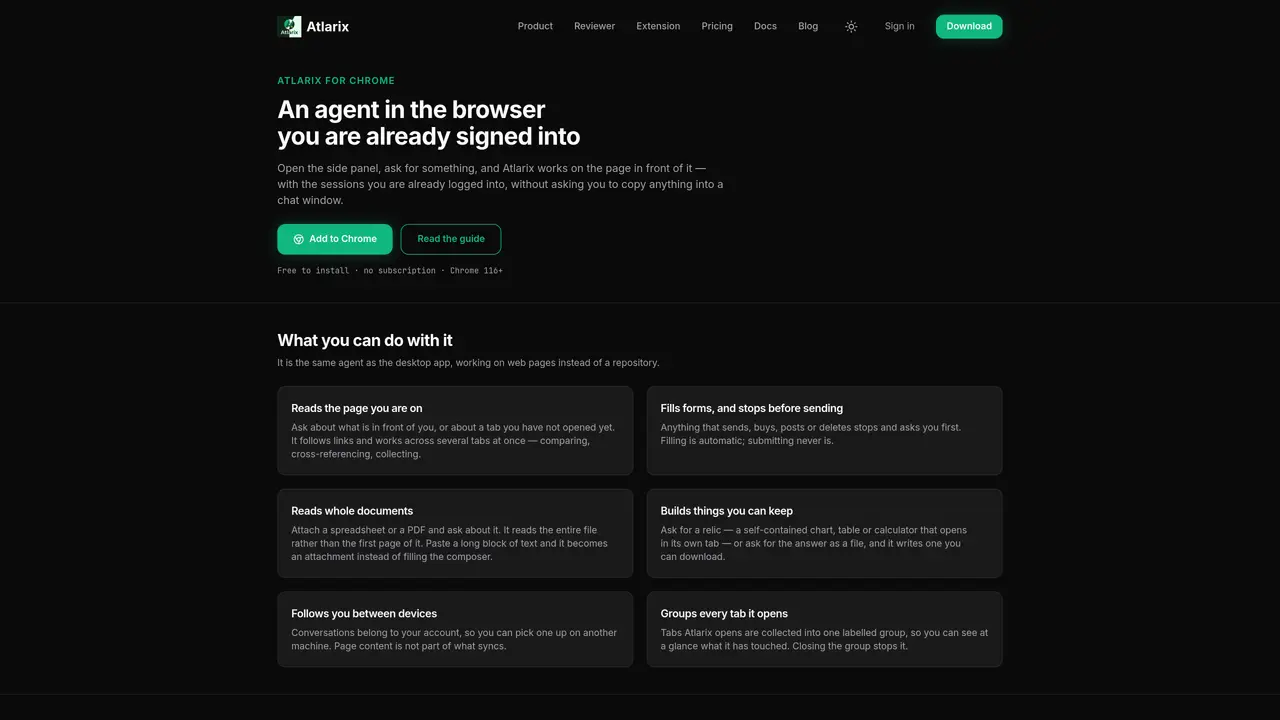
Atlarix for Chrome integrates an AI agent directly into the Chrome browser, operating through a side panel without requiring users to copy content into a separate chat interface. The agent can read the current page or any tab, follow links, and work across multiple tabs simultaneously, comparing and cross-referencing information. It can fill forms automatically but pauses before submission, and it reads entire documents such as spreadsheets or PDFs rather than just the first page. Users can request the agent to build reusable outputs like charts, tables, or calculators, or generate downloadable files. Conversations are tied to an account, allowing users to continue interactions on other devices, though page content itself is not synced. The extension groups all tabs it opens into a single labeled group for easy tracking and management. Host access permissions are required for the agent to interact with web pages, but the agent limits its scope to sites explicitly approved by the user, with revocation options available through the account page or Chrome settings.
Atlarix for Chrome integrates an AI agent directly into the Chrome browser via a side panel, allowing users to interact with web pages, tabs, and documents without copying content into a separate chat interface. The agent can read pages, follow links, compare information across tabs, fill forms automatically, and process entire documents like spreadsheets or PDFs.
The tool is designed for users who need an AI assistant to automate tasks, analyze web content, or generate reusable outputs like charts, tables, or calculators directly within their browser. It suits professionals, researchers, or anyone who frequently works with web data and documents.
The extension itself is free to install and does not require a subscription to use. However, using the AI agent consumes credit from a shared balance tied to an Atlarix account, which operates on a pay-as-you-go model.
The extension requires host access permissions to interact with web pages, as it reads and processes content directly. Users can revoke site-specific access through their account page or Chrome settings, ensuring control over which sites the agent can interact with.
Users can install the extension directly from the Chrome Web Store, sign in with an Atlarix account, and open the side panel to start interacting with the AI agent. No additional setup is required beyond granting the necessary permissions.
Yes, conversations are tied to an Atlarix account, allowing users to continue interactions on other devices. However, page content itself is not synced, and the agent’s access is limited to sites explicitly approved by the user.
We use essential cookies to run aitoolnavio™, and optional cookies to analyze traffic and measure our marketing. You choose what we use — optional cookies stay off unless you turn them on. See our Privacy Policy.
One short email a week: fresh tools worth trying, honest takes and the updates that actually matter. No spam, unsubscribe any time.
Automate tasks on websites with Browser-Use's AI browser control.
Sigma Browser is an AI Agent & AI Browser that reimagines web browsing with a powerful suite of integrated AI tools.
BrowserBase automates web workflows with secure, scalable browser instances for tasks like scraping and testing.
Cloud-hosted browser automation platform for engineers and teams building AI agents that navigate authenticated websites and run scalable workflows via API.
AI Chrome extension builder that turns plain English descriptions into working Manifest v3 extensions with one-click .zip export.
A no-code AI tool that lets users create custom Chrome extensions and browser automations by describing needs in plain language.
Browser extension that reads pages, extracts data and automates tasks using local or cloud LLMs
AI-powered browser autopilot that automates web tasks like form-filling, research, and job applications using plain English commands.
Nextbrowser is an AI-powered browser agent that automates web tasks like clicking, typing, and data extraction using plain-language instructions.
Antidetect browser for managing multiple online accounts with AI-generated fingerprints
Agent-driven browser that performs web tasks while you watch and can be controlled mid-process
Browser that integrates with Claude Code and Codex agents for on-page task execution
Matched on what this tool does — grouped by the job you would be replacing.
matches Reads the current page or any tab · Follows links and works across multiple tabs simultaneously · Fills forms automatically but pauses before submission
AI-powered browser that integrates chat assistance, summarization, and drafting tools directly into your tabs for faster, smarter web browsing.
Browser extension that reads pages, extracts data and automates tasks using local or cloud LLMs
Chrome extension that reads browser tabs and files to fill forms and draft messages
Group tabs, open relevant ones with AI prompts, and remove duplicates effortlessly.
matches Reads entire documents such as spreadsheets or PDFs · Builds reusable outputs like charts, tables, or calculators · Generates downloadable files from requests
matches Syncs conversations across devices · Groups tabs it opens into a single labeled group
Summarizes, extracts, and rewrites content from files.
Browser extension AI assistant for in-page summarization, translation, drafting, and cited web search.
AI-powered PDF editor that lets users edit text in original fonts and convert scans to editable files
Generate automated insights, identify trends, patterns, visualize data with powerful dashboard and tools.
Browser extension that uses AI to automatically organize and summarize browser tabs, syncing sessions across devices.
Browser extension organizing AI chat conversations into folders with text highlights and links