Automate job postings, track applicants, and streamline hiring with an intuitive HCM platform for talent acquisition.
32M visits/mo+3.9%#5 Business & Marketing

Chrome extension that reads browser tabs and files to fill forms and draft messages
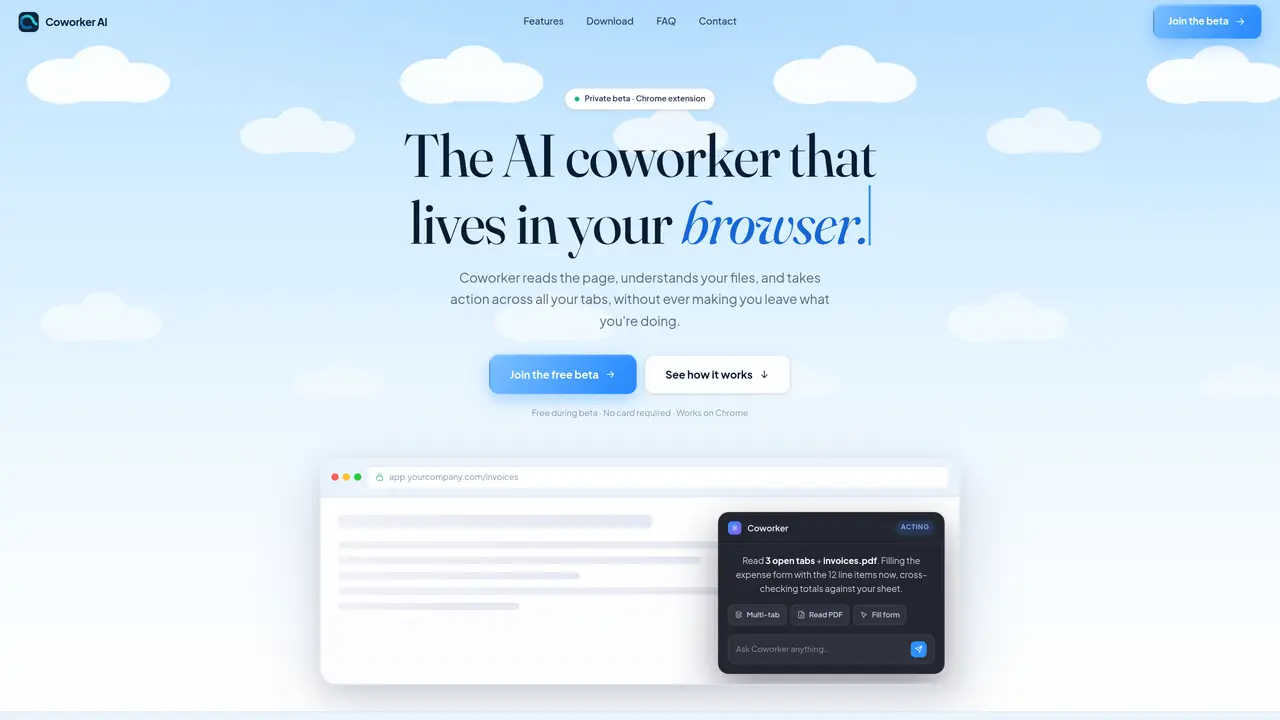
Coworker AI is a Chrome extension that integrates into the browser to act as an AI assistant. It reads the content of open tabs, documents, spreadsheets, and forms, then performs actions such as filling out forms, drafting emails, or extracting data without requiring users to leave their current workflow. The tool is designed to automate repetitive tasks like cross-referencing invoices with expense reports, summarizing information, or generating replies in email, Slack, or ticketing systems. It operates with multi-tab context, meaning it can process and correlate information across multiple browser tabs simultaneously. Coworker AI supports file formats including PDF, Word, and Excel, and can handle tasks in over 20 languages. The extension is positioned as a productivity tool for professionals who spend significant time in browsers, such as operations, finance, accounting, support, sales, and founders.
Coworker AI is a Chrome extension that reads the content of open browser tabs, documents, spreadsheets, and forms, then takes actions such as filling out forms, drafting emails, or extracting data without requiring users to leave their workflow.
The tool is designed for professionals who spend significant time in browsers, including operations, finance, accounting, support, sales teams, and founders who frequently handle repetitive tasks like cross-referencing data or drafting messages.
Yes. Files are held in memory only for the duration of the request and never written to disk. All request data is permanently purged within 7 days, and nothing is used to train AI models.
Yes, Coworker AI is completely free during the beta period, with no payment card required. Early beta testers may retain special perks after launch.
Download the Chrome extension, add it to your browser, and join the private beta to access the tool. Once installed, it integrates directly into your workflow and can be activated with a keyboard shortcut.
Yes, it works with commonly used platforms such as Gmail, Slack, Google Sheets, Notion, and Salesforce, as well as any website within the Chrome browser.
co-worker-ai.com · third-party estimates from Similarweb
Last 3 months · grows by one month every month
Share of visits by channel
No measurable traffic from Social, Paid Referrals or Referrals.
Share of visits · estimated visits
Automation & Agents · Sep 2026
Traffic figures are third-party estimates, good for scale and trends; they can differ from a company's own numbers. Updated monthly.
We use essential cookies to run aitoolnavio™, and optional cookies to analyze traffic and measure our marketing. You choose what we use — optional cookies stay off unless you turn them on. See our Privacy Policy.
One short email a week: fresh tools worth trying, honest takes and the updates that actually matter. No spam, unsubscribe any time.
Automate job postings, track applicants, and streamline hiring with an intuitive HCM platform for talent acquisition.
Automate workflow, optimize operations, and detect potential issues with this efficient AI-driven solution.
AI automation and agent-building platform with 3,000+ app integrations
Automate email sending, save leads to CRMs, and create complex workflows for customer support tickets.
Open-source workflow automation platform to build, run, and monitor agentic and traditional workflows with 500+ integrations and AI governance.
AI-powered platform streamlining workflows with no-code automation.
With Accio, manufactures/ products/ suppliers/ inspirations will come to you, any time, any where.
Create & deploy AI apps, access real-time insights, and easily build models with an intuitive user interface.
Automate outreach campaigns, create personalized emails with AI, and monitor results with detailed analytics.
AI-powered fleet management platform for trucking, delivery, and field service teams, combining GPS tracking, ELD compliance, dash cams, maintenance, and spend management.
Automate tasks, streamline workflows, and create powerful automation flows effortlessly.
Control your computer and apps from any chat.
Matched on what this tool does — grouped by the job you would be replacing.
Paid placement · similar tools from listings that support aitoolnavio™
Instant lead response for home-service pros: your phone rings on every new lead, plus 14 days of follow-up
matches Form filling and data extraction · PDF, Word, and Excel file processing
matches Instant summaries on any webpage · Multi-tab context reading
AI-powered browser extension that auto-fills forms and documents with your stored data to save time and reduce errors.
Browser extension that runs an AI agent inside Chrome to read pages, fill forms and work across tabs
Browser extension that auto-fills job application forms using resume data
Browser extension that auto-fills job application forms across Indonesian ATS platforms
AI web agent that automates browser tasks like scraping, form filling, and multi-step workflows using natural language commands.
Revolutionize productivity with 1-Click AI: Chat, summarize, translate, and visualize effortlessly.
Browser extension that lets users query web pages and documents with multiple AI models via a side panel