AI chatbot for conversation, work, research, coding, and content creation.
5.9B visits/mo+5%#1 Chatbots & Assistants

Browser extension AI assistant for in-page summarization, translation, drafting, and cited web search.
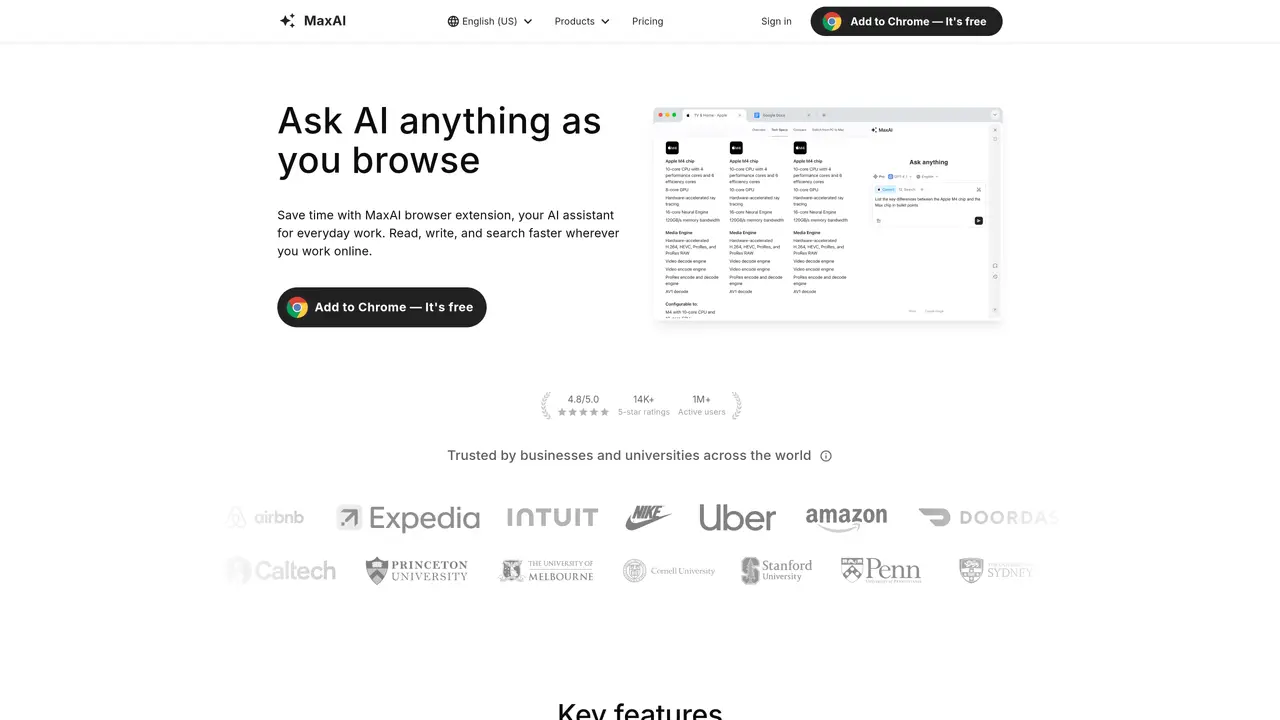
MaxAI is a browser extension AI assistant designed for individuals and teams who want to read, write, and research faster directly within the pages they already use. It provides an in-page AI sidebar and contextual actions, allowing users to ask questions about the current webpage without switching tabs or copy-pasting content. The tool supports summarization and chat for articles, PDFs, and YouTube videos, as well as chat with images and files for quick extraction and explanations. Users can draft, rewrite, and respond to emails, messages, and social posts across the web. MaxAI also offers AI-powered web search with cited sources and source analysis, with expanded search sources available on paid plans. The extension combines multi-model access, bilingual side-by-side translation, and one-click reusable prompts, all within a Chromium-based browser workflow (Chrome and Edge supported). An additional web app option is also available for broader accessibility.
MaxAI is a browser extension and web app that acts as an AI assistant for reading, writing, and research directly within web pages. It provides an in-page AI sidebar for contextual interactions without switching tabs or copy-pasting content.
MaxAI suits individuals, teams, businesses, and students who want to streamline workflows such as writing, research, learning, marketing, data analysis, productivity, translation, and coding. It is designed for users who work extensively online.
MaxAI integrates into Chromium-based browsers (Chrome and Edge) as an extension or is accessible via a web app. It offers features like an AI sidebar, contextual AI actions, cited-source answers, AI writing assistance, bilingual translation, and reusable prompts.
Yes, MaxAI allows users to access multiple top AI models within a single interface, enabling flexibility in choosing the best model for specific tasks.
Yes, MaxAI supports chatting with PDFs, summarizing YouTube videos, and analyzing images directly within the browser or web app.
MaxAI offers a free version with basic features and paid plans that provide expanded search sources and additional capabilities. Specific pricing details are available on the MaxAI website.
maxai.co · third-party estimates from Similarweb
Last 4 months · grows by one month every month
Share of visits · estimated visits
Other countries: 64.2%
How people reach this site from other AI tools
554 a month · 0.1% of all visits
Chatbots & Assistants · Sep 2026
Traffic figures are third-party estimates, good for scale and trends; they can differ from a company's own numbers. Updated monthly.
We use essential cookies to run aitoolnavio™, and optional cookies to analyze traffic and measure our marketing. You choose what we use — optional cookies stay off unless you turn them on. See our Privacy Policy.
One short email a week: fresh tools worth trying, honest takes and the updates that actually matter. No spam, unsubscribe any time.
AI chatbot for conversation, work, research, coding, and content creation.
Efficiently answer research queries, translate natural language to SQL, and utilize OpenAI WebGPT and larger language models.
Search privately, customize interface, track search history, and stay in control of online activities.
Transforms queries into real-time, customized pages with expert insights.
Search scientific papers, discover relevant publications, and enhance understanding of academic literature.
Access research, sort data, and get insights with predictive analytics.
Access hundreds of millions of answers powered by AI technology.
Create research report with references
Search a large knowledge base for verified articles, facts, opinions, and multimedia to answer questions across any topic.
Chat with many top models for everyday tasks.
Centralized AI industry news aggregator with curated daily selections, model rankings, and trending topics.
A free AI platform that answers questions, searches across languages, and generates slides, mind maps, docs, images, and webpages.
Matched on what this tool does — grouped by the job you would be replacing.
matches In-page AI sidebar and contextual actions · Browser extension for Chrome and Edge · Web app option available
AI browser extension that summarizes web pages, videos, and PDFs, and organizes bookmarks for faster research and writing.
A Chrome extension that supercharges textboxes with AI-powered writing and productivity features.
Revolutionize productivity with 1-Click AI: Chat, summarize, translate, and visualize effortlessly.
matches Summarization and chat for articles, PDFs, and YouTube videos · Chat with images and files for quick extraction and explanations
matches AI-powered web search with cited sources and source analysis
matches Drafting, rewriting, and responding to emails, messages, and social posts
AI research assistant that finds trusted sources, summarizes documents and videos, and generates cited answers with a browser extension for capturing findings.
AI assistant that summarizes webpages, videos, PDFs, and audio into structured notes and saves them to a searchable knowledge base.
AI summarizer that turns articles, PDFs, and YouTube videos into structured takeaways and mind maps with click-to-source references.
An AI learning assistant that solves quizzes in Chrome and Edge, creates notes and flashcards, and summarizes PDFs and YouTube videos for students.
A Chrome extension that lets users ask questions from the toolbar and receive summarized answers with citations from Perplexity.ai.
An AI-powered browser that summarizes pages, answers questions, and automates online tasks through natural language commands.
Get quick copywriting help, generate marketing copy, and easily translate, explain, and rephrase web page text.
A no-setup web chat for quick answers, writing help, character role-playing, and image analysis using GPT-4o models.
An AI assistant that automates repetitive tasks like reading long texts and drafting emails to save users time.