Automate job postings, track applicants, and streamline hiring with an intuitive HCM platform for talent acquisition.
32M visits/mo+3.9%#5 Business & Marketing

Browser extension that reads pages, extracts data and automates tasks using local or cloud LLMs
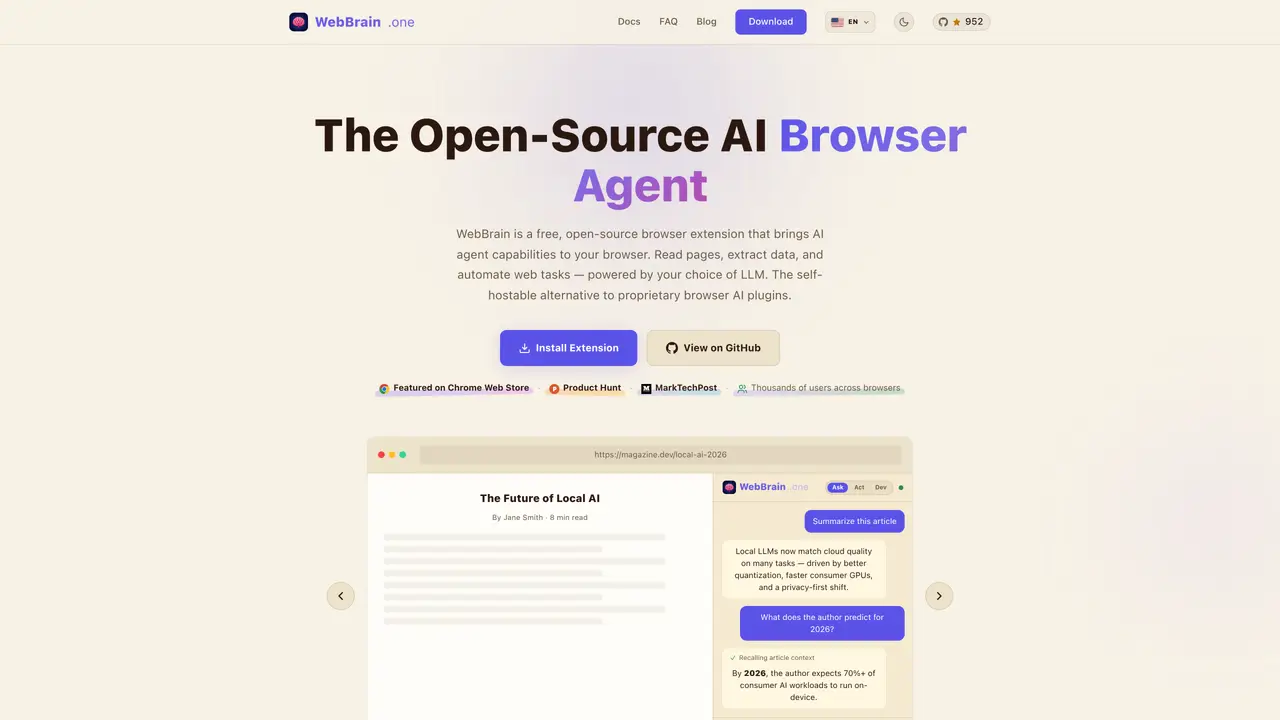
WebBrain is a free, open-source browser extension that functions as an AI agent within the browser. It reads and comprehends web pages, including articles, dashboards, forms and PDFs, and can answer questions about their content. The tool can interact with pages by clicking, typing, scrolling and navigating, automating repetitive tasks through natural language instructions. It supports structured data extraction from tables, lists and forms, with results exportable for further use. Users can choose between local LLMs for offline operation or connect to cloud providers like OpenAI or Claude. The extension prioritizes privacy by avoiding telemetry, accounts or data tracking, and operates in a read-only mode by default, requesting permission before taking consequential actions. It includes features such as automatic context management to prevent token overflow, a dedicated vision model for reading screenshots, and optional tools like CAPTCHA solving and cookie banner dismissal.
WebBrain is a free, open-source browser extension that functions as an AI agent within the browser. It reads and comprehends web pages, including articles, dashboards, forms, and PDFs, and can answer questions about their content. The tool can interact with pages by clicking, typing, scrolling, and navigating, automating repetitive tasks through natural language instructions.
WebBrain is designed for users who need to automate browser tasks, extract structured data from web pages, or interact with online forms and documents. It suits developers, researchers, analysts, and general users looking for a privacy-focused, open-source alternative to proprietary browser AI tools.
WebBrain prioritizes privacy by operating in a read-only mode by default, avoiding telemetry, accounts, or data tracking. It asks for permission before taking consequential actions and defends against hidden prompt injections. Users can run it with local LLMs for zero data leakage or connect to cloud providers.
Yes, WebBrain supports offline operation by allowing users to choose local LLMs. This enables fully private, on-device processing without relying on cloud services. It also supports cloud providers like OpenAI or Claude for users who prefer cloud-based models.
WebBrain supports multiple LLM providers, including local llama.cpp, OpenAI, Claude, and OpenRouter. It also offers optional integrations like CAPTCHA solving via CapSolver API and cookie banner dismissal for common consent management tools.
To get started, install the WebBrain browser extension from the Chrome Web Store, Firefox Add-ons, or Edge Add-ons. Once installed, open the extension sidebar, choose your preferred LLM provider, and begin interacting with web pages by asking questions or issuing natural language instructions.
webbrain.one · third-party estimates from Similarweb
Last 3 months · grows by one month every month
Share of visits by channel
Share of visits · estimated visits
Other countries: 28.6%
Automation & Agents · Sep 2026
Traffic figures are third-party estimates, good for scale and trends; they can differ from a company's own numbers. Updated monthly.
We use essential cookies to run aitoolnavio™, and optional cookies to analyze traffic and measure our marketing. You choose what we use — optional cookies stay off unless you turn them on. See our Privacy Policy.
One short email a week: fresh tools worth trying, honest takes and the updates that actually matter. No spam, unsubscribe any time.
Automate job postings, track applicants, and streamline hiring with an intuitive HCM platform for talent acquisition.
Automate workflow, optimize operations, and detect potential issues with this efficient AI-driven solution.
AI automation and agent-building platform with 3,000+ app integrations
Automate email sending, save leads to CRMs, and create complex workflows for customer support tickets.
Open-source workflow automation platform to build, run, and monitor agentic and traditional workflows with 500+ integrations and AI governance.
AI-powered platform streamlining workflows with no-code automation.
With Accio, manufactures/ products/ suppliers/ inspirations will come to you, any time, any where.
Create & deploy AI apps, access real-time insights, and easily build models with an intuitive user interface.
Automate outreach campaigns, create personalized emails with AI, and monitor results with detailed analytics.
AI-powered fleet management platform for trucking, delivery, and field service teams, combining GPS tracking, ELD compliance, dash cams, maintenance, and spend management.
Automate tasks, streamline workflows, and create powerful automation flows effortlessly.
Control your computer and apps from any chat.
Matched on what this tool does — grouped by the job you would be replacing.
Paid placement · similar tools from listings that support aitoolnavio™
Instant lead response for home-service pros: your phone rings on every new lead, plus 14 days of follow-up
matches Full browser agent with click, type and navigation · Structured data extraction and export · Multi-provider LLM support
matches Privacy-first with local LLM option · Local LLM Integration · Browser Integration
matches Structured data extraction and export · Structured JSON output for easy data processing · Extract structured JSON including title, meta, main text, and links
StageHand lets users automate browser tasks by issuing natural-language prompts to control navigation and extract web data.
AI web agent that automates browser tasks like scraping, form filling, and multi-step workflows using natural language commands.
Automate real web workflows with reusable browser skills.
Browser extension that runs an AI agent inside Chrome to read pages, fill forms and work across tabs
Ensures privacy with on-device AI browser operations.
A free desktop AI agent for students and learners that runs local open-source LLMs to control computers, use voice, and automate web tasks with offline privacy.
A privacy-focused browser that automates browsing, extracts content, and runs AI models locally without sending data to the cloud.
AI-powered browser that turns tabs, files and screenshots into actionable agents
AI web crawler that extracts clean web data into JSON or markdown for developers and marketers.
Turn public webpages into screenshots, PDFs or structured extracts for ChatGPT workflows
API that turns live web pages and search results into clean, LLM-ready context for AI agents and RAG pipelines.