Cloud platform for web scraping, browser automation, and AI data extraction with 20,000+ pre-built tools and scalable cloud runs.
4M visits/mo-5%#13 Automation & Agents

API that turns live web pages and search results into clean, LLM-ready context for AI agents and RAG pipelines.
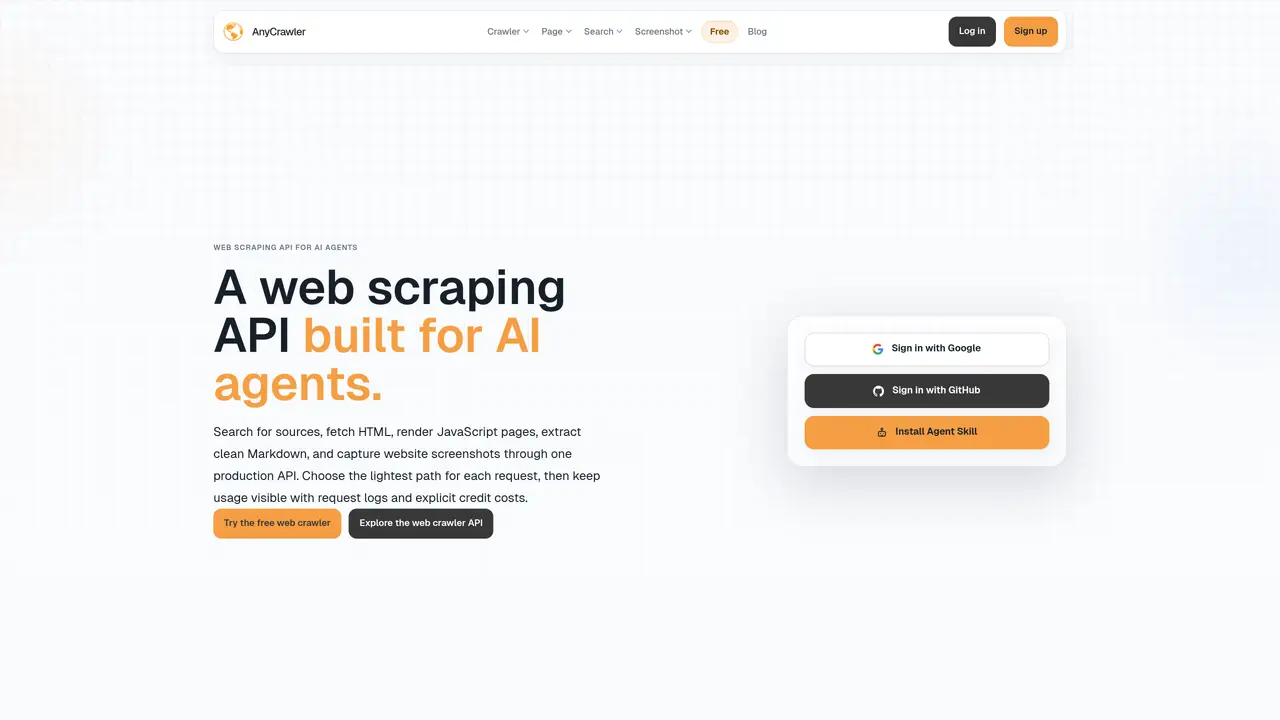
AnyCrawler is a web-access infrastructure API designed to transform live web pages and search results into structured, LLM-ready context for AI systems. It fetches or renders JavaScript-heavy websites, extracts content in Markdown format, captures metadata, links, and screenshots, and provides a reusable “agent skill” for AI agents, RAG pipelines, and automation tools. The tool eliminates the need for developers to build custom browser or crawler stacks by handling the heavy lifting of web access and content extraction. Its outputs are noise-reduced and structured, ensuring reliable context for AI models and pipelines. AnyCrawler also includes features like traceability through credits, usage logs, and canonical URLs, which help maintain transparency and reproducibility in production deployments. Additionally, it manages billing, concurrency, and observability, making it suitable for scalable and production-grade applications. By providing clean, structured data from the live web, AnyCrawler enables AI systems to interact with current information without manual scraping or parsing overhead.
AnyCrawler provides a web access infrastructure API that transforms live web pages and search results into structured, LLM-ready context for AI systems. It handles fetching, rendering, searching, and screenshot capture through a single production API.
AnyCrawler is designed for AI developers, agents, and automation tools that need reliable live web context. It suits teams building RAG pipelines, AI agents, or production-grade applications requiring clean, structured data from the web.
AnyCrawler offers a render API that uses browser execution to capture content from JavaScript-heavy pages, ensuring accurate extraction where simple HTML fetching would fail.
Yes, AnyCrawler includes search APIs for web, image, news, video, and scholar results, allowing users to discover candidate pages before crawling or extracting content.
AnyCrawler uses a credit-based billing system with usage logs and request tracking, providing transparency and control over costs for different AI workloads.
Users can sign up via the AnyCrawler Console, obtain API keys, and follow the documented API flows for search, fetch, render, or screenshot workflows. The platform provides concise API documentation and examples for quick integration.
We use essential cookies to run aitoolnavio™, and optional cookies to analyze traffic and measure our marketing. You choose what we use — optional cookies stay off unless you turn them on. See our Privacy Policy.
One short email a week: fresh tools worth trying, honest takes and the updates that actually matter. No spam, unsubscribe any time.
Cloud platform for web scraping, browser automation, and AI data extraction with 20,000+ pre-built tools and scalable cloud runs.
AI web crawler that extracts clean web data into JSON or markdown for developers and marketers.
Labelbox is an enterprise-grade data labeling platform designed to help organizations create, manage, and deploy AI applications.
Real-time AI search and crawling API for developers and AI teams to extract and summarize web data for agents and research workflows.
Enterprise-grade proxy networks, web scrapers, and ready-to-use datasets for reliable web data collection.
Map, analyze, and visualize geospatial data effortlessly while securely tracking real-time locations.
Open-source analytics platform to build interactive dashboards, automate data prep, and enforce enterprise-grade security.
Converts scanned documents and images into editable, searchable formats with AI-powered OCR and data extraction.
Open-source AI document parser that converts PDFs, images, and documents into structured Markdown or JSON for AI workflows.
Streamlines AI data retrieval for efficient processing.
Automate data extraction, capture data from images and text, streamline data entry processes with easy-to-use tools and APIs.
Web scraping and data extraction API that simplifies gathering data from websites with features like JavaScript rendering and geotargeting.
Matched on what this tool does — grouped by the job you would be replacing.
matches Fetches and renders JavaScript-heavy websites · Extracts content in Markdown, metadata, links, and screenshots · Delivers noise-reduced, structured, and traceable outputs
AI web crawler that extracts clean web data into JSON or markdown for developers and marketers.
REST API that converts any URL into clean, LLM-ready markdown or structured data for AI agents and pipelines.
REST API that automates real browsers at scale, handling CAPTCHAs and converting web content into clean formats for AI applications.
Scraping API that converts web pages into clean markdown text
matches Extracts content in Markdown, metadata, links, and screenshots · Delivers noise-reduced, structured, and traceable outputs
Open-source AI document parser that converts PDFs, images, and documents into structured Markdown or JSON for AI workflows.
Converts documents and web links into AI-friendly Markdown format