Generate content, correct spelling, suggest synonyms to enhance writing.
173M visits/mo+0.1%#1 Productivity & Office

Chrome extension that turns online videos into structured Markdown notes with code, formulas, and timestamped screenshots for developers and students.
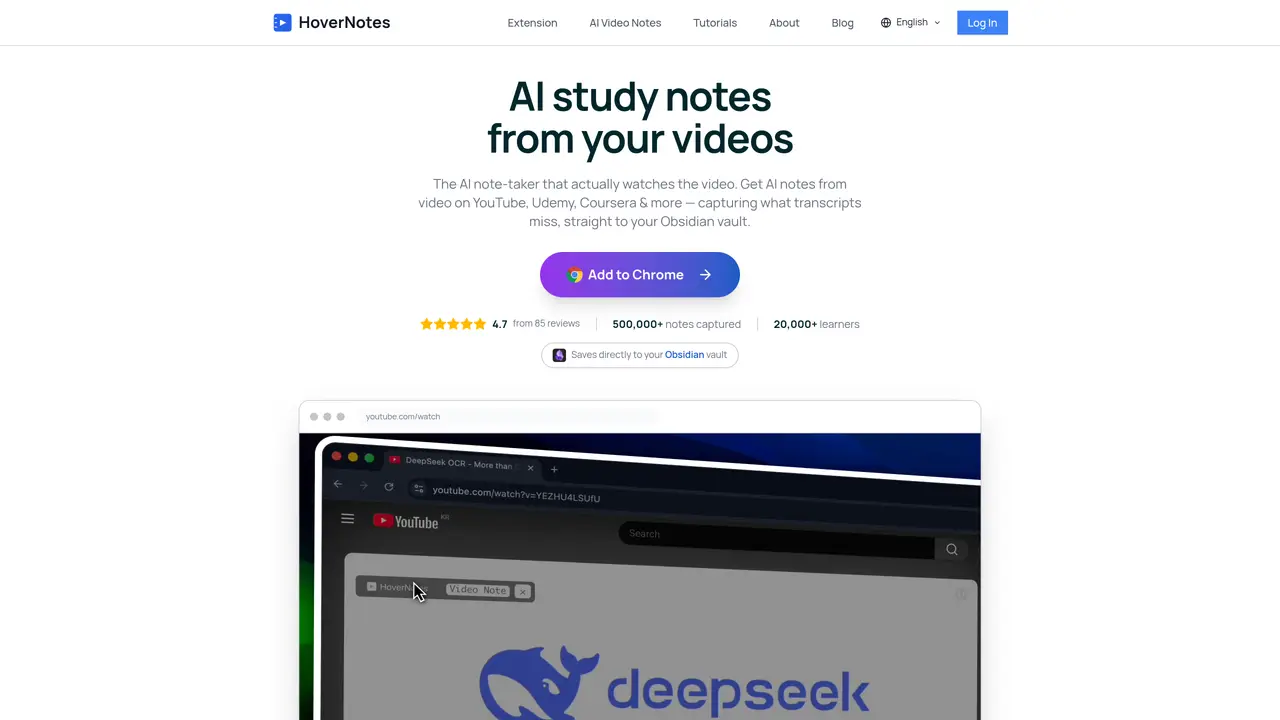
HoverNotes is a Chrome browser extension designed for developers, students, and online course learners. It automatically generates structured, searchable Markdown notes while watching videos on platforms like YouTube, Udemy, and Coursera. The tool captures code snippets with syntax highlighting, equations, diagrams, and timestamped screenshots, which are inserted into notes with direct links back to the corresponding video moments. It supports multi-language note generation and provides a split-view workspace to keep video playback and notes side by side. HoverNotes uses Google Gemini 2.0 for contextual explanations and code extraction, ensuring notes are comprehensive and accurate. A key feature is its local-first storage, which saves notes directly to the user’s computer or into an Obsidian vault, prioritizing privacy and long-term ownership. The extension also supports compatibility with other Markdown-based knowledge tools like Logseq.
HoverNotes is a Chrome browser extension that automatically generates structured, searchable Markdown notes while watching videos on platforms like YouTube, Udemy, and Coursera. It captures code snippets with syntax highlighting, equations, diagrams, and timestamped screenshots, inserting them into notes with direct links back to the corresponding video moments.
The tool is designed for developers, students, online course learners, professionals, and lifelong learners who want to enhance their video learning experience with comprehensive, accurate notes.
Yes, HoverNotes watches the video content directly rather than relying on transcripts, so it can capture details like code, equations, and diagrams even when captions are missing or unavailable.
Notes are saved locally on the user's device in pure Markdown format, allowing for long-term ownership and compatibility with tools like Obsidian, Logseq, or Roam. It also supports direct sync with an Obsidian vault.
HoverNotes works natively on over 20 platforms, including YouTube, Udemy, Coursera, Bilibili, LinkedIn Learning, Khan Academy, edX, Skillshare, MasterClass, TED Talks, and university learning management systems like Canvas LMS and Moodle.
HoverNotes uses Google Gemini 2.0 to provide contextual explanations and code extraction, ensuring notes are comprehensive and accurate. It also captures timestamped screenshots and organizes content into clean, structured Markdown with syntax-highlighted code blocks.
hovernotes.io · third-party estimates from Similarweb
Last 4 months · grows by one month every month
Share of visits · estimated visits
Other countries: 51%
How people reach this site from other AI tools
77 a month · 0.1% of all visits
Productivity & Office · Sep 2026
Traffic figures are third-party estimates, good for scale and trends; they can differ from a company's own numbers. Updated monthly.
We use essential cookies to run aitoolnavio™, and optional cookies to analyze traffic and measure our marketing. You choose what we use — optional cookies stay off unless you turn them on. See our Privacy Policy.
One short email a week: fresh tools worth trying, honest takes and the updates that actually matter. No spam, unsubscribe any time.
Generate content, correct spelling, suggest synonyms to enhance writing.
Markdown-based note-taking and personal knowledge management app that turns notes into a connected system of ideas.
Capture, organize, and share ideas, notes, and documents effortlessly.
Easily create and track training courses, design learning environments, and access from any device with an intuitive interface.
An AI-powered note-taking app for students and professionals to write, sketch, annotate PDFs, record audio, and generate summaries, quizzes, and flashcards.
Handwritten note-taking app with searchable ink, PDF annotation, synced audio, and AI-powered study tools.
AI-powered process documentation tool that captures workflows into visual step-by-step guides with screenshots, editing, and exports.
AI web app that transcribes audio, video, and YouTube links into text in 98 languages with summaries, mind maps, and export formats for students and teams.
A note-taking and spaced-repetition flashcard app for students and learners, with PDF annotation plus AI tools for generating cards, quizzes, and study summaries.
AI-powered research assistant for organizing, analyzing, and synthesizing information from notes and documents.
Capture thoughts, create documents, and access on any device for convenient organization and productivity.
AI-powered PDF editor with built-in agents for summarization, translation, and document analysis.
Matched on what this tool does — grouped by the job you would be replacing.
matches AI-generated structured Markdown notes from videos · Code extraction with syntax highlighting and contextual explanations · Timestamped screenshots linked to exact video moments
Turns YouTube videos and audio into structured study notes, transcripts, and recall aids with AI.
Converts YouTube videos into structured study courses with sections, questions and a knowledge graph
Instagram Reels AI summarizer that extracts notes and code into local Markdown files
Turns videos, podcasts, lectures, and recordings into structured notes, mind maps, and visual study guides with AI.
matches AI video summarization · Transcript extraction · Notes generation
matches On-device transcription with Whisper · Live transcript generation every 10–30 seconds · Structured notes including summaries and action items
Summarize YouTube videos, podcasts, and tutorials with Noiz.
Browser extension that turns YouTube videos into transcripts, summaries, research notes, and study materials
Time-saving tool to identify key points from YouTube videos and generate tailored summaries for busy professionals and students.
Summarize long videos in minutes, compile notes and key points, and enhance your viewing experience.
Browser extension that transcribes and summarizes audio or video locally in Chrome, Brave, or Edge
Local AI tool that transcribes and summarizes voice recordings into searchable notes
Notes.ai is a mac app that transcribes recordings, video files, and YouTube videos into text and stores them in users' Notion workspaces.