Enhance learning with AI-driven flashcards, tests, and games.
72M visits/mo+70.8%#1 Lifestyle & Education

Converts YouTube videos into structured study courses with sections, questions and a knowledge graph
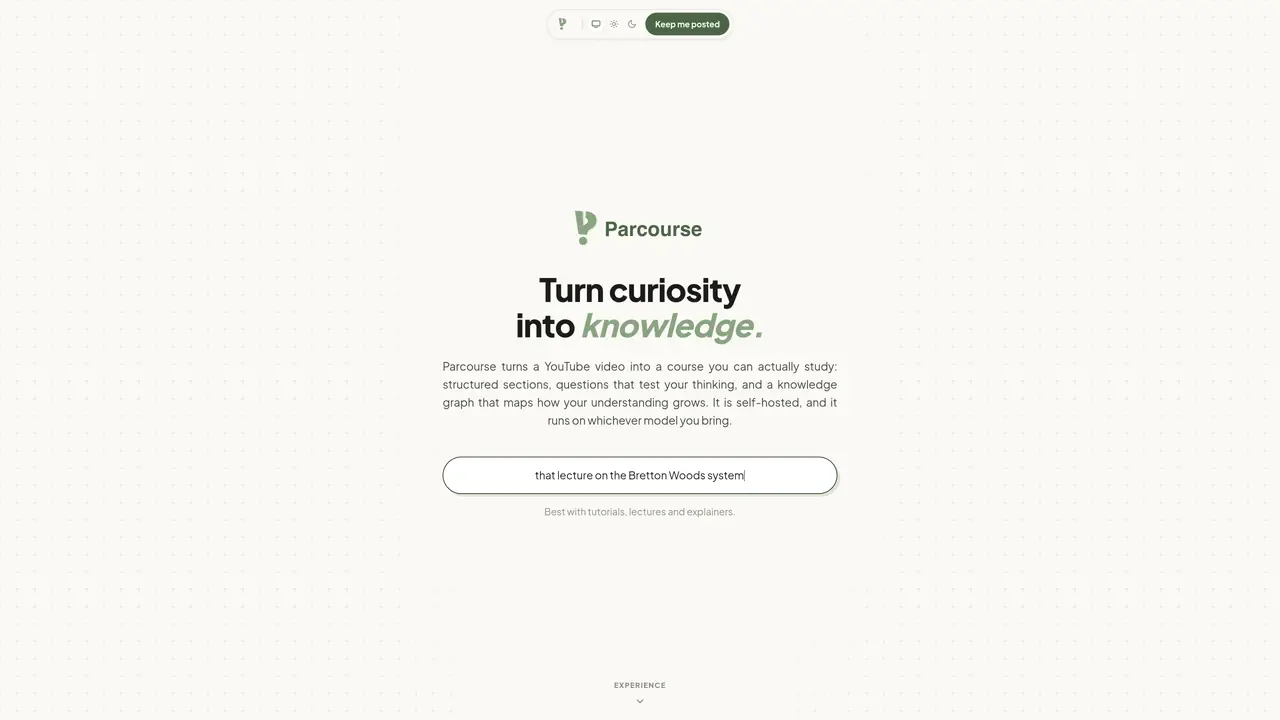
Parcourse transforms YouTube videos into self-hosted study courses by breaking content into structured sections with timestamps, adding comprehension questions, and maintaining a knowledge graph that tracks understanding over time. Users paste any YouTube link to generate a course outline automatically extracted from the transcript, then refine it by adding notes, splitting sections, and inserting questions. The platform supports writing answers, taking quizzes, and receiving detailed feedback on accuracy and completeness. A cheatsheet drawer appears alongside the video without interrupting playback, allowing users to take notes in Markdown that autosave and can be exported as PNG or PDF. The knowledge graph visualizes progress, highlighting strengths and weaknesses across topics, and final scores are presented in shareable cards with explanations.
Parcourse transforms YouTube videos into self-hosted study courses by automatically extracting transcript content, breaking it into structured sections with timestamps, and adding comprehension questions. It tracks understanding over time through a knowledge graph and provides tools for note-taking, quizzes, and performance feedback.
Parcourse is best suited for learners studying tutorials, lectures, or explainers on YouTube. It caters to individuals who want to turn passive video watching into active learning with structured study materials and progress tracking.
The knowledge graph visualizes a user's progress by mapping strengths and weaknesses across topics. It updates as users answer questions and complete quizzes, providing a clear overview of their understanding and areas needing improvement.
Yes, Parcourse accepts any YouTube link, allowing users to create a course from any tutorial, lecture, or explainer video. There is no pre-existing catalog; each course is user-generated from the video's transcript.
Yes, Parcourse includes a cheatsheet drawer that appears alongside the video without interrupting playback. Users can take notes in Markdown, which autosaves and can be exported as PNG or PDF files.
Quizzes include multiple-choice and written questions, with feedback provided on accuracy, completeness, and relevance. Users receive detailed explanations for each answer and a performance summary highlighting strengths and weaknesses.
We use essential cookies to run aitoolnavio™, and optional cookies to analyze traffic and measure our marketing. You choose what we use — optional cookies stay off unless you turn them on. See our Privacy Policy.
One short email a week: fresh tools worth trying, honest takes and the updates that actually matter. No spam, unsubscribe any time.
Enhance learning with AI-driven flashcards, tests, and games.
Automatically check student papers for plagiarism, generate originality reports, and offer powerful grading tools.
Create interactive lessons, track student progress, deliver assessments for personalized learning.
Practice coding challenges, improve technical skills, get detailed explanations, compare performance with peers.
AI-powered homework help with step-by-step textbook solutions, expert Q&A, writing tools, and exam prep.
Easily create and track training courses, design learning environments, and access from any device with an intuitive interface.
AI-generated text detector with 99.98% verified accuracy, supporting 20+ languages and integrations with LMS platforms.
Solve math problems, learn topics from basic to advanced, and get hints and insights for difficult problems.
Revolutionize education with AI: lesson planning, IEPs, assessments, enhanced communication.
Online language-learning platform offering interactive courses, progress tracking, rewards, and personalized feedback for all skill levels.
IB and MYP exam prep platform with 35k+ practice questions, AI grading, flashcards, and study tools for students and schools.
AI-powered learning app that helps students and pupils organize study materials, stay motivated, and improve grades with smart tools and features.
Matched on what this tool does — grouped by the job you would be replacing.
matches Automatic transcript extraction from YouTube videos · Section splitting with timestamped boundaries · Built-in quiz creation with multiple-choice and written questions
Turns YouTube videos and audio into structured study notes, transcripts, and recall aids with AI.
Converts YouTube playlists into structured study plans with quizzes and flashcards
Browser extension that turns YouTube videos into transcripts, summaries, research notes, and study materials
Creates personalized study notes, quizzes and revision plans in multiple languages
matches Built-in quiz creation with multiple-choice and written questions · Cheatsheet drawer with Markdown support and autosave
Enhance learning with AI-driven flashcards, tests, and games.
AI tool that converts study materials into organized guides, quizzes and flashcards
Save time with quick question generation, personalized study plans, and a tailored approach to studying.