Generate content, correct spelling, suggest synonyms to enhance writing.
173M visits/mo+0.1%#1 Productivity & Office

Browser extension that turns YouTube videos into transcripts, summaries, research notes, and study materials
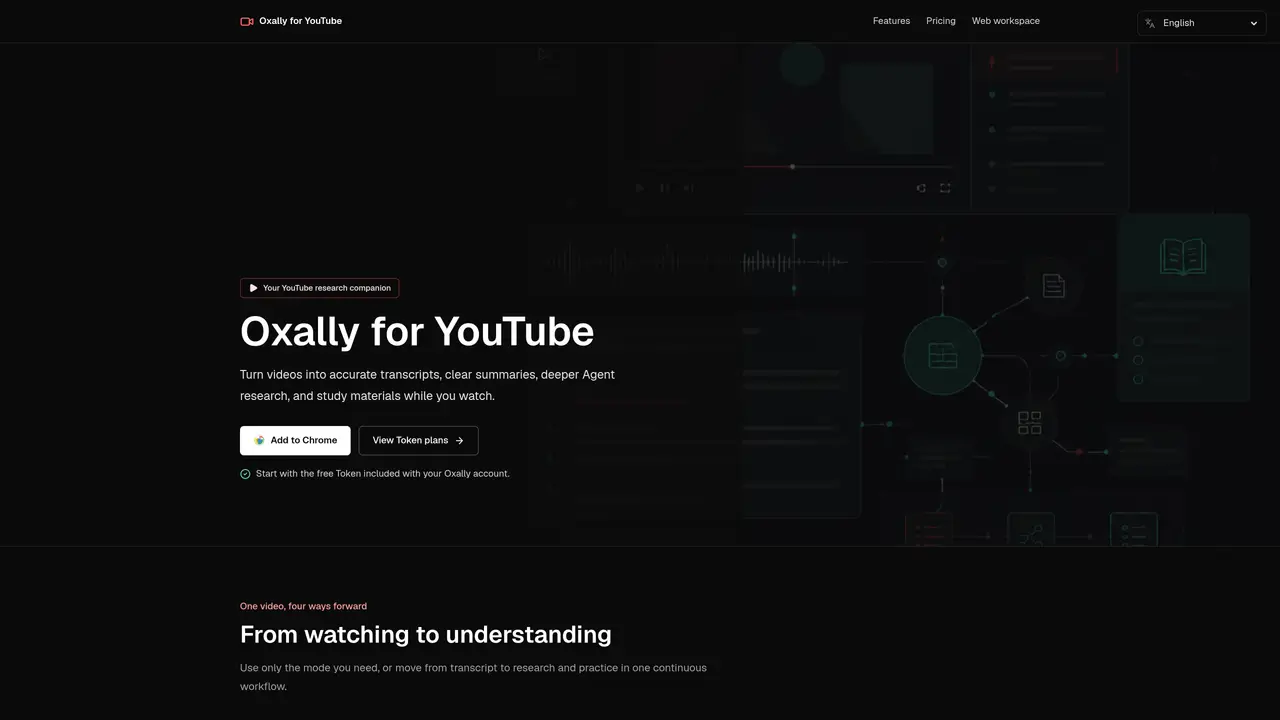
Oxally for YouTube is a Chrome extension that processes YouTube videos into multiple formats while the video plays. It generates timestamped transcripts, even when captions are unavailable, and produces structured summaries that break content into chapters and key points. The tool includes an Agent feature for follow-up research, allowing users to ask questions and connect findings to prior work. Active learning modes convert source material into quizzes, flashcards, and case studies for study or publishing. Results are saved to a user account and can be accessed via a web workspace for further editing or review. The extension maintains a side-by-side view with the video, keeping the source visible throughout the workflow. Output language can be customized to match study or publishing requirements.
Oxally for YouTube is a Chrome extension that processes YouTube videos into transcripts, summaries, research insights, and study materials while the video plays. It generates timestamped transcripts even when captions are unavailable, creates structured summaries with chapters and key points, and offers an Agent feature for follow-up research and questions.
The tool is designed for researchers, students, content creators, and professionals who need to extract structured insights from YouTube videos efficiently. It suits users who want to transcribe, summarize, research, or convert video content into study materials without leaving the viewing experience.
Oxally uses a token-based system where users start with a free monthly token allocation. Additional tokens can be purchased as one-time packs or through a monthly membership. Tokens are deducted based on model usage, and failed requests are not charged.
The extension integrates directly with YouTube and includes a web workspace for managing saved projects and study materials. It also supports exporting outputs to Word, Excel, and PowerPoint files, though specific integrations beyond these are not detailed.
The tool requires a Chrome browser and an Oxally account to use its features. Output quality depends on the video's audio clarity and the model's transcription accuracy. Complex research tasks may consume tokens quickly, and advanced features require token purchases.
Install the Chrome extension, create an Oxally account, and open the extension beside a YouTube video. Users can then choose from transcript, summary, research, or active learning modes. A free token is provided monthly, and additional tokens can be purchased as needed.
We use essential cookies to run aitoolnavio™, and optional cookies to analyze traffic and measure our marketing. You choose what we use — optional cookies stay off unless you turn them on. See our Privacy Policy.
One short email a week: fresh tools worth trying, honest takes and the updates that actually matter. No spam, unsubscribe any time.
Generate content, correct spelling, suggest synonyms to enhance writing.
Turn messy team ideas into actionable plans with Miro's visual workspace.
Leverage analytics, automate tasks, share documents, and coordinate projects.
Integrates AI into Airtable to analyze data, summarize insights, draft content, and automate workflows without prior AI experience.
Cloud accounting software that automates bookkeeping, invoicing, and financial reporting for small and growing businesses.
Streamline teamwork, manage projects, automate tasks efficiently.
Automate code, research, and documents using agents.
AI assistant for safe, reliable productivity with code, collaboration, and integrations.
Create customizable tables, databases, and spreadsheets, share data securely with team members.
Easy-to-use CRM platform that automates lead capturing, prioritizes tasks, and provides sales pipeline analytics for businesses of all sizes.
Transforms thoughts into actions, enhancing productivity and efficiency.
Write & run code in 50+ languages, auto-complete with AI, and code faster with an intuitive interface.
Matched on what this tool does — grouped by the job you would be replacing.
Paid placement · similar tools from listings that support aitoolnavio™
Instant lead response for home-service pros: your phone rings on every new lead, plus 14 days of follow-up
matches Timestamped transcript generation · Structured summary with chapters and key points · Side-by-side viewing with YouTube
matches Agent research for follow-up questions · Active learning tools (quizzes, flashcards, case practice) · Customizable output language
An AI web app and Chrome extension that lets users chat with YouTube videos to get answers, summaries with timestamps, and translations.
Turns YouTube videos and audio into structured study notes, transcripts, and recall aids with AI.
Converts YouTube videos to timestamped transcripts and AI summaries in multiple languages
YouTube video summarizer that extracts on-screen details and steps with timestamps
Generate instant flashcards and questions from any study material.
AI study app that turns PDFs, notes, and videos into quizzes, flashcards, summaries, podcasts, mind maps, games, and an AI tutor for students.
An AI study tool for students that converts lectures, PDFs, and videos into notes, flashcards, quizzes, and a course-specific AI tutor.
Turns YouTube videos, PDFs, and articles into interactive, gamified lessons with quizzes and flashcards for personalized learning.