AI-powered writing tool for paraphrasing, summarizing, and enhancing writing effortlessly.
36M visits/mo+12%#3 Writing & Content

YouTube video summarizer that extracts on-screen details and steps with timestamps
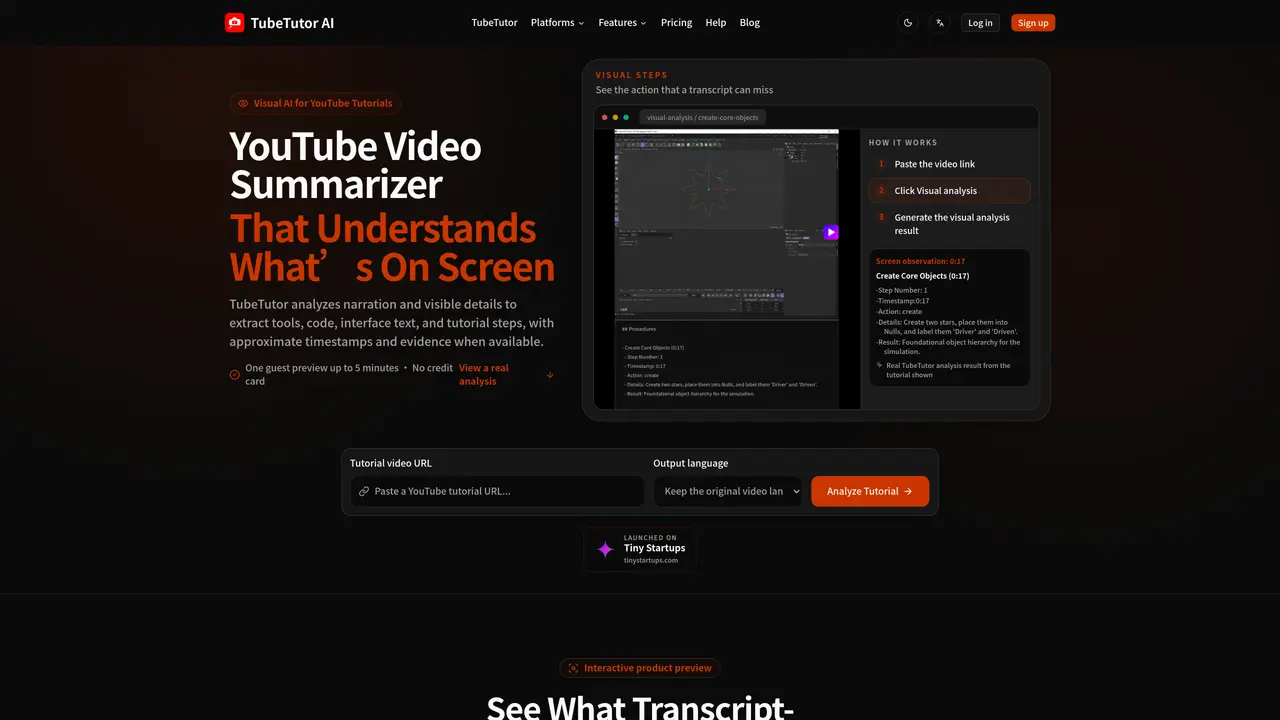
TubeTutor analyzes YouTube videos to produce structured summaries that combine speech transcripts with visual observations. It identifies tools, code snippets, interface text, and demonstrated actions, pairing each finding with approximate timestamps and evidence when available. The tool supports multiple output languages and organizes results into interconnected views: visual steps, a summary, a synchronized transcript, a mind map, and notes. Users paste a video URL, select an output language, and run either a transcript-only summary or a visual analysis that captures what happens on screen. Results are presented in a connected workspace where findings remain linked to the original video context. The platform is designed for tutorials where visual cues are essential, such as software walkthroughs, coding sessions, AI workflows, and design tutorials. It emphasizes evidence-based outputs and advises users to verify critical details against the source video.
TubeTutor analyzes YouTube videos to generate structured summaries that combine speech transcripts with visual observations, identifying tools, code snippets, interface text, and demonstrated actions with approximate timestamps and evidence when available.
The tool is designed for users who rely on visual tutorials, such as software walkthroughs, coding sessions, AI workflows, and design tutorials, where on-screen actions are critical to understanding.
Users start by pasting a supported YouTube video URL, selecting an output language, and choosing between a transcript-only summary or a visual analysis that captures on-screen details.
Yes, TubeTutor supports multiple output languages, including English, Chinese (simplified and traditional), Spanish, French, German, Portuguese, Japanese, and Korean.
Yes, TubeTutor’s visual analysis identifies silent interface actions, clicks, settings, or visual changes that a transcript-only summary might miss.
TubeTutor emphasizes evidence-based outputs and advises users to verify critical details against the original video, as timestamps may be approximate and results vary by video quality.
We use essential cookies to run aitoolnavio™, and optional cookies to analyze traffic and measure our marketing. You choose what we use — optional cookies stay off unless you turn them on. See our Privacy Policy.
One short email a week: fresh tools worth trying, honest takes and the updates that actually matter. No spam, unsubscribe any time.
AI-powered writing tool for paraphrasing, summarizing, and enhancing writing effortlessly.
Transcribe and summarize audio or video recordings with AI-powered speech recognition and summarization.
Quickly summarize documents, identify key themes, and analyze for insights.
Automatically summarize chat transcripts, comprehend key components, and accelerate transcript analysis.
Transform audio/video to text with precision, supporting 1500+ platforms, enriched by AI features.
Efficiently find data, extract key topics, map entities, analyze sentiment, and highlight important points in your PDF documents.
Decopy provides a one-stop AI writing solution with tools for detecting AI-generated content, humanizing text, summarizing videos and articles, and solving complex mathematical problems.
Summarize video contents, extract key points accurately, and maximize video utilization with a user-friendly interface.
Free AI text summarizer that condenses articles, essays, and documents into bullet or paragraph summaries from text, URLs, or file uploads.
AI platform for finding, summarizing, and analyzing academic research, grants, patents, and clinical trials.
Find relevant search results, get summaries without reading entire pages, and filter with AI-powered 'Glarify' feature.
Generate auto-translated captions, edit with ease, and collaborate on projects with shared captions in 17 languages.
Matched on what this tool does — grouped by the job you would be replacing.
matches Visual analysis of on-screen tools, text, and actions · Timestamped evidence for key findings · Multilingual output support
An AI web app and Chrome extension that lets users chat with YouTube videos to get answers, summaries with timestamps, and translations.
Extracts multilingual, timestamped YouTube transcripts via REST API or MCP for automation, search, and LLM integration.
Browser extension that turns YouTube videos into transcripts, summaries, research notes, and study materials
Extracts, summarizes, and translates YouTube video transcripts with timestamps
matches Video and audio file upload support · Link-based transcription for YouTube and Google Drive · Searchable transcripts with timestamps
matches Instant structured summaries with key takeaways · Click-to-source references for direct navigation · One-click mind map generation with download options
Revolutionize transcription with unmatched accuracy, speed, and language support.
Convert audio and video into text, sync transcripts with media, and edit easily.
Transcribes audio and video files to text in 90+ languages
Online AI tool to transcribe video and audio to searchable text with timestamps
Turns books into interactive mind maps for better retention and study
AI summarizer that turns articles, PDFs, and YouTube videos into structured takeaways and mind maps with click-to-source references.
Turns videos, podcasts, lectures, and recordings into structured notes, mind maps, and visual study guides with AI.