AI-powered writing tool for paraphrasing, summarizing, and enhancing writing effortlessly.
36M visits/mo+12%#3 Writing & Content

Online AI tool to transcribe video and audio to searchable text with timestamps
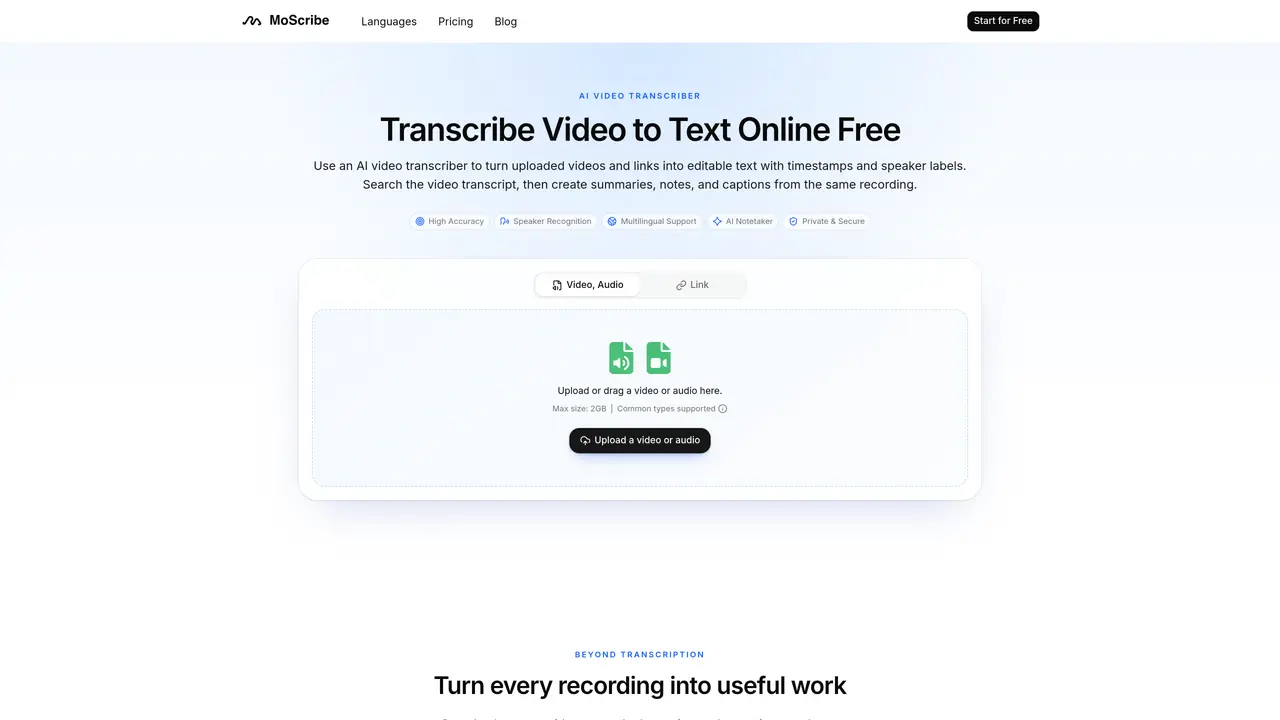
MoScribe converts uploaded videos, audio files, or links into editable transcripts with timestamps and speaker labels. The tool supports multilingual transcription and allows users to search the transcript, create summaries, ask AI questions, and generate mind maps from the recording. Transcripts can be edited, copied, downloaded, or exported as captions. The platform emphasizes usability by connecting the original recording with the searchable transcript and derived outputs like summaries or notes. It is designed for individuals and teams who need to extract actionable insights from spoken content without replaying entire recordings. Supported file types include MP4, MOV, MKV, AVI, WebM, and WMV, as well as links from platforms like YouTube and Google Drive.
A video transcriber converts spoken content from a video into editable text. An AI video transcriber can also add timestamps, identify speakers, make the transcript searchable, and turn it into summaries, notes, or captions.
Yes. The free video transcriber includes a limited number of transcription minutes per month, with restrictions on daily transcripts and upload duration. AI translation and transcript export are available on paid plans.
Only you can access the videos and transcripts in your account unless you choose to share or export them. MoScribe processes content solely to provide the requested transcription and related features and does not use it to train AI models.
MoScribe supports video file types such as MP4, MOV, MKV, AVI, WebM, and WMV, as well as links from platforms like YouTube and Google Drive.
Users can select the spoken language before transcription, enabling the creation of transcripts in multiple languages that can be searched, translated, and turned into captions.
After transcription, users can edit, copy, download, or export the transcript. Additional actions include creating summaries, asking AI questions, generating mind maps, or producing timed captions.
moscribe.com · third-party estimates from Similarweb
Share of visits · estimated visits
Traffic figures are third-party estimates, good for scale and trends; they can differ from a company's own numbers. Updated monthly.
We use essential cookies to run aitoolnavio™, and optional cookies to analyze traffic and measure our marketing. You choose what we use — optional cookies stay off unless you turn them on. See our Privacy Policy.
One short email a week: fresh tools worth trying, honest takes and the updates that actually matter. No spam, unsubscribe any time.
AI-powered writing tool for paraphrasing, summarizing, and enhancing writing effortlessly.
Transcribe and summarize audio or video recordings with AI-powered speech recognition and summarization.
Quickly summarize documents, identify key themes, and analyze for insights.
Automatically summarize chat transcripts, comprehend key components, and accelerate transcript analysis.
Transform audio/video to text with precision, supporting 1500+ platforms, enriched by AI features.
Efficiently find data, extract key topics, map entities, analyze sentiment, and highlight important points in your PDF documents.
Decopy provides a one-stop AI writing solution with tools for detecting AI-generated content, humanizing text, summarizing videos and articles, and solving complex mathematical problems.
Summarize video contents, extract key points accurately, and maximize video utilization with a user-friendly interface.
Free AI text summarizer that condenses articles, essays, and documents into bullet or paragraph summaries from text, URLs, or file uploads.
AI platform for finding, summarizing, and analyzing academic research, grants, patents, and clinical trials.
Find relevant search results, get summaries without reading entire pages, and filter with AI-powered 'Glarify' feature.
Generate auto-translated captions, edit with ease, and collaborate on projects with shared captions in 17 languages.
Matched on what this tool does — grouped by the job you would be replacing.
matches Video and audio file upload support · Link-based transcription for YouTube and Google Drive · Searchable transcripts with timestamps
AI web app that transcribes audio, video, and YouTube links into text in 98 languages with summaries, mind maps, and export formats for students and teams.
Transcribes audio and video files to text in 90+ languages
Easily transcribe interviews, video meetings, and lectures for easy searchability and reference.
AI-powered meeting transcription and note-taking tool
matches Link-based transcription for YouTube and Google Drive · AI-generated summaries and notes · Mind mapping for conversation themes
matches Speaker recognition and labeling · AI-generated summaries and notes · AI-powered Q&A with timestamped references
Summarize video contents, extract key points accurately, and maximize video utilization with a user-friendly interface.
Turns YouTube videos and audio into structured study notes, transcripts, and recall aids with AI.
Converts YouTube videos to timestamped transcripts and AI summaries in multiple languages
Automatically transcribe meetings, create summaries, and securely store audio files in a searchable format.
Record, transcribe, and summarize online meetings from Google Meet and Zoom with AI, then share insights across collaboration tools.
Transcribes audio or video into speaker-labeled, editable text with AI summaries