Build Discord bots with words, not code
551K visits/mo-4.7%#65 Chatbots & Assistants

A canvas-based chatbot tool that organizes ChatGPT conversations into multi-threaded flows for clearer, structured interactions.
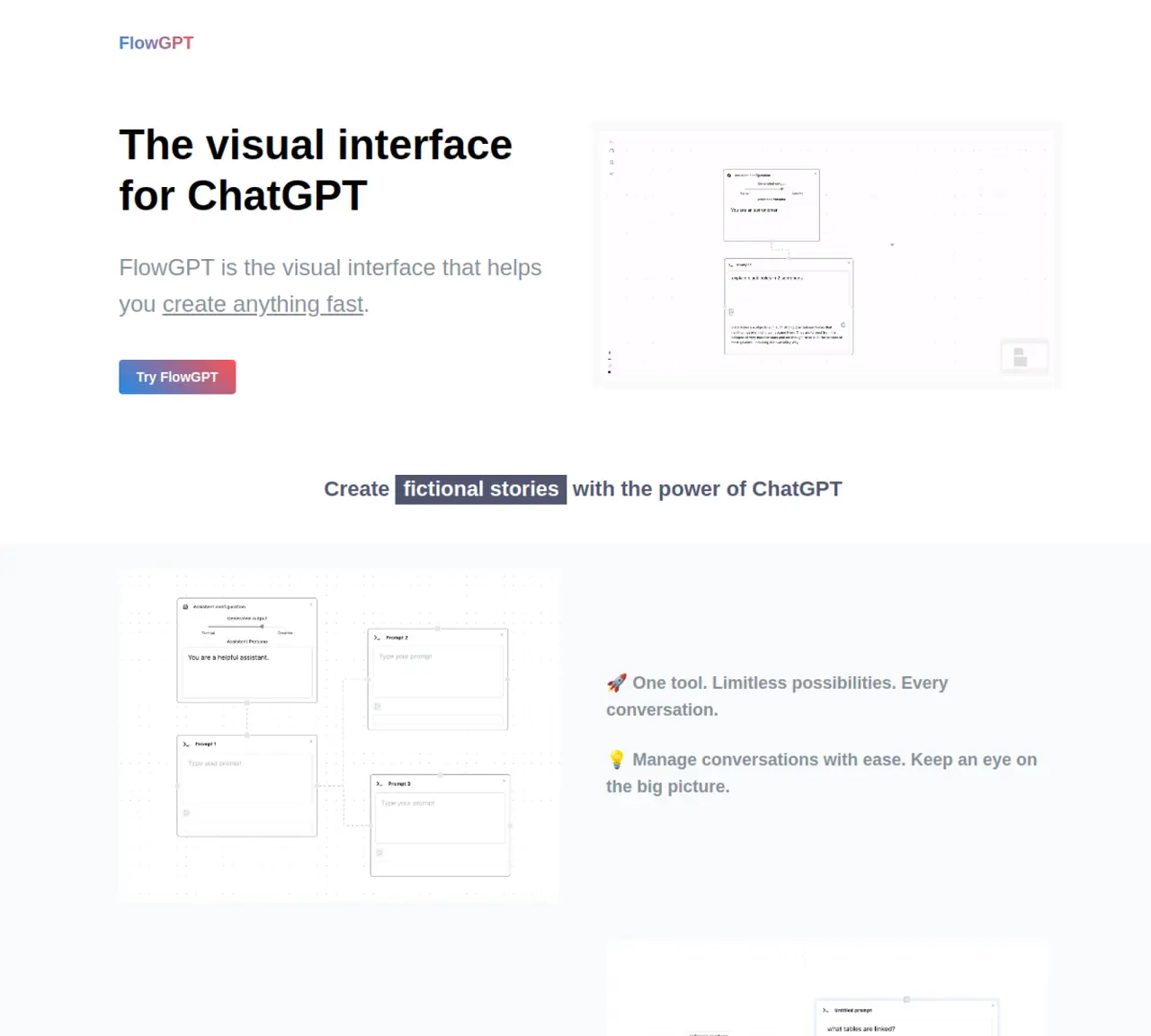
FlowGPT.ai transforms ChatGPT conversations by presenting them on a visual canvas where users can create and manage multiple threads simultaneously. This approach enhances clarity and structure, making it easier to track, reference, and organize complex discussions. The tool is designed for users who need to maintain multiple parallel conversations or revisit prior exchanges without losing context. By separating threads on a board, it reduces confusion and improves workflow efficiency for tasks that require sustained, multi-part interactions. FlowGPT.ai is particularly useful for research, brainstorming, and iterative problem-solving where maintaining distinct conversation paths is valuable. The interface supports seamless navigation between threads, enabling users to switch focus without disrupting ongoing discussions.
FlowGPT.ai transforms ChatGPT conversations by displaying them on a visual canvas where users can create and manage multiple threads simultaneously. It organizes discussions into separate boards, making it easier to track, reference, and maintain context across complex or parallel interactions.
The tool is designed for users who need to maintain multiple parallel conversations or revisit prior exchanges without losing context. It is particularly useful for researchers, professionals, and teams engaged in brainstorming, iterative problem-solving, or tasks requiring sustained multi-part discussions.
By separating threads on a visual board, FlowGPT.ai reduces confusion and context switching. Users can switch focus between threads without disrupting ongoing discussions, which streamlines workflows for tasks that require managing multiple conversation paths.
FlowGPT.ai is designed to work with ChatGPT conversations, but its functionality depends on the capabilities and limitations of the underlying ChatGPT model. It enhances the organization and management of these conversations rather than altering the model itself.
While FlowGPT.ai primarily focuses on organizing and managing individual ChatGPT conversations, its visual thread separation can be useful for teams collaborating on shared projects. However, it does not include built-in multi-user collaboration features.
Users can get started by visiting the FlowGPT.ai website and accessing the visual canvas interface. From there, they can create new threads, organize conversations, and begin managing multiple discussions in a structured and efficient manner.
flowgpt.ai · third-party estimates from Similarweb
Last 4 months · grows by one month every month
Share of visits by channel
Share of visits · estimated visits
Other countries: 37.3%
Chatbots & Assistants · Sep 2026
Traffic figures are third-party estimates, good for scale and trends; they can differ from a company's own numbers. Updated monthly.
We use essential cookies to run aitoolnavio™, and optional cookies to analyze traffic and measure our marketing. You choose what we use — optional cookies stay off unless you turn them on. See our Privacy Policy.
One short email a week: fresh tools worth trying, honest takes and the updates that actually matter. No spam, unsubscribe any time.
Build Discord bots with words, not code
No-code platform to build and deploy custom chatbots for Discord, Telegram, and Cici without coding skills.
Unified, customizable interface for AI-powered conversations
Create custom dialogs, deploy bots to multiple channels, and leverage NLP and ML for understanding user inputs.
Create personalized GPT models, deploy to websites and chatbots, and unlock powerful possibilities with OpenAI's LLMs and GPT.
Automate customer support, capture leads, and promote offers with personalized chatbot conversations.
Unified interface for chatting with multiple AI models and building web apps from prompts
Build no-code chatbots for Facebook, Instagram, and WhatsApp to automate conversations and customer interactions.
No-code AI chatbot builder for websites and WhatsApp with drag-and-drop simplicity.
Build no-code AI chatbots and agents for WhatsApp, web, Instagram, Facebook, Telegram, MS Teams and more.
Create custom chatbot templates, track conversions with dynamic prompts, and optimize campaigns with detailed analytics.
No-code platform to build AI chatbots, CRM, and multichannel messaging with built-in automation and payments.
Matched on what this tool does — grouped by the job you would be replacing.
matches Canvas-based multi-threaded conversation interface · Organize ChatGPT interactions into separate, labeled threads · Visual separation of parallel discussions for clarity
A tool that visualizes and compares AI conversations across multiple models in branching, navigable trees.
A shared AI canvas where teams collaborate on research and workflows by organizing sources, prompts, and outputs in a visual workspace.
Branching AI conversations on an endless canvas to explore ideas without scattered chats or lost context.
A visual AI conversation tool that turns linear chats into multi-dimensional conversation trees for exploring ideas and tracking context.