AI chatbot for conversation, work, research, coding, and content creation.
5.9B visits/mo+5%#1 Chatbots & Assistants

Generate personalized, interesting, and relevant conversations using AI technology.
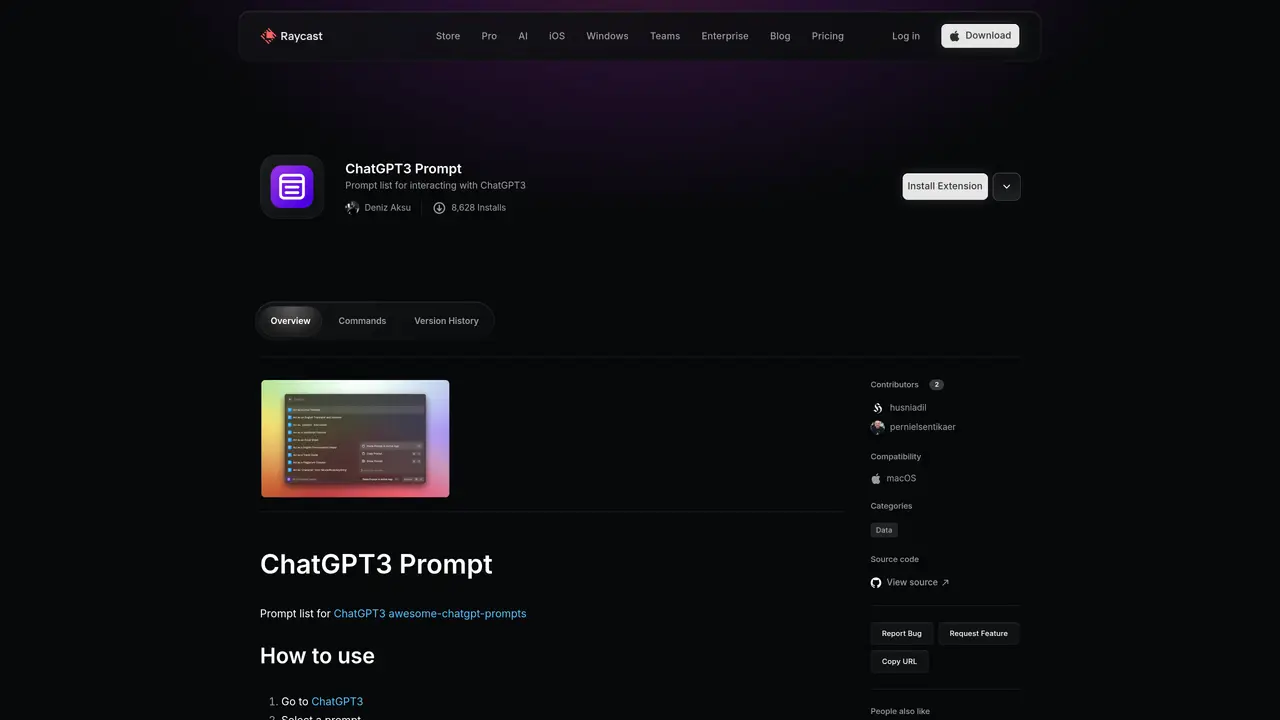
ChatGPT Prompts for Raycast is the perfect tool to help you generate creative ideas and conversations for any project. It uses the power of natural language processing to generate personalized prompts based on your input. With ChatGPT Prompts for Raycast, you can quickly create engaging conversations with your customers, colleagues, and friends.The prompts generated by ChatGPT are designed to be easy to understand and use. They are tailored to your needs, allowing you to create conversations that are both interesting and relevant. In addition, the prompts are customizable, so you can adjust the tone and style to fit your project.The prompts generated by ChatGPT are also backed by the latest AI technology, making it easier to create conversations that are both natural and meaningful. With ChatGPT, conversations are more likely to flow smoothly and generate interesting results.
ChatGPT Prompts for Raycast is a Raycast extension that provides a curated list of prompts for interacting with ChatGPT3 directly from Raycast's command bar. It simplifies the process of generating and using prompts for various tasks.
This tool is suitable for Raycast users who want to streamline their interactions with ChatGPT3 by quickly accessing and pasting pre-written prompts without leaving their workflow. It benefits developers, writers, and professionals who rely on AI-generated content.
To use the extension, go to ChatGPT3 within Raycast, select a prompt from the list, paste it into the ChatGPT3 chat box, and press Enter to send the message. The prompts are designed to be easy to understand and customize.
Yes, the prompts can be adjusted in tone and style to better fit specific project needs. Users can modify the prompts before sending them to ChatGPT3 to ensure the output aligns with their requirements.
The extension provides a prompt list for ChatGPT3, compatibility with macOS, and the ability to quickly access and use prompts directly from Raycast's command bar. It also supports sharing and community contributions.
Yes, the extension allows community contributions. Users can contribute prompts or report bugs and request features through the Raycast Store or GitHub.
We use essential cookies to run aitoolnavio™, and optional cookies to analyze traffic and measure our marketing. You choose what we use — optional cookies stay off unless you turn them on. See our Privacy Policy.
One short email a week: fresh tools worth trying, honest takes and the updates that actually matter. No spam, unsubscribe any time.
AI chatbot for conversation, work, research, coding, and content creation.
Create and interact with AI companions and virtual characters using GPT-4o on Chub AI's platform.
Open-source Chinese AI chatbot for conversational AI, coding, and agentic workflows, built on the GLM-5 architecture.
Automate customer responses, personalize messages, and create an AI-powered chatbot for 24/7 customer service.
Chat with many top models for everyday tasks.
Overchat AI is an all-in-one platform that brings together the world’s leading AI models in a single application.
AI-powered platform for targeted online ad management, performance analysis, and strategy optimization with human oversight.
AI-powered tarot readings and personalized interpretations for self-reflection and guidance.
Turn hand-drawn sketches into editable 3D models and photorealistic images with AI.
Empower teams with AI-driven chat, data analysis, and workflow automation.
Get answers, writing help, and plans across devices with Nova AI App.
AI-powered app builder that turns data into functional web apps without coding.
Matched on what this tool does — grouped by the job you would be replacing.
Paid placement · similar tools from listings that support aitoolnavio™
Anonymous AI chat for 200+ models. No email or phone: a random account number, or chat as a guest.
matches Generate personalized prompts based on user input · Create conversations that are both interesting and relevant · Use AI technology to generate natural and meaningful conversations
An AI chat platform for roleplaying, storytelling, and learning by chatting with millions of user-created AI characters.
Create custom chatbots, analyze conversations with NLP, sentiment analysis, and automate customer service.
Create tailored automated responses, generate personalized dialogue, and engage in dynamic conversations using NLP and AI.
Automate tasks, book flights, order groceries, and get information quickly with SiriGPT's natural language conversations.