AI chatbot for conversation, work, research, coding, and content creation.
5.9B visits/mo+5%#1 Chatbots & Assistants

AI dictation tool that turns speech into polished text anywhere, removes filler words, and supports 30+ languages with strong privacy.
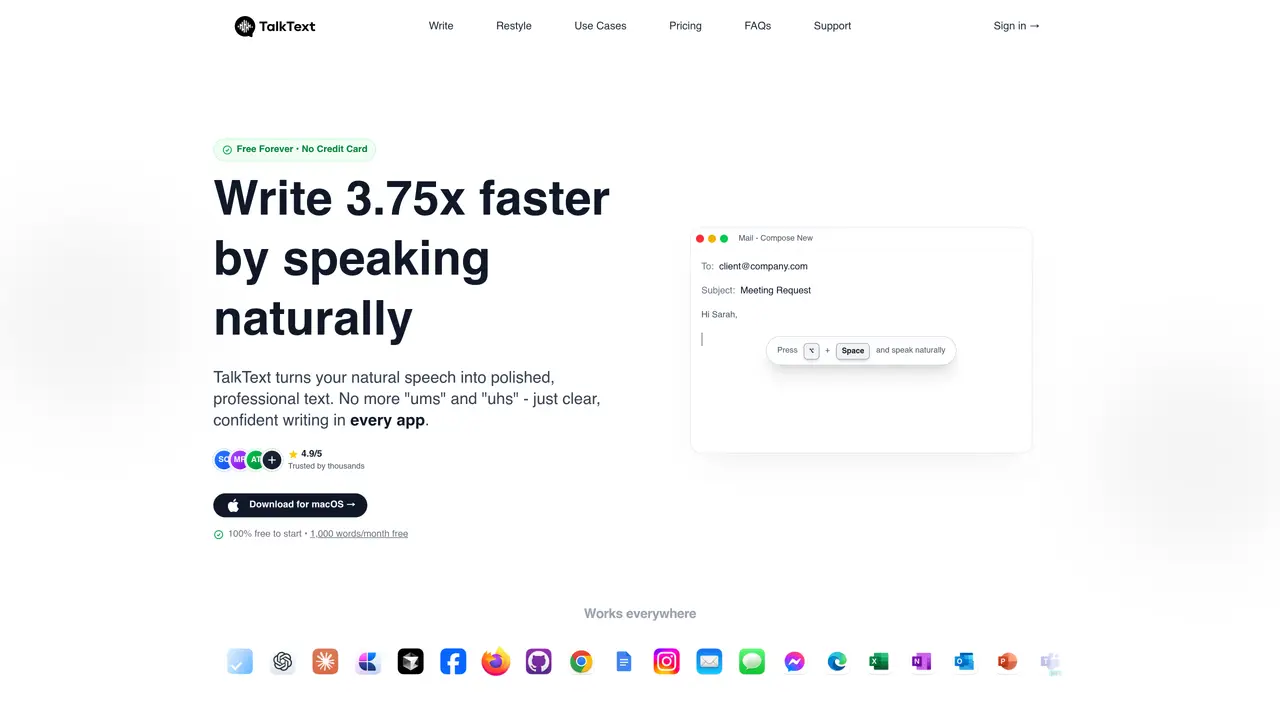
TalkText is an AI-powered speech-to-text dictation tool designed for individuals who want to write faster by speaking naturally and pasting polished text into any application or website. It specializes in cleaning up spoken input by automatically removing filler words such as ‘ums’ and ‘ers,’ correcting mistakes, and preserving the speaker’s natural voice and phrasing. The tool operates across macOS applications, allowing users to dictate directly into emails, chat windows, documents, IDEs, and browser fields using a simple keyboard shortcut. TalkText supports over 30 languages and applies automatic capitalization and punctuation to produce more readable output. It also offers restyle rewrites, enabling users to adjust the tone of selected text to match desired styles such as professional, confident, or friendly. The tool emphasizes privacy by processing audio in real time without storing audio or using user data for model training. It is accessible on macOS and web platforms, with separate iOS pricing available.
TalkText is an AI-powered speech-to-text tool that converts natural speech into polished, professional text by removing filler words, correcting mistakes, and applying proper capitalization and punctuation. Users speak naturally and receive refined output that can be pasted into any application or website.
TalkText is designed for individuals who want to write faster and more efficiently, including professionals, writers, developers, and content creators. It suits anyone who prefers speaking over typing to save time and improve productivity.
Yes, TalkText offers a free version with a monthly word limit. Users can start for free without providing a credit card, and additional usage may require an upgrade.
TalkText supports over 30 languages, including English, Spanish, French, German, Japanese, and many others, with more languages being added regularly.
TalkText processes audio in real time and does not store audio or use user data for model training. It also does not sell user data to third parties, ensuring complete privacy.
Yes, TalkText works across all macOS applications, websites, and browser fields. Users can dictate directly into emails, chat windows, documents, IDEs, and more using a simple keyboard shortcut.
talktext.io · third-party estimates from Similarweb
Last 4 months · grows by one month every month
Share of visits · estimated visits
Chatbots & Assistants · Sep 2026
Traffic figures are third-party estimates, good for scale and trends; they can differ from a company's own numbers. Updated monthly.
We use essential cookies to run aitoolnavio™, and optional cookies to analyze traffic and measure our marketing. You choose what we use — optional cookies stay off unless you turn them on. See our Privacy Policy.
One short email a week: fresh tools worth trying, honest takes and the updates that actually matter. No spam, unsubscribe any time.
AI chatbot for conversation, work, research, coding, and content creation.
Create fully customizable AI companions with persistent memory, selfies, and live voice calls.
Create lifelike AI voice agents that can perform complex tasks and interact like humans.
Transform apps with advanced, multi-language voice AI; easy integration, scalable.
An AI voice assistant that delivers emotionally intelligent, context-aware conversations with natural timing and personal engagement.
Voice AI platform for building conversational agents across customer touchpoints and industries.
A free cloud-based bot for Kick.com streamers offering chat automation, moderation, alerts, AI text-to-speech, clips, widgets, and tipping tools.
Easily build interactive voice experiences, create voice-driven stories, games, and track performance.
Real-time voice, video, and AI infrastructure platform with WebRTC SDKs and Pipecat for developers building conversational agents.
AI Character Roleplay Platform!
AI-powered phone agents that simulate human-like conversations for automations like sales, surveys, and customer support.
Analyze and respond to human emotions in real-time voice interactions with AI.
Matched on what this tool does — grouped by the job you would be replacing.
Paid placement · similar tools from listings that support aitoolnavio™
Instant lead response for home-service pros: your phone rings on every new lead, plus 14 days of follow-up
matches Removes filler words (ums, ers) from dictation · Works across macOS apps via keyboard shortcut · Supports 30+ languages with auto-capitalization and punctuation
matches Restyle rewrites to adjust text tone
Dictate messages with real-time transcription.
AI voice-to-text app that turns speech into polished text with style adaptation, punctuation, and filler-word removal for emails, docs, and notes.
Super-accurate, fast voice-to-text for teams & professionals.
Desktop dictation software that turns speech into polished text in any app with AI autocorrect and enterprise-grade privacy.
Mac voice productivity tool that transcribes speech into polished text and auto-generates meeting notes
Free, open-source macOS app that transcribes speech to text offline with optional on-device AI polishing.
A multilingual writing assistant that converts speech to text and enhances written content across 100+ languages.