AI chatbot for conversation, work, research, coding, and content creation.
5.9B visits/mo+5%#1 Chatbots & Assistants

A multilingual writing assistant that converts speech to text and enhances written content across 100+ languages.
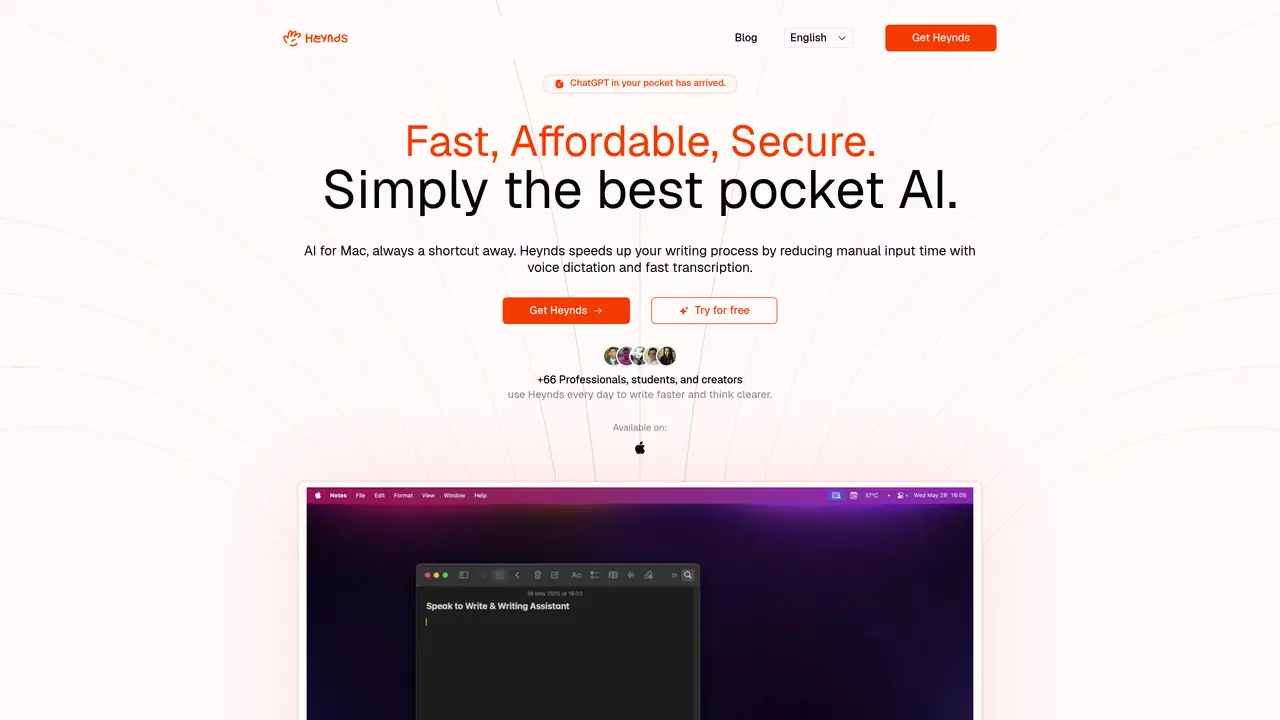
Heynds is an AI-powered writing and speech assistant designed for macOS and Windows users. It combines voice transcription with advanced AI writing features to help users create, edit, and refine text efficiently. The tool converts spoken words into written content, reformats text according to user specifications, and supports translation between over 100 languages. Users can also apply custom AI prompts to tailor the writing process to their specific needs. Heynds is particularly useful for increasing productivity through voice dictation, generating polished written content, and streamlining multilingual communication. It serves content creators, professional writers, and multilingual communicators seeking to save time while improving writing quality and consistency.
Heynds is an AI-powered writing assistant for macOS that combines voice transcription with advanced AI writing features. It allows users to dictate text, refactor or rewrite content instantly, and communicate in over 100 languages using a global keyboard shortcut.
Heynds is designed for professionals, students, content creators, and multilingual communicators who want to write faster and more efficiently. It suits founders, developers, sales directors, designers, and anyone looking to streamline their writing process.
Heynds routes all AI requests through OpenRouter to endpoints marked as Zero Data Retention, ensuring prompts and generated content are not stored. The tool is designed to comply with GDPR principles, including data minimization and limited processing.
Yes, Heynds works within any macOS application. Users can activate it with a global keyboard shortcut to access AI-powered writing features without switching applications.
Heynds offers basic functionality out of the box, but users can create custom AI commands to tailor the tool to their specific workflows. No API keys are required to use the core features.
Yes, Heynds offers a free trial for new users to explore its features before committing to a subscription.
We use essential cookies to run aitoolnavio™, and optional cookies to analyze traffic and measure our marketing. You choose what we use — optional cookies stay off unless you turn them on. See our Privacy Policy.
One short email a week: fresh tools worth trying, honest takes and the updates that actually matter. No spam, unsubscribe any time.
AI chatbot for conversation, work, research, coding, and content creation.
Generate content, correct spelling, suggest synonyms to enhance writing.
Summarizes, extracts, and rewrites content from files.
Automate research, make corrections, and integrate easily into text editors for convenient content generation and error detection.
AI-powered writing assistant for grammar, style, and tone improvements across documents and emails.
Instantly detect AI-generated text, identify plagiarism, and customize the detection process.
A free web-based AI chatbot and agent for writing, coding, research, and content creation with multilingual support.
AI research assistant that finds trusted sources, summarizes documents and videos, and generates cited answers with a browser extension for capturing findings.
AI-powered proofreading, editing, plagiarism checking, and citation generation for academic papers.
AI-powered web design suite inside Webflow that generates sites, code components, and SEO improvements from prompts.
Get quick copywriting help, generate marketing copy, and easily translate, explain, and rephrase web page text.
Craft captivating stories effortlessly using AI-powered GPT technology and an intuitive interface.
Matched on what this tool does — grouped by the job you would be replacing.
matches Converts speech to text in real time · Voice dictation for hands-free writing · Cross-platform support for macOS and Windows
AI speech-to-text dictation app for fast voice typing across Mac, Windows, and iPhone with system-wide hotkeys and auto formatting.
Privacy-first desktop app that converts voice to text offline using on-device AI for secure, instant transcription in 99 languages.
A native macOS AI writing assistant that converts speech to text, rewrites text, and translates in 180+ languages across 300+ apps for Mac users.
Desktop dictation software that turns speech into polished text in any app with AI autocorrect and enterprise-grade privacy.
matches Reformats content according to user specifications · Enhances written content with AI-driven suggestions · Allows custom AI prompts for tailored writing
matches Supports translation between over 100 languages
Generate content, correct spelling, suggest synonyms to enhance writing.
AI-powered writing tool for paraphrasing, summarizing, and enhancing writing effortlessly.
Convert spoken words into polished text instantly with AI, supporting 90 languages and 25 styles for emails, notes, and articles.
Scales efficient language processing with open-source accessibility.
Quickly and accurately translate documents with unparalleled precision and confidence for business, legal, and academic purposes.
Instant translations across 100+ languages, voice, text, and image.
Web-based AI translator and voice assistant for Indian and global languages