Generate content, correct spelling, suggest synonyms to enhance writing.
173M visits/mo+0.1%#1 Productivity & Office

AI speech-to-text dictation app for fast voice typing across Mac, Windows, and iPhone with system-wide hotkeys and auto formatting.
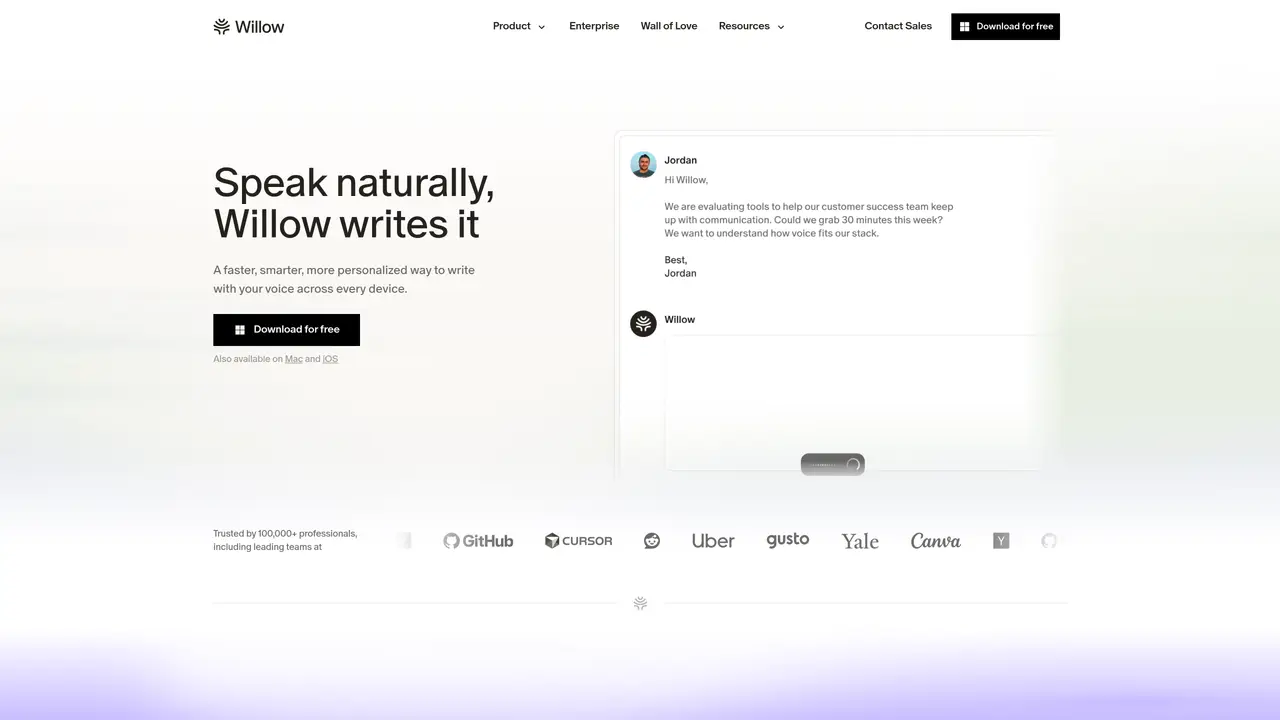
Willow is an AI-powered speech-to-text dictation app designed for individuals and teams, enabling fast voice typing for emails, documents, coding prompts, note-taking, and messaging. It works system-wide across Mac, Windows, and iPhone, allowing users to dictate text anywhere text can be entered, triggered by a customizable hotkey. The tool automatically edits and formats spoken content, correcting punctuation, grammar, and structure in real time while supporting voice commands like ‘new line’ and ‘bullet point.’ Willow adapts to the user’s tone and writing style with context-aware suggestions and offers an AI mode that expands brief speech into polished messages. It supports custom vocabularies and dictionaries to improve accuracy for names and domain terms, with team features including shared dictionaries, centralized billing, and admin controls. The app prioritizes privacy and security with options like SOC 2 and HIPAA compliance, zero data retention, and a privacy mode. It is often compared with tools like Speakmac, Wispr Flow, and VoiceInk for its cross-platform capabilities and team-ready features.
Willow is an AI-powered speech-to-text dictation tool that converts spoken words into written text in real time. Users can activate it with a customizable hotkey, speak naturally, and have formatted text appear instantly in any application where text can be entered.
Willow is designed for individuals and teams who want to write faster by speaking, including professionals, developers, lawyers, healthcare workers, students, and enterprise teams. It supports cross-platform use on Mac, Windows, and iPhone.
Yes, Willow works system-wide and integrates with any application where text can be entered, such as Slack, Gmail, Cursor, Notion, and iMessage. It functions as a virtual keyboard or dictation tool within these platforms.
Willow prioritizes privacy with options like SOC 2 and HIPAA compliance, zero data retention, and a privacy mode. It processes voice data locally and does not store recordings, ensuring sensitive information remains secure.
Yes, Willow includes team features such as shared dictionaries, centralized billing, and admin controls. These allow teams to standardize terminology, manage access, and collaborate efficiently across the organization.
Users can download Willow for free from the official website and install it on their preferred device. After installation, they can customize the hotkey and start dictating text in any application by placing the cursor and speaking.
willowvoice.com · third-party estimates from Similarweb
Last 4 months · grows by one month every month
Share of visits · estimated visits
Other countries: 38.2%
How people reach this site from other AI tools
11 a month
Productivity & Office · Sep 2026
Traffic figures are third-party estimates, good for scale and trends; they can differ from a company's own numbers. Updated monthly.
We use essential cookies to run aitoolnavio™, and optional cookies to analyze traffic and measure our marketing. You choose what we use — optional cookies stay off unless you turn them on. See our Privacy Policy.
One short email a week: fresh tools worth trying, honest takes and the updates that actually matter. No spam, unsubscribe any time.
Generate content, correct spelling, suggest synonyms to enhance writing.
Turn messy team ideas into actionable plans with Miro's visual workspace.
Leverage analytics, automate tasks, share documents, and coordinate projects.
Integrates AI into Airtable to analyze data, summarize insights, draft content, and automate workflows without prior AI experience.
Cloud accounting software that automates bookkeeping, invoicing, and financial reporting for small and growing businesses.
Streamline teamwork, manage projects, automate tasks efficiently.
Automate code, research, and documents using agents.
AI assistant for safe, reliable productivity with code, collaboration, and integrations.
Create customizable tables, databases, and spreadsheets, share data securely with team members.
Easy-to-use CRM platform that automates lead capturing, prioritizes tasks, and provides sales pipeline analytics for businesses of all sizes.
Transforms thoughts into actions, enhancing productivity and efficiency.
Write & run code in 50+ languages, auto-complete with AI, and code faster with an intuitive interface.
Matched on what this tool does — grouped by the job you would be replacing.
Paid placement · similar tools from listings that support aitoolnavio™
Instant lead response for home-service pros: your phone rings on every new lead, plus 14 days of follow-up
matches System-wide dictation with customizable hotkeys · Automatic editing and formatting of spoken text · Voice commands for formatting and navigation
matches Context-aware suggestions and AI mode for polished output · Custom vocabularies and shared dictionaries for teams · Style-matching to adapt to user tone and writing style
matches Privacy controls including SOC 2, HIPAA, and zero data retention · Offline mode with local Whisper processing · Offline transcription using Whisper.cpp for privacy and speed
Offline AI voice-to-text app for macOS and iOS that formats transcribed speech into clean text for emails, code, or documents.
Speak, your Mac privately types into every app.
Desktop dictation software that turns speech into polished text in any app with AI autocorrect and enterprise-grade privacy.
Free, open-source macOS app that transcribes speech to text offline with optional on-device AI polishing.
Dictate and edit documents three times faster with AI.
AI voice-to-text app that turns speech into polished text with style adaptation, punctuation, and filler-word removal for emails, docs, and notes.
A multilingual writing assistant that converts speech to text and enhances written content across 100+ languages.
Mac voice productivity tool that transcribes speech into polished text and auto-generates meeting notes
Free, open-source AI voice dictation app for Windows, Mac, and Linux with real-time transcription and AI polishing.
Windows speech-to-text tool that types spoken words anywhere using local processing