

AI chatbot for conversation, work, research, coding, and content creation.
5.9B visits/mo+5%#1 Chatbots & Assistants
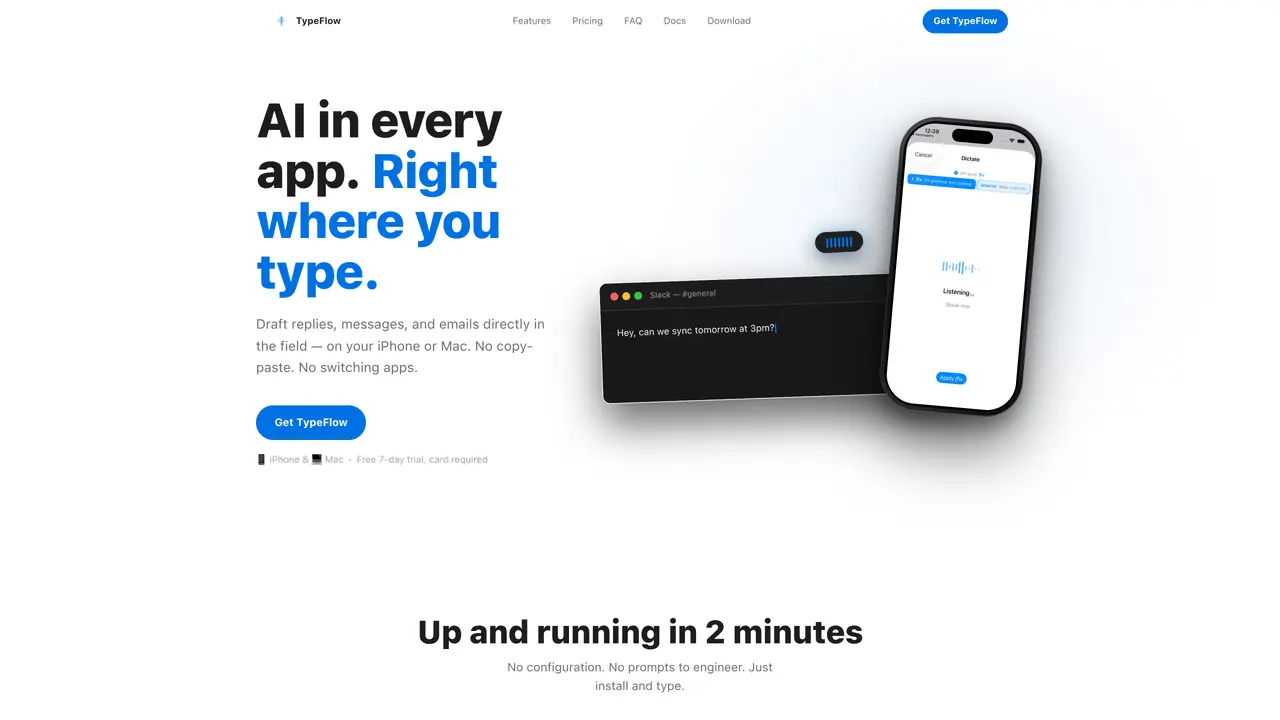
TypeFlow integrates AI assistance directly into the iPhone keyboard and Mac menu bar, allowing users to draft replies, messages, and emails without leaving the current application. On iPhone, the TypeFlow keyboard key can be tapped to invoke the assistant, while on Mac a keyboard shortcut (⌥Space) triggers the tool. Users can dictate naturally or type commands, and TypeFlow automatically cleans up speech by fixing punctuation and removing false starts. The tool reads the text around the cursor to generate informed drafts, such as replies in Slack or follow-ups in email threads, which are then inserted directly into the field. Snippets with reusable AI instructions like /reply or /email can be applied with one tap, and the system learns user-specific jargon and writing style over time. Drafts are generated locally and discarded immediately after insertion, with only a separate learned profile retained and visible in settings. The tool supports both platforms under a single subscription and requires no API keys, third-party accounts, or configuration.
TypeFlow integrates AI assistance directly into the iPhone keyboard and Mac menu bar, allowing users to draft replies, messages, and emails without leaving the current application. It reads the text around the cursor to generate informed drafts and supports both platforms under a single subscription.
TypeFlow is designed for users who frequently draft messages, emails, or replies across multiple apps and platforms, such as Slack, Mail, or Notes. It suits individuals or teams looking to streamline communication without switching apps or managing complex configurations.
On iPhone, users tap the TypeFlow key in the keyboard to invoke the assistant, while on Mac, they press ⌥Space. Users can dictate naturally or type commands, and TypeFlow cleans up speech by fixing punctuation and removing false starts. Drafts are generated locally and inserted directly into the field.
No setup or third-party accounts are required. TypeFlow operates locally, with no API keys or configuration needed. Users simply install the app and enable the TypeFlow keyboard on iPhone or run it from the Mac menu bar.
What users dictate or type is discarded immediately after the draft is generated and never stored, logged, or used for training. Only a separate learned profile, which can be reviewed or deleted, is retained and synced across devices.
TypeFlow works on iPhone and Mac, integrating with every app on both platforms, including Slack, Mail, Notes, Linear, and Notion. It requires no plugins or browser extensions and functions seamlessly across all supported applications.
gettypeflow.app · third-party estimates from Similarweb
Last 2 months · grows by one month every month
Share of visits · estimated visits
Chatbots & Assistants · Sep 2026
Traffic figures are third-party estimates, good for scale and trends; they can differ from a company's own numbers. Updated monthly.
We use essential cookies to run aitoolnavio™, and optional cookies to analyze traffic and measure our marketing. You choose what we use — optional cookies stay off unless you turn them on. See our Privacy Policy.
One short email a week: fresh tools worth trying, honest takes and the updates that actually matter. No spam, unsubscribe any time.
AI chatbot for conversation, work, research, coding, and content creation.
Create fully customizable AI companions with persistent memory, selfies, and live voice calls.
Create lifelike AI voice agents that can perform complex tasks and interact like humans.
Transform apps with advanced, multi-language voice AI; easy integration, scalable.
An AI voice assistant that delivers emotionally intelligent, context-aware conversations with natural timing and personal engagement.
Voice AI platform for building conversational agents across customer touchpoints and industries.
A free cloud-based bot for Kick.com streamers offering chat automation, moderation, alerts, AI text-to-speech, clips, widgets, and tipping tools.
Easily build interactive voice experiences, create voice-driven stories, games, and track performance.
Real-time voice, video, and AI infrastructure platform with WebRTC SDKs and Pipecat for developers building conversational agents.
AI Character Roleplay Platform!
AI-powered phone agents that simulate human-like conversations for automations like sales, surveys, and customer support.
Analyze and respond to human emotions in real-time voice interactions with AI.
Matched on what this tool does — grouped by the job you would be replacing.
Paid placement · similar tools from listings that support aitoolnavio™
Instant lead response for home-service pros: your phone rings on every new lead, plus 14 days of follow-up
matches AI-powered text drafting in any app · Natural language dictation with punctuation cleanup · Reusable AI snippets (/reply, /email, /fix)
matches Tap-to-invoke keyboard key on iPhone · Cross-platform sync of learned profiles
Dictate and edit documents three times faster with AI.
Voice-to-text tool that converts speech into formatted text across Windows apps
Windows dictation tool that converts speech to polished text in any app
Voice dictation, email drafting and structured notes for macOS
Local speech-to-text for macOS with no cloud processing
Offline voice dictation for macOS with instant text output
Fast, private, open-source voice dictation for macOS