AI-powered code assistant that generates, reviews, optimizes, and debugs code with natural language prompts and editor integrations.
13M visits/mo-20.5%#20 Coding & Development

Local tool that turns a project folder into a single structured paste for AI chats
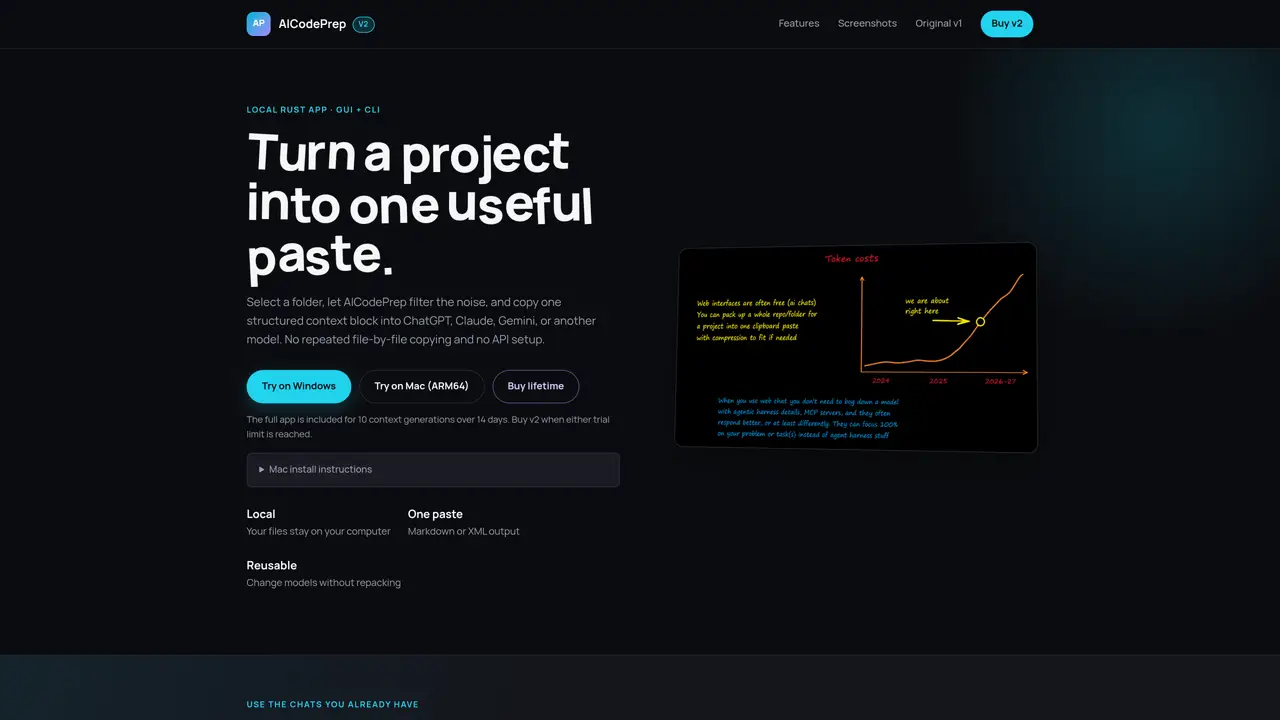
AICodePrep v2 is a local Rust application with both GUI and CLI interfaces designed to transform a project folder into a single structured context block. Users select a folder, and the tool filters out noise such as dependencies, build outputs, and caches while preserving relevant source and project files. The result is a Markdown or XML output containing file paths, contents, token totals, and a user-defined prompt, ready to paste into AI chat interfaces like ChatGPT, Claude, or Gemini. The application emphasizes privacy by processing files locally, ensuring no data leaves the user’s computer. It includes features for secret detection and redaction to avoid exposing credentials. The tool supports both visual selection via a native GUI and command-line execution for scripting and automation. It is optimized for speed, capable of handling folders with tens or hundreds of thousands of files efficiently. The structured output allows users to switch between models without repacking context, leveraging existing chat subscriptions and avoiding additional API costs.
AICodePrep v2 is a local Rust application that transforms a project folder into a single structured context block for AI chat interfaces. It filters out noise like dependencies and caches while preserving relevant files, and outputs the result in Markdown or XML format.
The tool is designed for developers and teams who need to provide full project context to AI models without manual file-by-file copying. It suits users who want to avoid API costs or subscription limits by reusing existing chat models.
All file processing occurs locally on the user’s computer, ensuring no data leaves the device. The tool includes secret detection and redaction to prevent accidental exposure of credentials in the output.
Yes, the tool supports both a native GUI and a CLI interface. Users can run commands like `aicodeprep-fast pack ` for scripting and automation, with the same filtering and output generation as the GUI.
The tool generates structured output in either Markdown or XML format, including file paths, contents, token totals, and a user-defined prompt. This output can be directly pasted into AI chat interfaces like ChatGPT, Claude, or Gemini.
Download the trial version for 10 context generations over 14 days. For macOS, extract the zip, move the app to Applications, and run specific Terminal commands to remove Gatekeeper’s quarantine. Windows users can run the executable directly.
We use essential cookies to run aitoolnavio™, and optional cookies to analyze traffic and measure our marketing. You choose what we use — optional cookies stay off unless you turn them on. See our Privacy Policy.
One short email a week: fresh tools worth trying, honest takes and the updates that actually matter. No spam, unsubscribe any time.
AI-powered code assistant that generates, reviews, optimizes, and debugs code with natural language prompts and editor integrations.
Automate customer service tasks, create custom AI functions, and generate AI functionality using large language models like GPT3.
Automatically convert code to any language, batch convert multiple files, with an intuitive user interface for non-coders.
Automate tests, test web elements with full coverage, and set up continuous integration and deployment effortlessly.
Revolutionizing AI code execution with secure, versatile SDKs.
Analyze, share, and automate code reports for improved quality and security.
Automate SQL creation, streamline data management, and cost-effective solution for individuals and small teams.
Convert code between languages like Java to JavaScript with syntax highlighting and debugging support.
Explore live data, create SQL queries with GPT, and visualize results effortlessly.
Automate code reviews, identify bugs, suggest fixes, measure code coverage, and analyze code complexity.
Automate tests effortlessly, navigate and create with ease, and optimize tests with detailed results.
Build production-ready frontend code, reuse components, and securely feed real data into products for faster time-to-market.
Matched on what this tool does — grouped by the job you would be replacing.
matches Local Rust app with GUI and CLI · Filters dependencies, caches, and build outputs · Generates structured Markdown or XML context blocks
CLI tool that filters repository files before sending to LLM APIs
Local catalog and memory system for software projects on disk