OpenAI builds and deploys advanced AI models like GPT-4o for autonomous agents and workflows.

AI Guard
FreeStarting price
0Popularity
About AI Guard
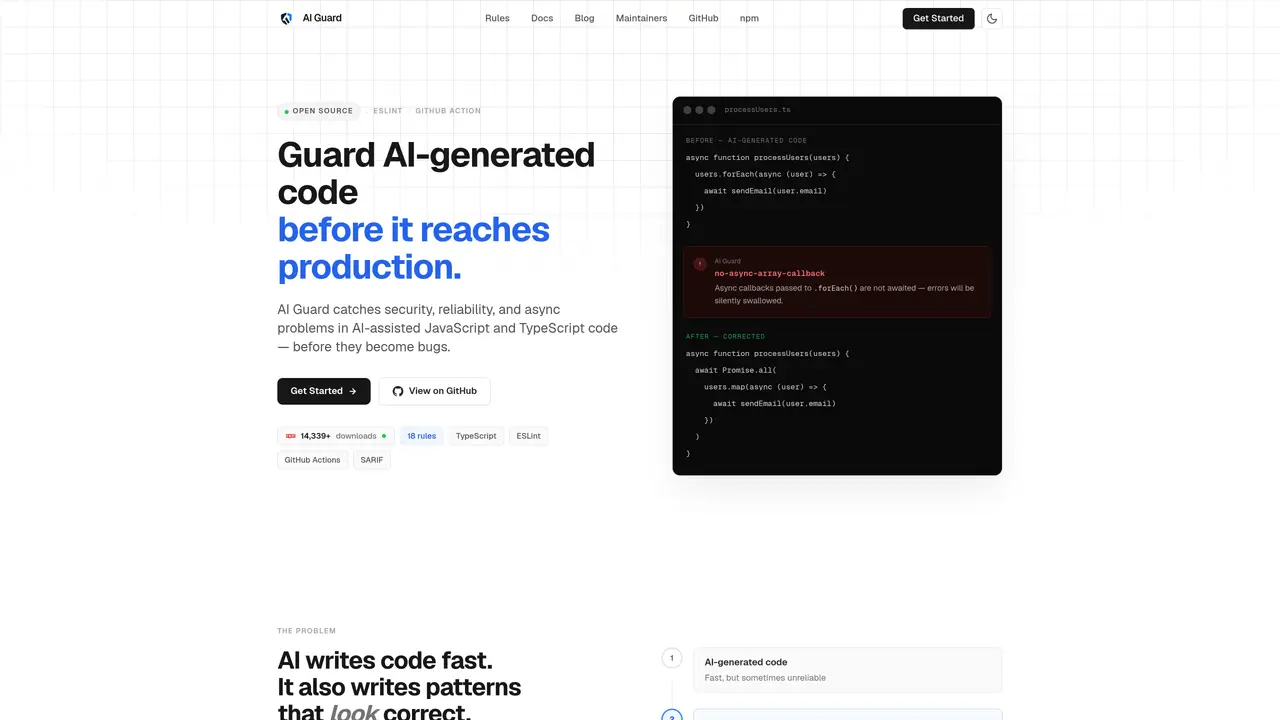
AI Guard is a static analysis tool designed to catch security, reliability, and asynchronous problems in AI-generated JavaScript and TypeScript code before it reaches production. It uses AST-based ESLint rules to analyze code patterns that commonly appear in AI-assisted development, such as floating promises, hardcoded secrets, unsafe eval usage, and SQL string concatenation. The tool operates deterministically, producing consistent results for the same code without relying on large language models, which eliminates hallucinations and false positives. It integrates into existing workflows through an ESLint plugin, a CLI for local or CI-based scanning, and a GitHub Action that automatically checks pull requests. Findings are presented as actionable errors or warnings with file and line references, allowing developers to address issues before merging code. AI Guard is distributed as an open-source MIT-licensed package with 18 focused rules covering security, reliability, async behavior, and AI-specific patterns.
Key features
- ESLint plugin integration
- CLI for local and CI scanning
- GitHub Action for PR-based analysis
- SARIF output for GitHub Code Scanning
- 18 AST-based rules for security and reliability
- HTML report generation
- Baseline suppression support
- Deterministic findings without LLM hallucinations
Use cases
- Scanning AI-generated code for security vulnerabilities before merging
- Enforcing coding standards in AI-assisted development workflows
- Automating code review for async and reliability issues in pull requests
Pros
- AST-based static analysis for deterministic results
- 18 focused rules covering security, reliability, and async issues
- Integrates with ESLint, CLI, and GitHub Actions
- Open-source and free with no paywalled features
- Catches common AI-generated code patterns before production
Cons
- Limited to JavaScript and TypeScript
- No API or cloud-based service offered
- Requires ESLint or CLI setup for use
Frequently asked questions about AI Guard
What is AI Guard and what does it do?
AI Guard is a static analysis tool that catches security, reliability, and asynchronous issues in AI-generated JavaScript and TypeScript code before it reaches production. It uses AST-based ESLint rules to analyze code patterns common in AI-assisted development, such as floating promises, hardcoded secrets, and unsafe eval usage.
Who should use AI Guard?
AI Guard is designed for developers who use AI coding assistants like Copilot, Cursor, or Claude and want to ensure their AI-generated code is safe and reliable before merging. It is particularly useful for teams that rely on automated workflows and CI/CD pipelines.
How does AI Guard work?
AI Guard operates deterministically using AST-based static analysis, producing consistent results without relying on large language models. It integrates into existing workflows via an ESLint plugin, a CLI for local or CI-based scanning, and a GitHub Action that automatically checks pull requests.
What types of issues does AI Guard detect?
AI Guard detects issues such as floating promises, hardcoded secrets, unsafe eval usage, SQL string concatenation, unnecessary awaits, unhandled async patterns, dead branches, and duplicated logic. It covers security, reliability, async behavior, and AI-specific patterns.
How can I integrate AI Guard into my workflow?
AI Guard can be integrated as an ESLint plugin, run locally or in CI via the CLI, or automatically checked in pull requests using the GitHub Action. Findings are presented as actionable errors or warnings with file and line references.
Is AI Guard free to use?
Yes, AI Guard is distributed as an open-source MIT-licensed package with all rules and features available for free without paywalls or gated functionality.